
PGP-Chat
Download on GitHub and verify the signature!
PGP-Chat encrypts chat messages with PGP.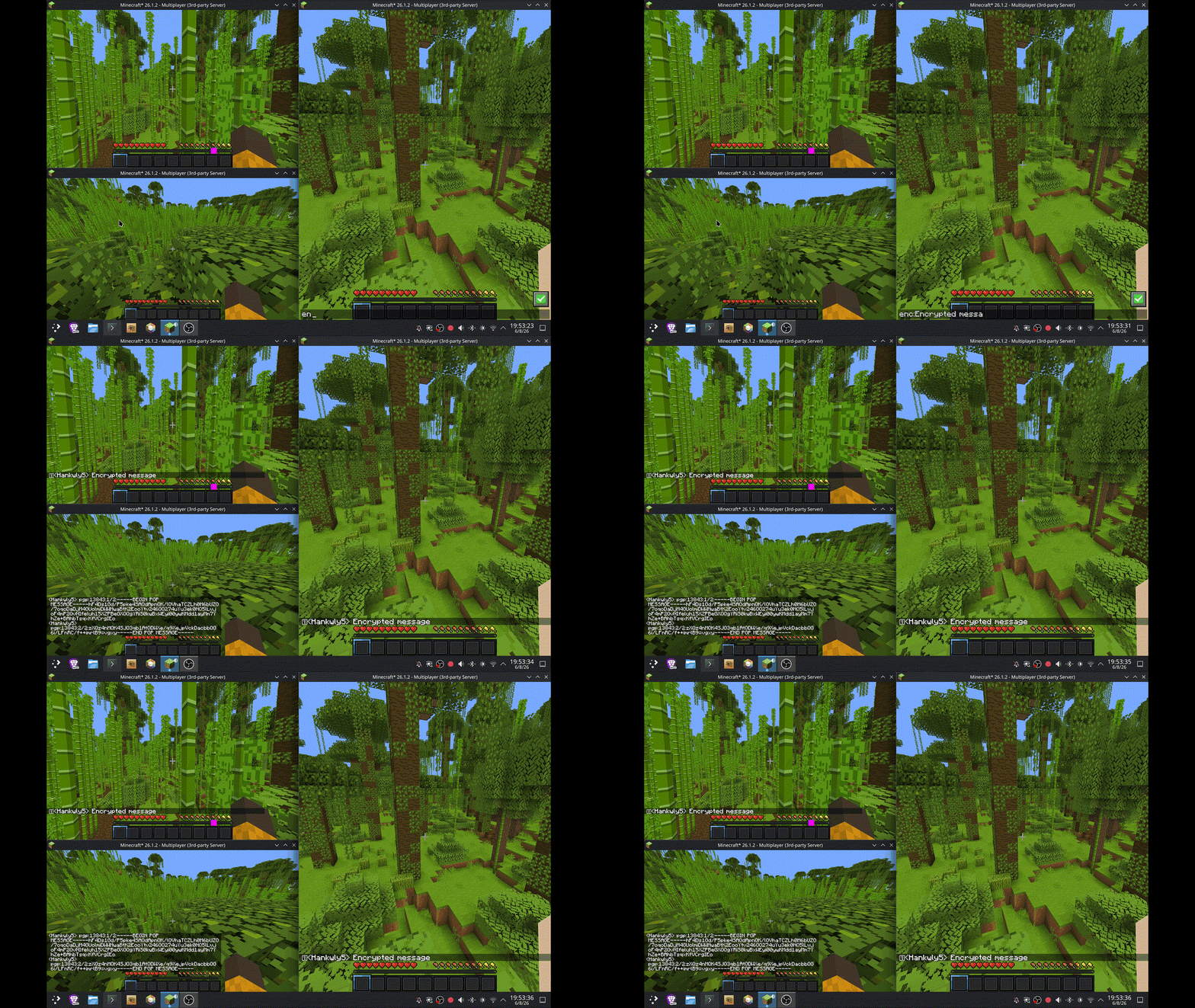
Advisories
You must have GUI Pinentry for password protected PGP keys.
When you have No Chat Reports installed decryption doesn't
work in singleplayer, but still works in multiplayer.
Usage
Requirement: GPG must be installed, with the keys of anyone you want to send encrypted messages to, imported.
Sending encrypted messages:
Prefix any chat message with enc: to encrypt it before sending:
enc:Hello, this is an encrypted message.
Configuration
The config file is available, from your instance's root folder, at config/PGP-Chat/config.txt
Unconfigured, it looks like this:
# The fingerprint, email, or key id of your message's recipient's pgp key (must be in gpg keyring), you can add more recipient: lines to add more recipients
recipient:
# The path to gpg, you probably don't need to put anything here if your gpg is at a standard path
gpg-path:
To send an encrypted message you have to put recipient key info in the config and a player wanting to send an encrypted message to you must do the same.
Dependencies
Fabric API
GPG
License
This mod is available under the GPL-3.0 license. Feel free to learn from it and incorporate it in your own projects.
- Edition: Minecraft Java
- File type: .jar
- Minecraft version listed: 26.3-snapshot-2
- How to install: Install the matching mod loader (Forge, Fabric or NeoForge) for your Minecraft version. → Download the .jar. → Put it in the .minecraft/mods folder and launch that loader profile.
- Where to get it: Opens on Modrinth — not every file is mirrored on our own servers.
Install steps are the general flow for this file type — How to install Minecraft Java mods & modpacks walks through it step by step.
- Ships as pgp-chat-1.4.0+26.3.x.jar — drop this file into the mods folder
- Download size: 37 KB
- Download link checked 10 Sept 2026 — working
These come from our own check of the pack file, not from the source page.