
OptiMix
Java mod listed for Minecraft 1.21. Downloads from the MC Java Mods app on Android.
🛡️ OptiMix HUD & utility mod for Minecraft that gives you control of your screen. ✨ Features 🛡️ Armor HUD Displays your equipped armor pieces directly…
⬇ Download on Modrinth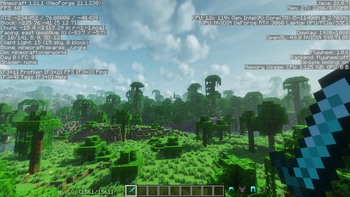
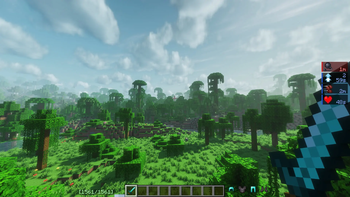
🛡️ OptiMix
HUD & utility mod for Minecraft that gives you control of your screen.
✨ Features
🛡️ Armor HUD
Displays your equipped armor pieces directly on screen.
Configurable side, rotation, and hotbar locking.
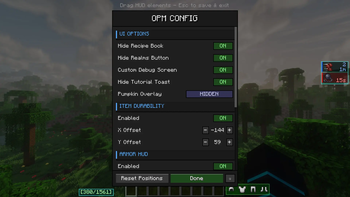
🔧 Item Durability Bar
A dedicated durability indicator for the item in your hand.
Fully repositionable with X/Y offset controls.
⚗️ Effects HUD
Replaces the default potion effect overlay with a compact, readable list.
Configurable left or right side positioning.
⚔️ Damage Bar
Visual indicator for incoming and outgoing damage.
Real-time combat feedback with no extra mods required.
☀️ Full Bright
Toggleable maximum brightness.
No gamma edits or resource packs — see everything in dark areas instantly.
🎃 Pumpkin Overlay Settings
Control the pumpkin helmet overlay — default, fully transparent, or subtle tint.
No more blocked vision.
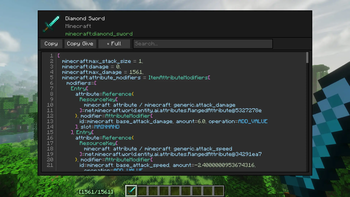
🔍 Item Inspector
Hover over any item to see a full breakdown of NBT data, components, enchantments, and custom attributes.
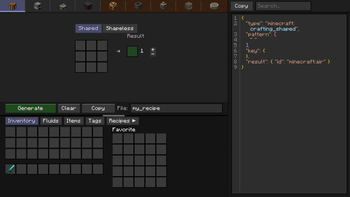
📦 Recipe Creator (Create compat)
In-game crafting recipe builder with native Create mod support.
Design and preview recipes without leaving the game.
🔗 Links
| 🟠 CurseForge | Mod |
| 🟢 Modrinth | Mod |
| 🐛 Bug Report | GitHub Issues |
| 💬 Discord | Server |
📜 License
This mod is licensed under MIT.
- Edition: Minecraft Java
- File type: .jar
- Minecraft version listed: 1.21.1
- How to install: Install the matching mod loader (Forge, Fabric or NeoForge) for your Minecraft version. → Download the .jar. → Put it in the .minecraft/mods folder and launch that loader profile.
- Where to get it: Opens on Modrinth — not every file is mirrored on our own servers.
Install steps are the general flow for this file type — How to install Minecraft Java mods & modpacks walks through it step by step.
- Ships as opm-1.0.0.jar — drop this file into the mods folder
- Download size: 184 KB
- Download link checked 24 Oct 2026 — working
These come from our own check of the pack file, not from the source page.