
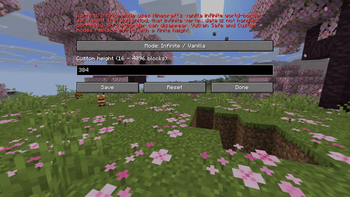
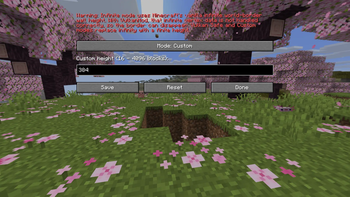
Vulkan Border Fix:
• VulkanMod introduces a brand new rendering engine to Minecraft in order to bring performance and graphical improvements, but it suffers from a visual bug that is a bit unknown: the world border becomes completely invisible.
Why this happens:
• Minecraft's vanilla world border height is mathematically infinite. When running VulkanMod, this infinite vertex data is not handled correctly by Vulkan, causing the engine to make the border disappear.
Solution:
• This mod fixes the issue by capping the world border at a finite height, allowing VulkanMod to correctly process and render the vertex data.
Features:
• Brings back the vanilla world border while running VulkanMod.
• Allows you to customize the world border's height.
- Edition: Minecraft Java
- File type: .jar
- Minecraft versions listed: 26.1, 26.1.1, 26.1.2
- How to install: Install the matching mod loader (Forge, Fabric or NeoForge) for your Minecraft version. → Download the .jar. → Put it in the .minecraft/mods folder and launch that loader profile.
- Where to get it: Opens on Modrinth — not every file is mirrored on our own servers.
Install steps are the general flow for this file type — How to install Minecraft Java mods & modpacks walks through it step by step.
- Ships as vulkan_border_fix-1.0.0.jar — drop this file into the mods folder
- Download size: 153 KB
- Download link checked 29 Aug 2026 — working
These come from our own check of the pack file, not from the source page.