
crosshair plus
Java mod listed for Minecraft 1.21. Downloads from the MC Java Mods app on Android.
⬇ Download on Modrinth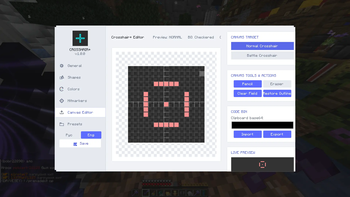
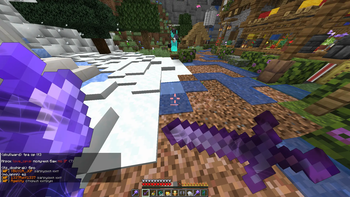
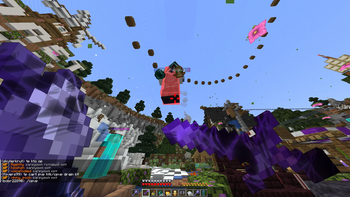
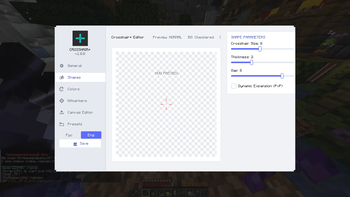
Crosshair+ — The Ultimate Pixel-Based PvP Editor
Crosshair+ is a powerful, creative tool designed for competitive players who demand both aesthetics and functionality. Built on the modern owo-lib framework, it offers a sleek, premium settings menu and unparalleled pixel-by-pixel customization to help you dominate the arena.
Key Features
Dual-Grid Editor: Design your crosshair using classic parameter sliders (size, thickness, gap) or draw pixel-by-pixel with a precision 15x15 canvas editor.
Dynamic Battle Modes:
Automatically switch your crosshair designs between Normal and Battle (combat/aiming) modes to maximize focus during PvP fights.
Intuitive Tools:
Utilize dedicated pencil and eraser tools with simple mouse toggles for precise pixel placement.
Premium Theme Design:
Experience a unified, beautiful palette with custom-colored sliders and clean, modern interface elements.
Bilingual Support:
Persistent in-game language switcher (English / Русский) with full translation across all tabs and labels.
Instant Access:
Open the graphical editor instantly in-game by pressing a configurable hotkey (Default: G).
How to Use
Download and install Fabric API and owo-lib.
Place the Crosshair+ jar file into your mods folder.
Launch the game and press G to open the editor.
Customize your crosshair, set your combat preferences, and hit the arena!
- Edition: Minecraft Java
- File type: .jar
- Minecraft versions listed: 1.21.4, 1.21.5, 1.21.6
- How to install: Install the matching mod loader (Forge, Fabric or NeoForge) for your Minecraft version. → Download the .jar. → Put it in the .minecraft/mods folder and launch that loader profile.
- Where to get it: Opens on Modrinth — not every file is mirrored on our own servers.
Install steps are the general flow for this file type — How to install Minecraft Java mods & modpacks walks through it step by step.
- Ships as crosshair-plus-1.0.0.jar — drop this file into the mods folder
- Download size: 1.1 MB
- Download link checked 19 Oct 2026 — working
These come from our own check of the pack file, not from the source page.