
Echo Reload
Echo Reload is a client mod that lets you browse installed mods, edit their configs, inspect logs, and restart the game from a hub on the title screen…
⬇ Download on Modrinth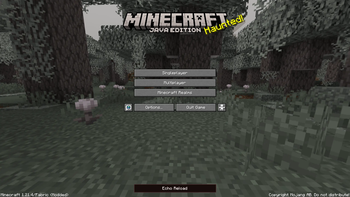
Echo Reload
A full modpack management hub built into Minecraft's main menu. Browse mods, edit configs, read logs, and restart your game — all without touching a single folder.
Features
Mod List
Echo Reload gives you a complete view of every mod in your instance — name, version, and status at a glance. Search and filter by name, load state, config files, or problems. Sort by name, ID, size, or status. Simple view hides library mods so the list stays clean, and clicking any mod opens a full detail page with dependencies, authors, config locations, and notes when something looks wrong.
Config Editor
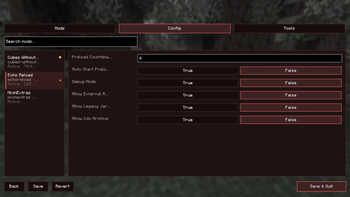
Pick any mod and edit its config files through a simple form interface. Supports common config formats, with Save and Revert options so you can undo changes before they stick. Boolean options use clear True / False buttons — no hand-editing files.
Logs
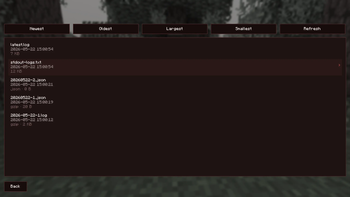
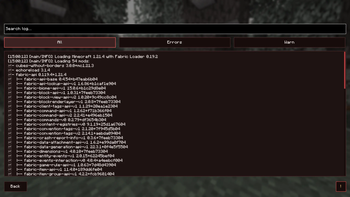
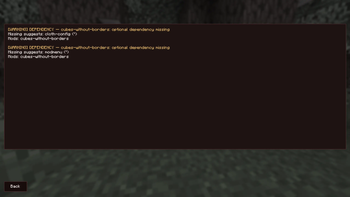
View every log file from your instance in one place. Read rotated and compressed logs without extra tools, with JSON logs formatted for easy reading. Search by keyword or filter down to just errors and warnings. The Found Issues scanner reads your log and flags likely mod conflicts, mixin problems, and other common causes.
Tools
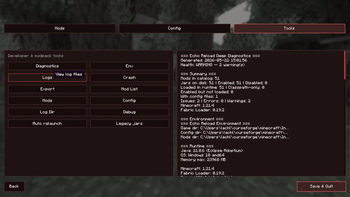
- Diagnostics — a full check of your instance with clear recommendations
- Crash — review the last crash report with suspected mods and suggested fixes
- Export — generate a shareable mod list for your pack
- Quick shortcuts to open your mods, config, and logs folders directly
Restart from the Hub
Changed a mod or config? Hit Restart from the hub. Echo Reload relaunches the game and brings you back to exactly where you were — same tab, same mod selected, same filters.
Who Is It For?
- Players fixing or tuning a modpack
- Pack makers checking mods, configs, and logs without leaving the game
- Anyone who wants a clearer view of what's installed and what might be going wrong
Requirements
| Minecraft | 1.21.4 |
| Loader | Fabric |
| Dependencies | Fabric API (recommended) |
Open Echo Reload from the main menu and take control of your modpack from one screen.
- Edition: Minecraft Java
- File type: .jar
- Minecraft version listed: 1.21.4
- How to install: Install the matching mod loader (Forge, Fabric or NeoForge) for your Minecraft version. → Download the .jar. → Put it in the .minecraft/mods folder and launch that loader profile.
- Where to get it: Opens on Modrinth — not every file is mirrored on our own servers.
Install steps are the general flow for this file type — How to install Minecraft Java mods & modpacks walks through it step by step.
- Ships as echoreload-neoforge-1.21.4-3.1.4.jar — drop this file into the mods folder
- Download size: 273 KB
- Download link checked 20 Aug 2026 — working
These come from our own check of the pack file, not from the source page.