
QDC Quantum Potion Overload
Remove, Add and Extend duration of potion effects. Can only use potions discovered by the Core Mod, QDC CORE 4.5, which is required for the mod.
⬇ Download on ModrinthThis mod allows the user to Add, Remove and Extend, potion effects on the player.
It requires QDC CORE 4.5 as a Core Mod, since it depends on the potions discovered by the Core Mod Disassembly and Discovery mechanic.
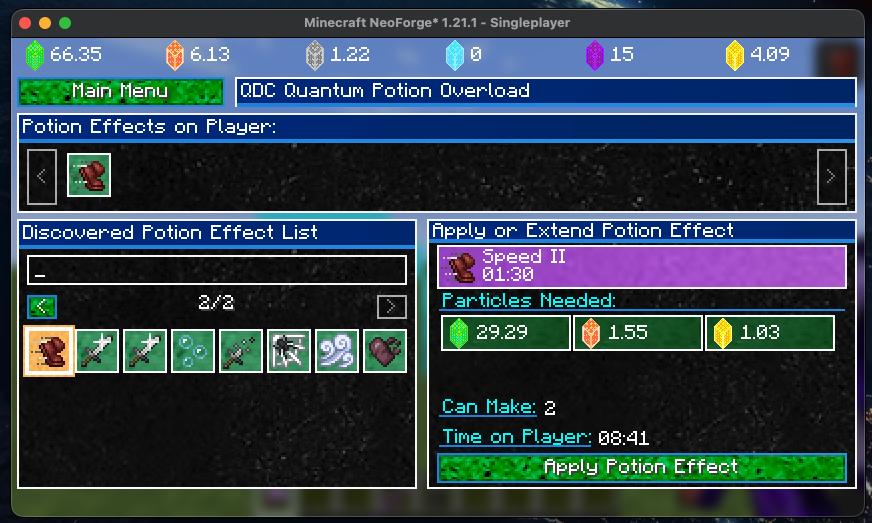
To Add and Extend a potion effect, particles from the Core Mod are required.
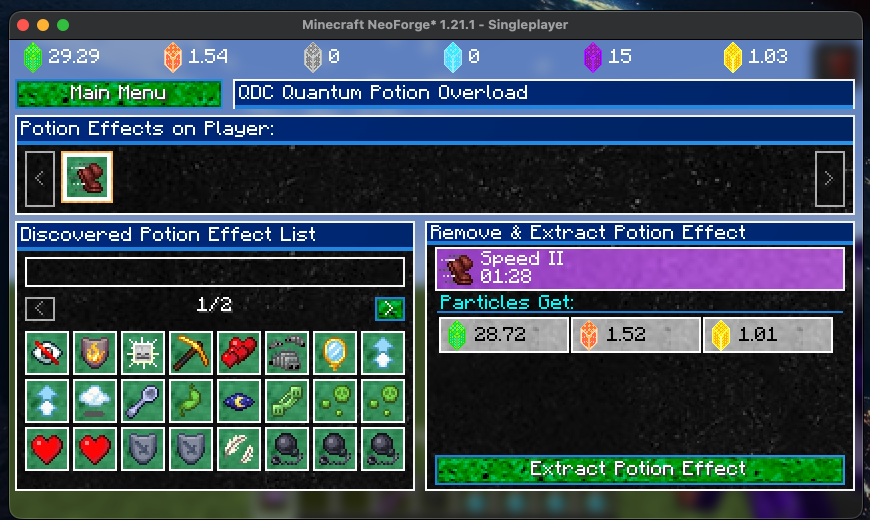
When removing a potion effect, if the potion with the effect has been discovered, the player will recieve particles. If potion of the effect being removed is not discovered, the effect can still be removed but no particles will be gained.
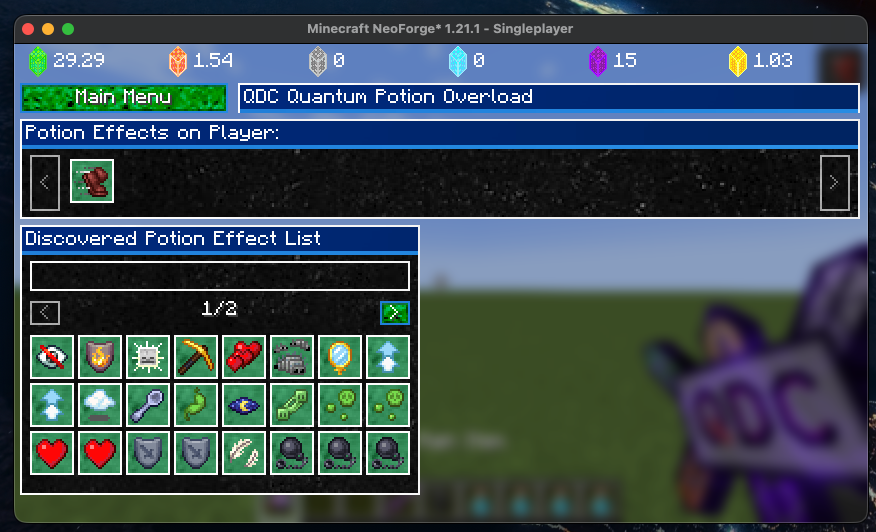
Click on a potion effect in the "Potion Effects on Player" window to extract and remove a potion effect.
Click on a potion effect in the "Discovered Potion Effect List" window, to Add a potion effect or Extend the duration of a potion effect. This requires the player to have particles from the Core Mod.
- Edition: Minecraft Java
- File type: .jar
- Minecraft version listed: 1.21.1
- How to install: Install the matching mod loader (Forge, Fabric or NeoForge) for your Minecraft version. → Download the .jar. → Put it in the .minecraft/mods folder and launch that loader profile.
- Where to get it: Opens on Modrinth — not every file is mirrored on our own servers.
Install steps are the general flow for this file type — How to install Minecraft Java mods & modpacks walks through it step by step.
- Ships as qdc_quantum_potion_overload-1.0.0-mc1.21.1.jar — drop this file into the mods folder
- Download size: 324 KB
- Download link checked 24 Aug 2026 — working
These come from our own check of the pack file, not from the source page.