
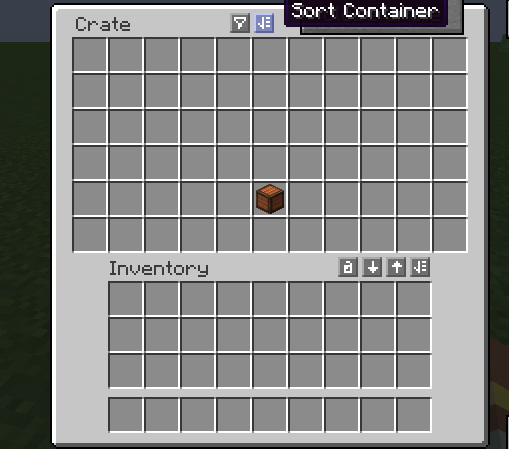
Balanced Crates is a neat mod that adds a more practical way to store and manage items, especially if you like having crate-style storage in your world.
Unfortunately, Quark’s inventory sorting button does not normally appear in the Balanced Crates GUI, which means you lose one of Quark’s most convenient quality-of-life features when using these crates.
This mod fixes that by adding Quark’s sorting button to the Balanced Crates interface.
It also slightly adjusts the button placement so Quark’s sorting button does not overlap with Balanced Crates’ own button.
- Edition: Minecraft Java
- File type: .jar
- Minecraft version listed: 1.20.1
- How to install: Install the matching mod loader (Forge, Fabric or NeoForge) for your Minecraft version. → Download the .jar. → Put it in the .minecraft/mods folder and launch that loader profile.
- Where to get it: Opens on Modrinth — not every file is mirrored on our own servers.
Install steps are the general flow for this file type — How to install Minecraft Java mods & modpacks walks through it step by step.
- Ships as balancedcratesquarksorting-1.0.0-all.jar — drop this file into the mods folder
- Download size: 627 KB
- Download link checked 23 Aug 2026 — working
These come from our own check of the pack file, not from the source page.