
QuickBrush
Java mod listed for Minecraft 1.20. Downloads from the MC Java Mods app on Android.
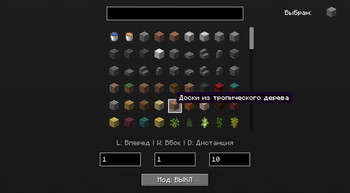
The mod allows you to instantly place custom block volumes and features full fluid support (water and lava) directly through the GUI. Customize your brush…
⬇ Download on Modrinth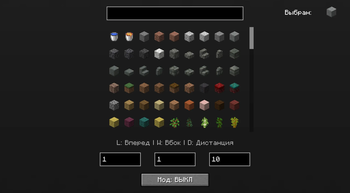
QuickBrush is a versatile Minecraft construction utility designed for rapid area filling and world "painting" with blocks.
Key Feature: The mod works flawlessly OUTSIDE of Creative Mode! This makes it the ultimate tool for YouTubers, streamers, and content creators. Run insane custom challenges, execute massive world-painting races, or set up unique showmatches for your videos.
The mod allows you to instantly place custom block volumes and features full fluid support (water and lava) directly through a clean GUI. Configure your brush length, width, and click distance to fit any challenge, and take your building events to the next level!
- Edition: Minecraft Java
- File type: .jar
- Minecraft version listed: 1.20.4
- How to install: Install the matching mod loader (Forge, Fabric or NeoForge) for your Minecraft version. → Download the .jar. → Put it in the .minecraft/mods folder and launch that loader profile.
- Where to get it: Opens on Modrinth — not every file is mirrored on our own servers.
Install steps are the general flow for this file type — How to install Minecraft Java mods & modpacks walks through it step by step.
- Ships as QuickBrush_1.32-1.20.4.jar — drop this file into the mods folder
- Download size: 23 KB
- Download link checked 14 Nov 2026 — working
These come from our own check of the pack file, not from the source page.