Create: Shield
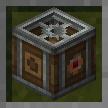
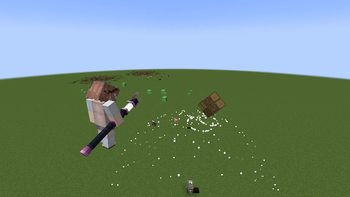
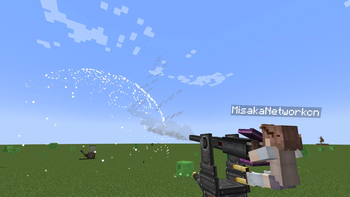
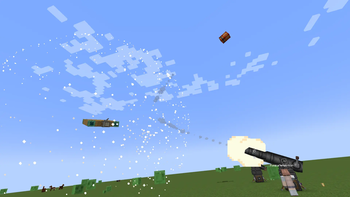
Create: Shield is a Minecraft NeoForge 1.21.1 mod that adds two powered blocks to Create and optionally Sable: the Clockwork Block (power battery) and the Shield Block (cone-shaped entity pusher).
Dependencies
| Dependency | Version |
|---|---|
| Minecraft | 1.21.1 |
| NeoForge | 21.1+ |
| Create | 6.0.10+ |
| Sable | 1.2.2 (optional, for subspace physics pushing) |
| Java | 21 |
1. Clockwork Block — Power Battery
The Clockwork Block is a mechanical device that can store and release rotational kinetic energy, essentially a giant "rechargeable battery."
1.1 Block Structure
| Face | Function |
|---|---|
| Back | Power input side, connect to a power source (e.g., motor, waterwheel) |
| Front | Power output side, supplies power to the mechanical network |
1.2 Operation Modes
Charging Mode (no redstone signal)
- Receives rotational power from the back, converting kinetic energy into internal stored energy.
- Stress consumption =
RPM × 256(SU) - Maximum energy storage: approximately 2 billion SU·tick
- Requires sufficient stress capacity from the external network while charging.
Discharging Mode (redstone signal applied)
- Releases stored energy and outputs rotational power from the front.
- Provides unlimited stress capacity (backed by stored energy).
- Discharge consumption =
ceil(stress demand)SU·tick, deducted from stored energy. - Automatically stops output when stored energy is depleted.
2. Shield Block — Cone‑Shaped Entity Pusher
The Shield Block is a cone‑area entity pushing device that uses rotational power to generate a repulsion field in front, pushing entities away.
2.1 Block Structure
| Face | Function |
|---|---|
| Back | Power input side |
| Front | Direction of repulsion wave emission; can be fitted with a Nozzle to adjust the cone angle |
| Left | Right‑click to open GUI parameter adjustment panel |
| Right | Two frequency slots; place items to set wireless frequency |
2.3 Cone Scanning Mechanism
When supplied with sufficient stress, the Shield Block creates a cone‑shaped scanning area in front:
- Repulsion angle φ = 45° – 270° (opening angle of the cone). Adjustable only if a Nozzle is installed; fixed at 45° without a nozzle.
- Repulsion range r = RPM / 8 (radius of the cone area)
- Repulsion strength flow = redstone signal strength
- An entity / physical structure (from Sable) is pushed only if it lies within the cone angle and is not blocked by line‑of‑sight.
- When a nozzle pushes a physical structure (Sable) from a subspace into the overworld, the Shield Block itself is pushed back.
2.4 Frequency Linking System
The Shield Block supports wireless frequency linking, enabling multiple blocks to work together:
- Place items in the two frequency slots to set the frequency.
- Supports Create’s wireless redstone adjustment.
- Physical structures belonging to Shield Blocks that share the same frequency pair are "allies" — they will not push each other within the same subspace, preventing same‑frequency structures from being blown away.
License
This mod is licensed under CC BY-NC-SA 4.0 (Creative Commons Attribution‑NonCommercial‑ShareAlike 4.0 International).
- Free to use, modify, and distribute
- Commercial use is prohibited
- Derivative works must be released under the same license
- Edition: Minecraft Java
- File type: .jar
- Minecraft version listed: 1.21.1
- How to install: Install the matching mod loader (Forge, Fabric or NeoForge) for your Minecraft version. → Download the .jar. → Put it in the .minecraft/mods folder and launch that loader profile.
- Where to get it: Opens on Modrinth — not every file is mirrored on our own servers.
Install steps are the general flow for this file type — How to install Minecraft Java mods & modpacks walks through it step by step.
- Ships as create-shield-1.21.1-1.0.0-2.jar — drop this file into the mods folder
- Download size: 99 KB
- Download link checked 9 Sept 2026 — working
These come from our own check of the pack file, not from the source page.