
ModsJava
Data Config
A mod that gives Minecraft datapacks a visual graphical configuration interface. Datapack authors only need to write simple JSON configurations, and…
I don't know my version or loader
Open the Minecraft launcher and look at the profile you play on — it names both, like fabric-loader-1.21.4. The version also shows in the bottom-right corner of the game's main menu.
No loader in the profile name? Then it's plain Minecraft, and these mods won't run — you need Fabric or NeoForge installed first.
Introduction
Datapack Config Mod is a utility mod for Minecraft Forge 1.20.1 that provides datapack developers with a convenient graphical configuration interface.
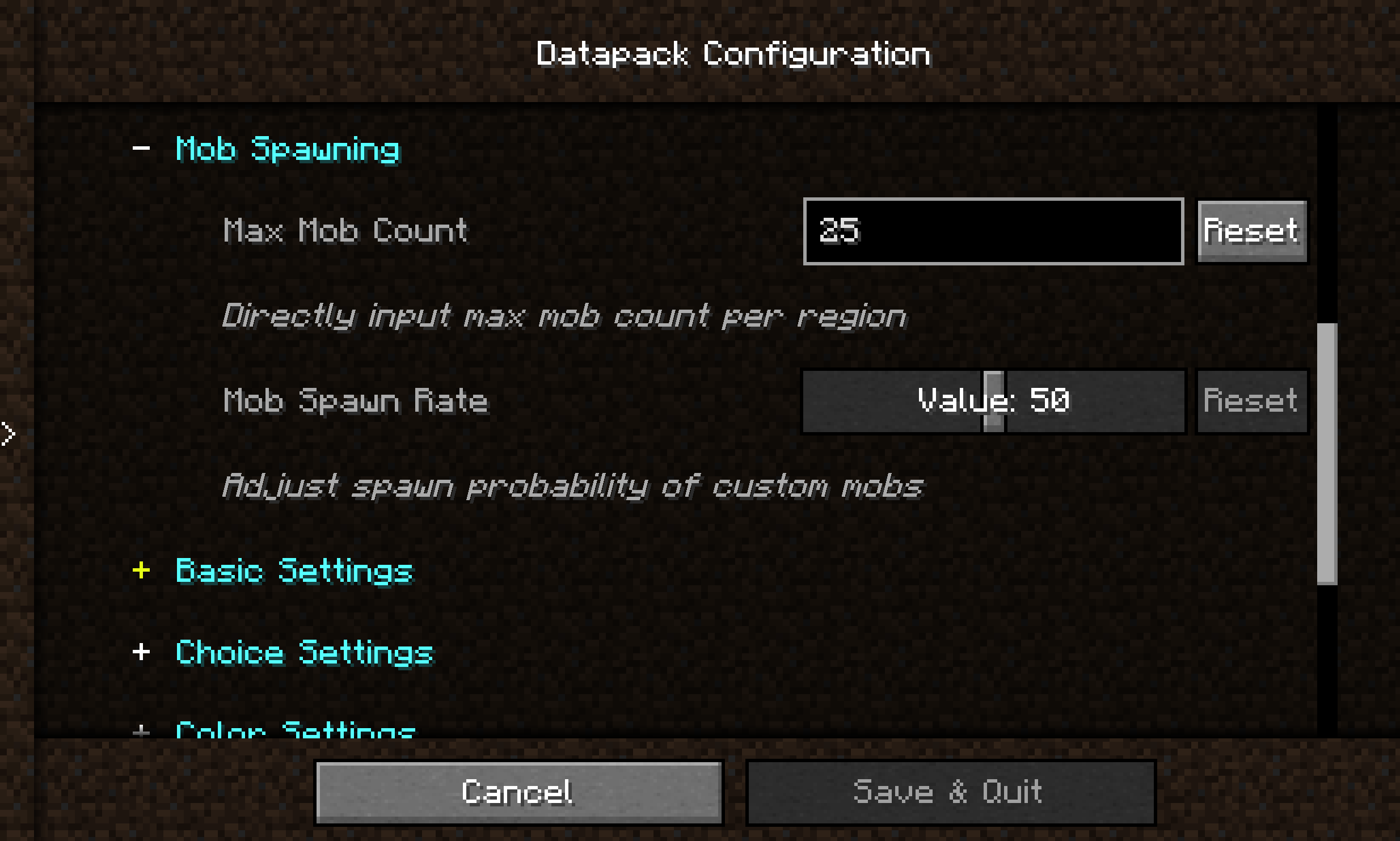
By integrating the Cloth Config API, the mod allows players to modify datapack parameters directly in-game without manually editing JSON files or restarting the game.
Main Features
🎨 Graphical Configuration Interface
- Uses Cloth Config to provide a user-friendly interface
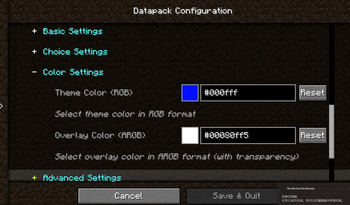
- Supports 10+ configuration types: sliders, text boxes, dropdown menus, color pickers, etc.
- Changes take effect immediately — no game restart required
🌍 Full Localization Support
- Bilingual interface (Chinese and English)
- Config option names, descriptions, and tooltips can be set per language
📦 Global Datapack Loading
- Automatically loads
.zipdatapacks fromconfig/datapack-config-mod/ - Each datapack can be toggled on/off via the config interface
- Datapacks are loaded with the highest priority
🔧 Main Menu Shortcut
- A "Datapack Config" button is added to the top‑right corner of the main menu for one‑click access
Supported Configuration Types
| Type | Description |
|---|---|
boolean |
Boolean toggle |
int / slider |
Integer input / slider |
double / double_slider |
Floating‑point input / slider |
string |
Text input |
enum / enum_selector |
Dropdown menu / enum selector |
color |
Color picker |
Quick Start
For Datapack Authors
Create a datapack_config.json file in the root directory of your datapack:
{
  "config": {
    "spawn_rate": {
      "type": "slider",
      "default": "50",
      "min": 0,
      "max": 100,
      "name": {
        "zh_cn": "生物生成率",
        "en_us": "Mob Spawn Rate"
      },
      "filePath": "data/mydatapack/config.json",
      "key": "spawn_rate"
    }
  }
}
Quick facts
- Edition: Minecraft Java
- File type: .jar
- Minecraft versions listed: 1.21.10, 1.21.11
- How to install: Install the matching mod loader (Forge, Fabric or NeoForge) for your Minecraft version. → Download the .jar. → Put it in the .minecraft/mods folder and launch that loader profile.
- Where to get it: Opens on Modrinth — not every file is mirrored on our own servers.
Install steps are the general flow for this file type — How to install Minecraft Java mods & modpacks walks through it step by step.
Verified by MCModsHub
- Ships as datapack_config_mod-0.0.2-1.21.10-neo.jar — drop this file into the mods folder
- Download size: 121 KB
- Download link checked 29 Aug 2026 — working
These come from our own check of the pack file, not from the source page.