
PlayerMusic
Java mod listed for Minecraft 1.21. Downloads from the MC Java Mods app on Android.
⬇ Download on Modrinth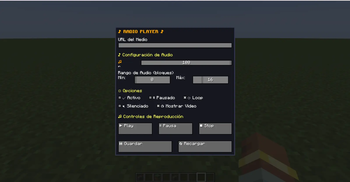
In-Game Music for Minecraft PlayerMusic adds an immersive in-game radio system that allows you to play music from YouTube and other media cloud services directly inside Minecraft, with a strong focus on high-quality audio playback.
This mod is NOT WaterFrames and is not focused on video playback. PlayerMusic is entirely centered on music and sound immersion.
──────────────────────────── 📻 Radio Block ──────────────────────────── PlayerMusic adds a Radio Block that allows players to play music directly from the block.
It also includes an option to render the video on top of the Radio Block, allowing players to visually see the current playback progress.
──────────────────────────── 📻 Tablet Item (Forge) ────────────────────────────
A Tablet has been added that allows you to listen to music or watch videos by pressing Shift + Right Click on the tablet.
Players near you will be able to hear the music.
⚠️ This feature is currently in Beta. If a player joins the server after you started playing the music, they will hear it from the beginning and not synchronized with you.
──────────────────────────── 🔊 Music Command ────────────────────────────
PlayerMusic includes a command that allows you to play music for a specific player or for all players on the server:
/playmusic "URL" <PLAYER | @a>
• The URL must be written inside quotation marks (" ") • PLAYER plays music for a single player • @a plays music for all players on the server • VOLUME controls the playback volume
This command reproduces audio only and does not display any video.
──────────────────────────── 📦 Required Dependencies ────────────────────────────
To use PlayerMusic correctly, the following dependencies are required:
- WaterMedia
- CreativeCore
- WaterMedia YouTube Plugin
These dependencies ensure proper audio playback and prevent issues when playing YouTube content.
──────────────────────────── ⚠️ Important Notes ──────────────────────────── • This mod plays AUDIO ONLY — it does NOT display videos on screens. • PlayerMusic is still in early development and is just getting started. • Updates will be released gradually over time with new features.
──────────────────────────── 🚀 Planned Features ────────────────────────────
• An in-game tablet / iPad-style device to listen to music • Playlist support • A world radio system with real radio stations from around the globe • More music-related features focused on immersion
──────────────────────────── 🙏 Credits ────────────────────────────
Special thanks to SrRapero720, creator of WaterMedia and WaterFrames, and for providing the API that makes this mod possible.
──────────────────────────── 💬 Support ────────────────────────────
If you have questions, need help, or want to report bugs, feel free to join our Discord server.
- Edition: Minecraft Java
- File type: .jar
- Minecraft version listed: 1.21.1
- How to install: Install the matching mod loader (Forge, Fabric or NeoForge) for your Minecraft version. → Download the .jar. → Put it in the .minecraft/mods folder and launch that loader profile.
- Where to get it: Opens on Modrinth — not every file is mirrored on our own servers.
Install steps are the general flow for this file type — How to install Minecraft Java mods & modpacks walks through it step by step.
- Ships as playermusic-1.0.1.jar — drop this file into the mods folder
- Download size: 1.4 MB
- Download link checked 6 Nov 2026 — working
These come from our own check of the pack file, not from the source page.