
Disposable Compass
Turn Nature's Compass and Explorer's Compass into one-destination navigation items with shift-right-click search-next.
⬇ Download on Modrinth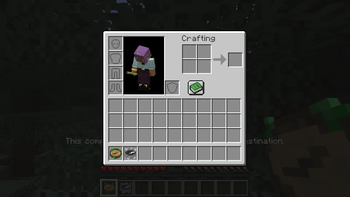
Disposable Compass
Turn Nature's Compass and Explorer's Compass into one-destination navigation items.
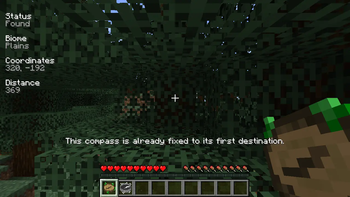
Disposable Compass makes the two compass mods behave more like filled maps: once a compass is assigned to its first target, that same item keeps that destination and cannot be reused to pick a different biome or structure.
What it does
- Locks a Nature's Compass after the first biome is selected.
- Locks an Explorer's Compass after the first structure or structure group is selected.
- Blocks reopening the selection screen on locked compasses.
- Changes shift-right-click on locked compasses from reset into “search next”.
- Keeps the selected biome or structure type fixed while allowing the item to find the next matching location.
This is useful for exploration-focused packs where biome and structure compasses should be committed navigation items instead of reusable global search tools.
Requirements
- Minecraft 1.21.1
- NeoForge
- Nature's Compass
- Explorer's Compass
Install on both client and server.
Source and issues
- Edition: Minecraft Java
- File type: .jar
- Minecraft version listed: 1.21.1
- How to install: Install the matching mod loader (Forge, Fabric or NeoForge) for your Minecraft version. → Download the .jar. → Put it in the .minecraft/mods folder and launch that loader profile.
- Where to get it: Opens on Modrinth — not every file is mirrored on our own servers.
Install steps are the general flow for this file type — How to install Minecraft Java mods & modpacks walks through it step by step.
- Ships as disposable_compass-neoforge-0.1.2.jar — drop this file into the mods folder
- Download size: 8 KB
- Download link checked 20 Aug 2026 — working
These come from our own check of the pack file, not from the source page.