
EtherImagen
adds a simple and immersive way to display your own pictures inside Minecraft. Using special image frames, you can upload images stored on your PC and…
⬇ Download on Modrinth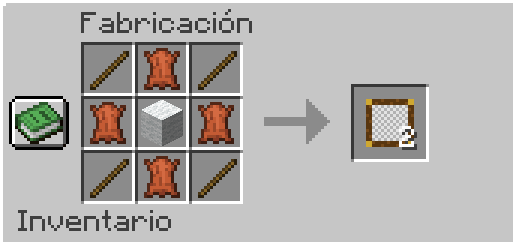
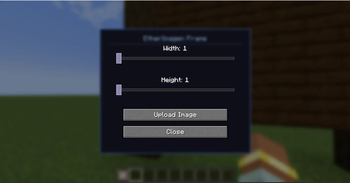
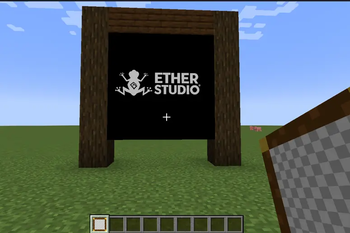
Description EtherImagen adds a simple and immersive way to display your own pictures inside Minecraft.
Using special image frames, you can upload images stored on your PC and place them directly in your world as decoration, posters, artwork, signs, memes, event banners, and more.
🖼 Features:
- Upload custom images from your computer
- Place images in decorative frames
- Easy to use in survival or creative worlds
- Multiplayer support
- Lightweight and optimized 🔒 Permissions System: The mod includes a command to control who can interact with image frames.
Command: /etherimage requireop <true/false>
- true → Only OP players can use image frames
- false → All players can use image frames
Examples:
- /etherimage requireop true
- /etherimage requireop false
Support for URL requires watermedia will be added soon
- Edition: Minecraft Java
- File type: .jar
- Minecraft version listed: 1.20.1
- How to install: Install the matching mod loader (Forge, Fabric or NeoForge) for your Minecraft version. → Download the .jar. → Put it in the .minecraft/mods folder and launch that loader profile.
- Where to get it: Opens on Modrinth — not every file is mirrored on our own servers.
Install steps are the general flow for this file type — How to install Minecraft Java mods & modpacks walks through it step by step.
- Ships as etherimage-1.0.0.jar — drop this file into the mods folder
- Download size: 62 KB
- Download link checked 7 Sept 2026 — working
These come from our own check of the pack file, not from the source page.