
What is Blurring?
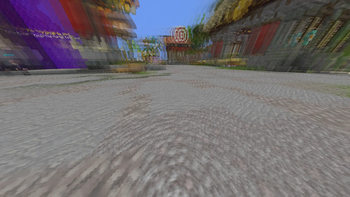
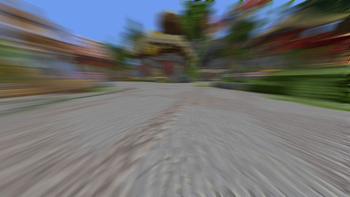
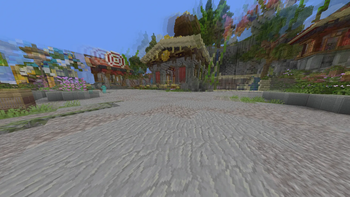
Blurring is a lightweight and customizable motion blur mod for Minecraft that adds smooth cinematic blur effects while moving your camera, turning, sprinting, and looking around.
The mod is designed to improve visual smoothness while staying clean, simple, and performance-friendly.
Features
- Smooth Motion Blur Rendering
- Adjustable Blur Strength
- Multiple Blur Types
- Blend Mode Support
- In-Game Settings Screen
- Mod Menu Integration
- Lightweight & Optimized
- Clean Modern Visuals
- Fabric Support
Customization
Blurring allows you to customize the visual feel of the blur effect directly in-game.
You can:
- Adjust blur intensity
- Change blur styles
- Configure blend modes
- Fine-tune the visual smoothness
Performance
The mod is built to stay lightweight and responsive while still providing a smooth cinematic effect during gameplay.
Compatibility
- Fabric Supported
- Works with Mod Menu
- Compatible with most visual and utility mods
- Designed for modern Minecraft versions
Common Questions
Does this affect gameplay?
No, the mod is purely visual.Can I disable or reduce the blur?
Yes, all blur settings are fully customizable.Will this lower FPS?
The mod is optimized to minimize performance impact, though results may vary depending on hardware and settings.
Modpack Permissions
You may include this mod in modpacks as long as proper credit and a link to the original project page are provided.
Support the Project
Blurring is developed in my free time and will continue receiving updates, improvements, and new features over time.
If you enjoy the mod and want to support development, you can support the project here:
Support helps with:
- Continued development
- Performance improvements
- New visual effects and settings
- Compatibility updates
- Future mod projects
Thank you for supporting the project ❤️
- Edition: Minecraft Java
- File type: .jar
- Minecraft version listed: 1.21.11
- How to install: Install the matching mod loader (Forge, Fabric or NeoForge) for your Minecraft version. → Download the .jar. → Put it in the .minecraft/mods folder and launch that loader profile.
- Where to get it: Opens on Modrinth — not every file is mirrored on our own servers.
Install steps are the general flow for this file type — How to install Minecraft Java mods & modpacks walks through it step by step.
- Ships as blurring-1.0.1.jar — drop this file into the mods folder
- Download size: 24 KB
- Download link checked 29 Aug 2026 — working
These come from our own check of the pack file, not from the source page.