
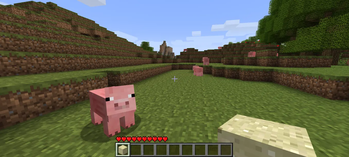
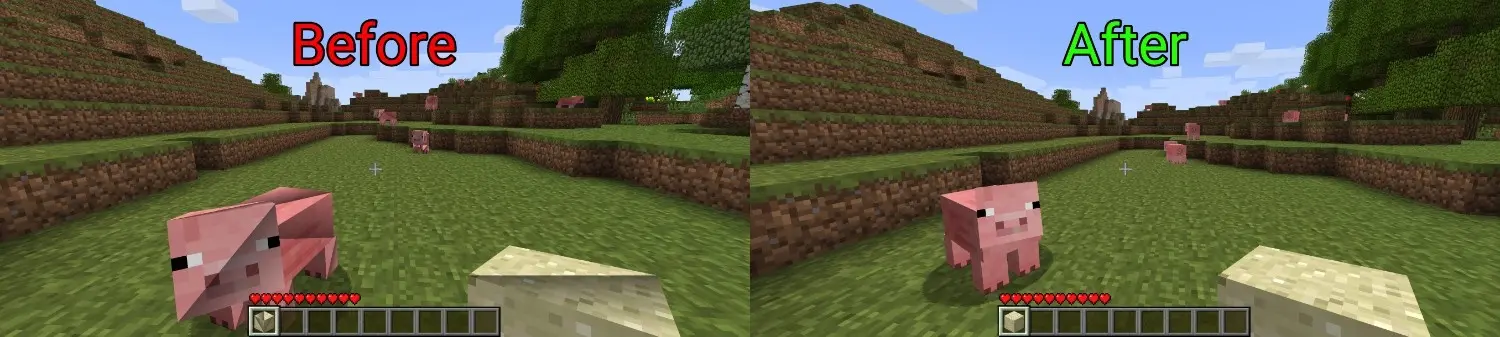
This is a simple mod that fixes gl4es rendering issues in legacy Minecraft versions on mobile launchers by switching rendering from triangles to quads
Installation
Babric and Risugami's ModLoader
- Install Babric or ModLoader
- Download the mod and place it in the
modsfolder
Java Agent
- Download the java agent and place it in the
.minecraftfolder - Add
-javaagent:GL4ESFix_v1.0-javaagent.jar -Dgl4esfix.mcVersion=<version>to your jvm arguments - Replace
<version>with one of the supported Minecraft versions below
Supported versions: b1.7.x, b1.6.x, b1.5.x, b1.4.x, b1.3.x, b1.2.x, b1.1.x, b1.0.x, a1.2.6, a1.2.5-a1.2.3, a1.2.2, a1.2.1_01-a1.2.0, a1.1.x, a1.0.17_04-a1.0.17_02, a1.0.16, a1.0.15, a1.0.14, a1.0.13, a1.0.12-a1.0.11, a1.0.10, a1.0.9, a1.0.8_01, a1.0.7, a1.0.6, a1.0.5_01, a1.0.5, a1.0.4, a1.0.3-inf_20100630, inf_20100629-inf_20100627, inf_20100625-inf_20100611
Quick facts
- Edition: Minecraft Java
- File type: .jar
- Minecraft versions listed: inf-20100618, a1.0.4, a1.0.5_01
- How to install: Install the matching mod loader (Forge, Fabric or NeoForge) for your Minecraft version. → Download the .jar. → Put it in the .minecraft/mods folder and launch that loader profile.
- Where to get it: Opens on Modrinth — not every file is mirrored on our own servers.
Install steps are the general flow for this file type — How to install Minecraft Java mods & modpacks walks through it step by step.
Verified by MCModsHub
- Ships as GL4ESFix_v1.0.1-javaagent.jar — drop this file into the mods folder
- Download size: 56 KB
- Download link checked 8 Sept 2026 — working
These come from our own check of the pack file, not from the source page.