
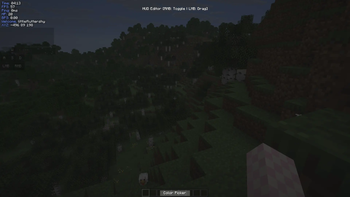
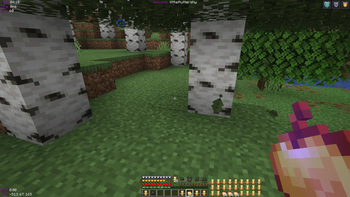

🛠️ Hud Editor
🧱 Customization
This editor lets you customize your HUD however you want. HudEditor is module based, now available:
- Ping
- Bps
- Coords
- Keyboard
- Welcomer
- Time
- Hp
- Inventory
- Totem
- Armor
You can create your ideal setup for PvP or a minimalist display of coordinates and FPS for basic survival.
🎨 Style
HudEditor also offers a high degree of customization for the appearance of the modules themselves, allowing you to create exactly the style you've always wanted! Now avalable:
- Colorpicker
💾 Config system
You can also save what you've created using the configuration system! All configuration is done through a visual interface, so you won't have to write out lengthy configuration files!
- Edition: Minecraft Java
- File type: .jar
- Minecraft version listed: 26.1.2
- How to install: Install the matching mod loader (Forge, Fabric or NeoForge) for your Minecraft version. → Download the .jar. → Put it in the .minecraft/mods folder and launch that loader profile.
- Where to get it: Opens on Modrinth — not every file is mirrored on our own servers.
Install steps are the general flow for this file type — How to install Minecraft Java mods & modpacks walks through it step by step.
- Ships as hudeditor.jar — drop this file into the mods folder
- Download size: 95 KB
- Download link checked 11 Sept 2026 — working
These come from our own check of the pack file, not from the source page.