
Effective Instruments
Play music. Empower allies. Or curse your enemies. Effective Instruments adds a magical aura system to musical instruments, letting musicians grant potion…
⬇ Download on Modrinth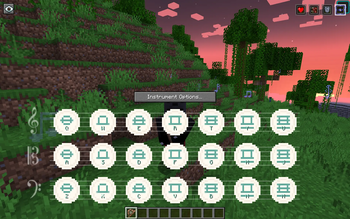

Effective Instruments
Play music. Empower allies. Or curse your enemies. Effective Instruments adds a magical aura system to Genshin Instruments, letting musicians grant potion effects to nearby players and tamed pets while they perform — or, if they pick the negative-polarity variant, inflict debuffs on nearby mobs. Every instrument has its own unique positive and offensive aura — pick up a Windsong Lyre and feel the breeze quicken your step (positive) or call down a howling gale that slows and weakens every foe in range (offensive).
New in 1.4.x:
- Offensive (negative) auras — every instrument gets a mirrored debuff variant (Wither, Poison, Slowness, Blindness, etc.). Pick the red-bordered icon to swap polarities on the fly.
- Instrument durability — instruments now wear out with use (per-instrument NBT durability) and can be repaired on an anvil. Vanilla-style durability bar under every instrument slot. Offensive auras wear instruments out faster.
- 1-to-1 unique auras across 42 instruments. Every GI, EMI (including all 16 note-block variants), and Immersive Melodies instrument has its own distinct positive + offensive pair — 84 unique auras shipped.
- Broad offensive targeting by default — negative auras hit every mob in range except the musician, their own pets, and other players' pets. Admins can flip to fine-grained per-category control if preferred.
- Diagnostics command —
/effectiveinstruments diagnosesurfaces every gate in the aura pipeline so "why isn't my aura firing?" has a one-command answer.
From 1.3.0: Optional Immersive Melodies support! Walk around playing an IM instrument and receive lighter, passive buffs — no screen needed.
How It Works
Stationary Tier (Genshin Instruments / Even More Instruments)
- Open any instrument from Genshin Instruments (or Even More Instruments).
- Your instrument's default positive aura auto-selects. Each instrument has a default aura mapped to it — no manual selection needed.
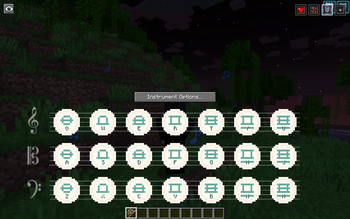
- Play a single note and the aura applies immediately to all valid targets in range. Effects refresh as you keep playing; colored music note particles float outward to show the aura's reach.
- Pick the red-bordered icon in the top-right to switch to the instrument's offensive variant. Non-ambient particles on affected mobs show the debuff landed.
- Stop playing and the aura deactivates after a short grace window (configurable, default 5 seconds). Effects naturally expire.
- Close the instrument and the aura clears. Open the same instrument again and it remembers your last selection for that session.
Mobile Tier (Immersive Melodies — optional)
When Immersive Melodies is installed alongside Effective Instruments:
- Hold an IM instrument and start a melody (autoplay) or use free-play mode.
- Walk around freely — a passive aura buff applies to you and nearby allies every pulse (default: once per second). Colored music notes float around the musician while the aura is active.
- Pause or switch instruments — effects linger briefly then clear.
- Pick the red-bordered icon to swap to the mobile-tier offensive aura for the held instrument.
Mobile auras are deliberately lighter than stationary ones (single effect, shorter range and duration) for balance. If both tiers would apply to the same player, the stationary tier takes precedence by default.
Free-play support shipped in 1.4.3. Opening the IM screen is enough to activate the aura — no autoplay required. (Durability is only charged during autoplay / actual note playback, not while browsing the melody list.)
Instrument Auras
Every instrument ships with its own unique, thematic aura:
Genshin Instruments
| Instrument | Aura | Effects |
|---|---|---|
| Windsong Lyre | Zephyr's Blessing | Speed I |
| Vintage Lyre | Echoes of Antiquity | Regeneration I |
| Floral Zither | Bloom Veil | Absorption I + Saturation I |
| Glorious Drum | Warcry Cadence | Strength I + Resistance I |
| Nightwind Horn | Moonlit Passage | Night Vision + Slow Falling |
| Ukulele | Sunkissed Serenade | Luck I |
| Djem Djem Drum | Rhythm of the Earth | Haste I + Jump Boost I |
Even More Instruments
| Instrument | Aura | Effects |
|---|---|---|
| Guitar | Wanderer's Anthem | Speed I + Jump Boost I |
| Keyboard | Harmonic Resonance | Regeneration I + Haste I |
| Koto | Tranquil Current | Water Breathing + Dolphin's Grace |
| Pipa | Silk Road Vigor | Speed I + Strength I |
| Saxophone | Smoky Allure | Hero of the Village I |
| Shamisen | Ghost Flame | Fire Resistance + Strength I |
| Trombone | Bulwark Fanfare | Resistance I + Absorption II |
| Violin | Heartstring Aria | Regeneration I + Absorption I |
Note Block Instrument variants (basedrum, bass, bell, etc.) are also mapped to thematically matching auras — see _README_INSTRUMENTS.txt in your config folder for the full list.
Immersive Melodies (mobile passive tier)
| IM Instrument | Passive Aura | Effect |
|---|---|---|
| Flute | Windstep | Speed I |
| Lute | Traveler's Hum | Luck I |
| Piano | Measured Tempo | Haste I |
| Vielle | Hearthsong | Regeneration I |
| Didgeridoo | Earthpulse | Jump Boost I |
| Bagpipe | Steadfast Drone | Resistance I |
| Trumpet | Brass Call | Strength I |
| Tiny Drum | March Tap | Speed I |
| Triangle | Clear Ping | Night Vision |
| Handpan | Stillwater | Water Breathing |
| Ender Bass | Shade Resonance | Fire Resistance |
All auras can be freely customized, disabled, or deleted. Add your own by creating new JSON files.
Fully Data-Driven Aura System
Every aura is defined by a simple JSON file in your config folder:
config/effective_instruments/auras/
On first launch, the mod generates 84 default aura JSON files (31 stationary positive + 31 stationary offensive + 11 mobile positive + 11 mobile offensive) and a _README.txt reference guide. From there, you have full control:
- Edit any default aura — change its effects, duration, radius, color, name, or description
- Disable an aura by setting
"enabled": false— it stays on disk but won't appear in-game - Delete a default aura file — it won't be regenerated
- Create new auras by adding your own
.jsonfiles to the folder
Aura JSON Format
{
  "displayName": "Fire Ward",
  "description": "Fire Resistance to nearby allies",
  "color": "FF4400",
  "enabled": true,
  "durationTicks": 200,
  "radius": 12,
  "sortOrder": 10,
  "effects": [
    { "effect": "minecraft:fire_resistance", "amplifier": 0 }
  ]
}
New in 1.3.0: Two optional fields control tier support:
"tiers"— array of"stationary","mobile", or both. Defaults to["stationary"]if omitted, so existing files need no edits."showInSelector"—true/false. Defaults totruefor stationary presets,falsefor mobile-only.
Fields:
| Field | Type | Description |
|---|---|---|
displayName |
string | Name shown on the button tooltip |
description |
string | Tooltip description line |
color |
string | Hex color code (e.g. "FF8800") — used for particles and UI highlights |
enabled |
bool | Whether this aura appears in the selector |
durationTicks |
int | How long applied effects last (20 ticks = 1 second) |
radius |
int | Aura range in blocks. Use -1 to inherit the global server default |
sortOrder |
int | Button ordering in the UI (lower = further left) |
effects |
array | List of potion effects to apply (see below) |
tiers |
array | (Optional) Which tiers: ["stationary"], ["mobile"], or both |
showInSelector |
bool | (Optional) Show in stationary selector UI |
icon |
string | (Optional) Resource location for the button icon texture |
iconSelected |
string | (Optional) Resource location for the selected icon texture |
Each entry in the effects array takes:
"effect"— the registry name of the potion effect (e.g."minecraft:regeneration","minecraft:speed")"amplifier"— effect level minus 1 (0 = Level I, 1 = Level II, etc.)
If icon/iconSelected are omitted, the button displays the first letter of the display name as a fallback — so custom auras don't require any texture work.
Instrument-Aura Mapping
Stationary Mapping
The file config/effective_instruments/instrument_auras.json controls which auras are available for each instrument and which one auto-selects when opened.
Two formats are supported per entry:
String shorthand — single aura, default and only option:
"genshinstrument:windsong_lyre": "zephyrs_blessing"
Object form — default aura + additional allowed auras in the selector:
"genshinstrument:windsong_lyre": {
  "default": "zephyrs_blessing",
  "allowed": ["zephyrs_blessing", "echoes_of_antiquity", "bloom_veil"]
}
- If an instrument is not listed, all enabled auras are shown (backwards-compatible)
- The default aura is always included in the allowed list automatically
Mobile Mapping (new in 1.3.0)
The file config/effective_instruments/mobile_instrument_auras.json maps Immersive Melodies instrument IDs to mobile-tier aura presets. Each entry is a simple string (one aura per instrument, no selector):
"immersive_melodies:flute": "windstep_mobile"
Use /effectiveinstruments reload to apply changes to either mapping without restarting.
Commands
| Command | Permission | Description |
|---|---|---|
/effectiveinstruments reload |
OP (level 2) | Reload all aura presets and instrument mappings (stationary + mobile) |
/effectiveinstruments status [player] |
OP (level 2) | Show a player's current aura state (both tiers when IM is present) |
/effectiveinstruments durability {get |
set <n> | repair} |
/effectiveinstruments diagnose |
Everyone | Dump pipeline state (why isn't my aura firing?) |
/effectiveinstruments reset-mappings |
OP (level 2) | Delete + regenerate the instrument-aura mapping from the canonical 1-to-1 table |
/effectiveinstruments help |
Everyone | Print config location and command summary |
Configuration
All config files live under a single folder: config/effective_instruments/.
Server Config (server.toml)
General settings:
| Setting | Default | Description |
|---|---|---|
enabled |
true |
Master toggle for all aura effects |
noteWindowTicks |
100 |
Ticks after the last note before the aura deactivates (100 = 5 sec) |
auraTickIntervalTicks |
10 |
How often (in ticks) aura effects refresh on targets |
defaultRadius |
16 |
Default aura range in blocks (used when a preset's radius is -1) |
Targeting settings:
| Setting | Default | Description |
|---|---|---|
allowSelfBuff |
true |
Whether the musician receives their own aura effects |
includeOtherPlayers |
true |
Whether other players in range receive effects |
includeTamedPets |
true |
Whether tamed animals in range receive effects |
petEntityTypeAllowlist |
[] |
Extra entity type IDs to treat as pets (e.g. ["alexsmobs:crow"]) |
Mobile tier settings (new in 1.3.0):
These no-op when Immersive Melodies is not installed.
| Setting | Default | Description |
|---|---|---|
enabled |
true |
Master toggle for mobile tier |
pulseIntervalTicks |
20 |
How often (in ticks) mobile effects refresh (20 = 1 sec) |
lingerTicks |
60 |
How long effects linger after the player stops playing |
defaultRadius |
8 |
Mobile aura range when JSON radius is -1 |
maxTargetsPerTick |
16 |
Entity cap per mobile musician per pulse |
allowSelfBuff |
true |
Musician receives their own mobile effects |
includeOtherPlayers |
true |
Other players in range receive mobile effects |
includeTamedPets |
false |
Tamed pets receive mobile effects (off by default for balance) |
suppressWhenStationaryActive |
true |
Stationary tier suppresses mobile for the same player |
Client Config (client.toml)
| Setting | Default | Description |
|---|---|---|
showOverlay |
true |
Show the aura selector buttons on instrument screens |
overlayScale |
1.0 |
Scale factor for overlay buttons (0.5 - 2.0) |
compactMode |
false |
Use a compact button layout |
particlesMode |
ALL |
Floating music note particles: ALL, MINIMAL, or NONE |
reducedMotion |
false |
Dampen particle drift and pulse (accessibility) |
screenClassAllowlist |
[] |
Fully-qualified class names for instrument screens from other mods that don't extend Genshin Instruments' InstrumentScreen |
Visual Effects
When an aura is active, colored floating music note particles spawn across the full radius of the aura's effect range. The particles are tinted to match the aura's configured color — teal drifting notes for Zephyr's Blessing, crimson for Warcry Cadence, violet for Moonlit Passage, and so on. They gently rise, drift, pulse in size, and fade out.
Particle rendering is entirely client-side. If particles cause performance issues, use the particlesMode client config option to reduce or disable them.
Smart Buff Handling
- Strongest wins: If a target already has a stronger version of the same effect from another source (e.g. a beacon or potion), the aura won't overwrite it.
- Clean switching: Changing auras instantly strips the old aura's effects from all targets. The mod tracks exactly which effects it applied to which entities and only removes its own.
- Clean close: Closing an instrument clears the aura and strips tracked effects. The instrument's default aura will auto-select next time it's opened.
- Tier precedence: When both stationary and mobile tiers could apply to the same player, stationary wins and suppresses the mobile tier (configurable).
- Ambient effects: Aura-applied effects use the ambient flag (subtle swirling particles) to distinguish them from potions and to keep the visual clutter low.
- Per-instrument memory: If you override the default aura for an instrument, your choice is remembered for that instrument within the session (forgotten on logout).
Compatibility
- Genshin Instruments (required) — all instrument screens are automatically detected
- Even More Instruments (optional) — all EMI screens extend Genshin Instruments'
InstrumentScreenand are automatically supported, including all 16 Note Block Instrument variants - Immersive Melodies (optional, new in 1.3.0) — enables mobile passive tier. No IM classes imported, no reflection, no mixins. When IM is absent the compat layer is a zero-cost no-op
- Other instrument mods — use the
screenClassAllowlistclient config to add support for screens from mods that don't extendInstrumentScreen
Effects from other mods (potion effects, beacons, etc.) are never stripped or overwritten unless the aura provides a stronger or equal version.
Requirements
- Minecraft 1.20.1
- Forge 47+
- Genshin Instruments 5.0+
- Optional: Even More Instruments 6.0+
- Optional: Immersive Melodies 0.6.0+ (enables mobile tier)
Quick Start
- Install the mod alongside Genshin Instruments.
- Open any instrument in-game. Its unique aura auto-selects and the corresponding button appears in the top-right corner.
- Start playing. Nearby allies will receive the buff.
- (Optional) Install Immersive Melodies. Hold an IM instrument and start a melody — passive buffs activate automatically.
- To customize auras, edit the JSON files in
config/effective_instruments/auras/. - To change instrument mappings, edit the mapping files in
config/effective_instruments/. - Use
/effectiveinstruments reloadto apply changes without restarting.
- Edition: Minecraft Java
- File type: .jar
- Minecraft version listed: 1.20.1
- How to install: Install the matching mod loader (Forge, Fabric or NeoForge) for your Minecraft version. → Download the .jar. → Put it in the .minecraft/mods folder and launch that loader profile.
- Where to get it: Opens on Modrinth — not every file is mirrored on our own servers.
Install steps are the general flow for this file type — How to install Minecraft Java mods & modpacks walks through it step by step.
- Ships as effectiveinstruments-1.6.0.jar — drop this file into the mods folder
- Download size: 330 KB
- Download link checked 29 Aug 2026 — working
These come from our own check of the pack file, not from the source page.