
Key Filter
A client-side Minecraft mod that lets you lock, hide, and disable key bindings. Supports both Fabric and NeoForge.
Features
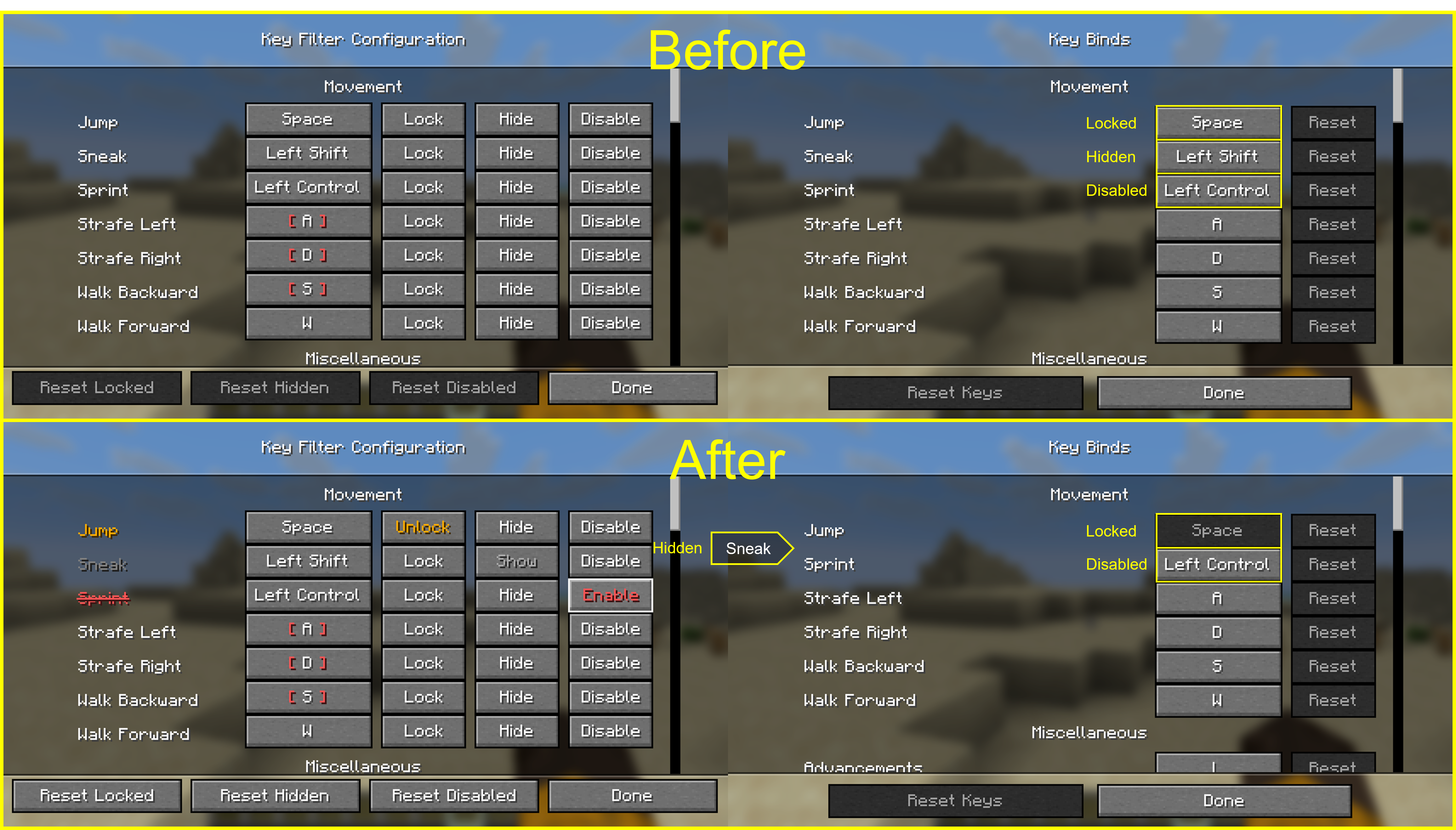
For every key binding you can toggle three independent states:
- Lock — prevents the binding from being changed, so you don't overwrite it by accident.
- Hide — hides the entry from the vanilla Controls screen to keep the list clean.
- Disable — makes the game ignore the key entirely, even if another mod or feature would normally consume it.
Usage
- Press F8 in-game to open the Key Filter config screen. (Default binding — it can be rebound from the vanilla Controls menu.)
- In the list, use the buttons next to each binding to toggle its state:
Lock/UnlockHide/ShowDisable/Enable
Settings are stored in config/keyfilter.json.
Quick facts
- Edition: Minecraft Java
- File type: .jar
- Minecraft version listed: 26.2
- How to install: Install the matching mod loader (Forge, Fabric or NeoForge) for your Minecraft version. → Download the .jar. → Put it in the .minecraft/mods folder and launch that loader profile.
- Where to get it: Opens on Modrinth — not every file is mirrored on our own servers.
Install steps are the general flow for this file type — How to install Minecraft Java mods & modpacks walks through it step by step.
Verified by MCModsHub
- Ships as keyfilter-neoforge-0.1.1+mc26.2.jar — drop this file into the mods folder
- Download size: 31 KB
- Download link checked 9 Sept 2026 — working
These come from our own check of the pack file, not from the source page.