
VPB Hand Animation Compatibility Layer
VPB Hand Animation Compatibility Layer is a client-side Fabric compatibility mod for Vic's Point Blank, Hold My Items, and Punchy.
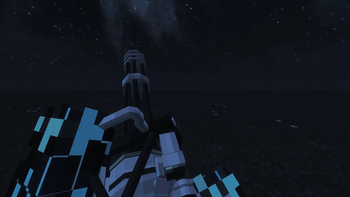
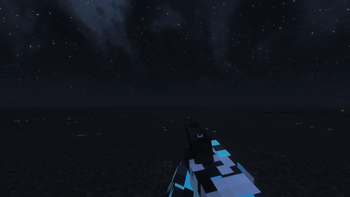
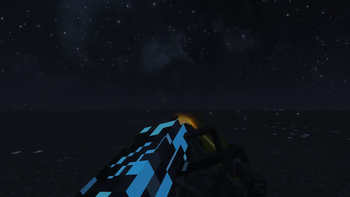
It keeps Point Blank and Point Blank content-pack guns in control of their own first-person hand animations while leaving normal items to Hold My Items and Punchy. The mod is intentionally narrow: it does not change weapon mechanics, damage, fire/reload logic, recoil, ammo, input, collision, or server-side behavior.
What It Fixes
- Lets VPB gun animations take priority over Hold My Items first-person render redirects.
- Suppresses HMI first-person action-pose hands while a Point Blank gun owns the main hand.
- Lets Punchy stand down for Point Blank items through Punchy's own item-blacklist path.
- Keeps non-Point-Blank items using HMI and Punchy normally.
- Supports Point Blank Blue Archive content-pack guns through the normal
pointblanknamespace allowlist. - Keeps optional debug diagnostics available through config.
What's New In 1.0.0
- Public project name changed to VPB Hand Animation Compatibility Layer.
- Punchy compatibility is included beside the existing Hold My Items compatibility.
- Minecraft 1.21.11, 1.21/1.21.1, and 1.20.1 release builds are available.
- Missing config toggles are auto-populated from installed mods on first launch or migration.
holdmyitemsand the legacyhold-my-itemsmod ids are both recognized for HMI compatibility.- The technical mod id remains
vpb_hmi_compatfor update continuity.
Compatibility
Available release lines:
- Minecraft 1.21.11
- Minecraft 1.21 and 1.21.1
- Minecraft 1.20.1
Use the file that matches your Minecraft version. The mod is client-only and is safe for singleplayer or multiplayer clients; it is not required on a server.
Installation
Put the matching vpb-hmi-compat jar into the client or modpack mods folder together with Vic's Point Blank and either Hold My Items, Punchy, or both in separate client profiles.
Configuration
On first client launch, the mod creates:
config/vpb_hmi_compat.json
If the config file or a compatibility toggle is missing, the mod auto-populates the missing toggle from installed mods. It does not overwrite user-defined choices on later launches.
To test a specific item id, add it to bypassItemIds, for example "pointblank:ba_ariusar". To collect diagnostics, temporarily set debugLogging, heldItemLogging, and mixinLogging to true.
Compatibility Notes
- This mod targets VPB first-person hand-animation conflicts only.
- It does not claim broad compatibility with every animation mod.
- Fresh Animations, EMF, and ETF are not patched here.
License
Current and future 1.0.0+ project code and public metadata are source-available / All Rights Reserved unless a file says otherwise. Prior releases that were published under MIT are not retroactively changed.
Official unmodified builds may be included in modpacks. Independent compatibility mods/add-ons are allowed when they interact through normal runtime behavior. Copying, modifying, porting, redistributing altered builds, publishing forks, or creating derivative works from this code/assets requires permission.
Credits
Created by Swiyss and elizinro.
- Edition: Minecraft Java
- File type: .jar
- Minecraft version listed: 1.20.1
- How to install: Install the matching mod loader (Forge, Fabric or NeoForge) for your Minecraft version. → Download the .jar. → Put it in the .minecraft/mods folder and launch that loader profile.
- Where to get it: Opens on Modrinth — not every file is mirrored on our own servers.
Install steps are the general flow for this file type — How to install Minecraft Java mods & modpacks walks through it step by step.
- Ships as vpb-hmi-compat-mc1.20.1-1.0.0.jar — drop this file into the mods folder
- Download size: 33 KB
- Download link checked 5 Sept 2026 — working
These come from our own check of the pack file, not from the source page.