
AuthHide
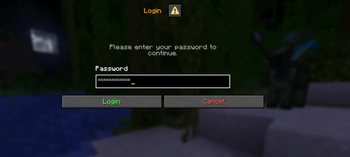
AuthHide is a lightweight Fabric client-side mod that protects your passwords from being exposed in the chat history. Features
- 🔒 Password masking — Passwords are hidden with * characters while typing
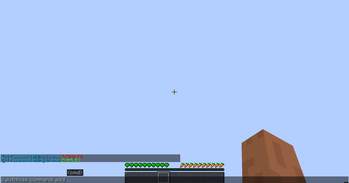
- 🗑️ History protection — Auth commands are never saved to chat history
- 🔄 Toggle anytime — Use /authhide to enable or disable the mod instantly
- 🌍 Multi-language support — Supports EN, HU, DE, FR, ES, RU
Supported commands The following commands are protected: /login, /register, /unregister, /changepassword, /changepass, /email, /captcha, /2fa, /totp, /recovery, /setemail, /setpassword and their shortcuts. Usage Simply install the mod and it will work automatically. Use /authhide to toggle the protection on or off.
Why? When playing on servers with authentication plugins, your password can accidentally appear in chat history if you press the up arrow key. AuthHide prevents this from happening!
- Edition: Minecraft Java
- File type: .jar
- Minecraft versions listed: 1.21.1, 1.21.2, 1.21.3
- How to install: Install the matching mod loader (Forge, Fabric or NeoForge) for your Minecraft version. → Download the .jar. → Put it in the .minecraft/mods folder and launch that loader profile.
- Where to get it: Opens on Modrinth — not every file is mirrored on our own servers.
Install steps are the general flow for this file type — How to install Minecraft Java mods & modpacks walks through it step by step.
- Ships as authhide-1.2.0.jar — drop this file into the mods folder
- Download size: 20 KB
- Download link checked 20 Aug 2026 — working
These come from our own check of the pack file, not from the source page.