
RagnarMMO
RagnarMMO is a Forge 1.20.1 mod inspired by Ragnarok Online, built to replace vanilla combat balance with an RO-style RPG system while keeping Minecraft as the world, engine and sandbox.
This project is currently in beta. Content is playable, but balance, visuals, translations and some systems are still being refined.
Beta Status
Current version: 0.0.2-beta
What is already in place:
- Base Level and Job Level progression.
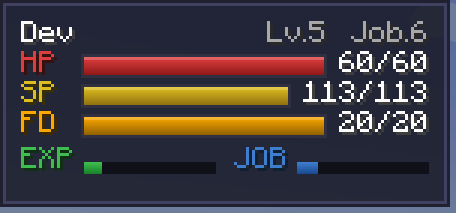
- Classic RO stats: STR, AGI, VIT, INT, DEX and LUK.
- RO-inspired combat math including HIT, FLEE, CRIT, Perfect Dodge, DEF, MDEF, ASPD and skill resolution.
- Server-authoritative combat flow.
- Skill trees with class requirements, cast time, delay, cooldown and resource costs.
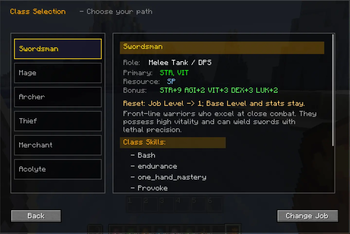
- Job progression from Novice into the classic first and second class paths.
- Dynamic monster profiles with level, race, element, size, combat stats and EXP.
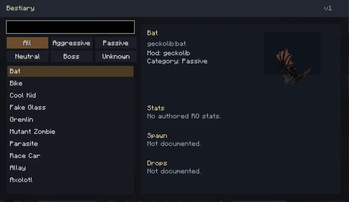
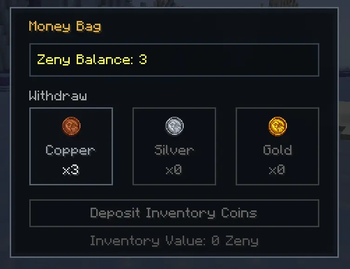
- Bestiary, party EXP sharing, zeny, cards, refinement and equipment rules.
- Life skills such as mining, woodcutting, excavation, farming, fishing and exploration.
What is in progress:
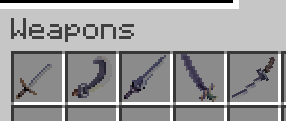
- Reworked weapon and mob presentation.
- More polished art direction for weapons and monsters.
- Balance tuning for skills, loot, progression and mob difficulty.
- Broader content coverage across classes, equipment and monsters.
- Translation cleanup and localization expansion.
What is planned:
- More expressive weapon silhouettes and stronger monster identity.
- Additional class content and progression depth.
- More bestiary entries, items and systems tied to the RO-inspired loop.
- Ongoing refinement of UI, feedback and gameplay readability.
Current Focus WIP
Several placeholder systems and placeholder mobs were removed so the project can move forward with a cleaner foundation.
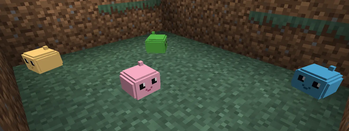
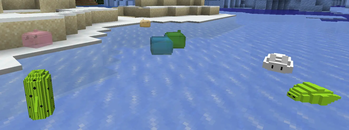
The current mobs and weapons have been reworked compared to the earlier placeholder pass, but they are still evolving. Future updates are expected to improve:
- weapon shapes and color work,
- monster models and texture quality,
- visual clarity in inventory and combat,
- and overall consistency with the Ragnar Online-inspired direction.
Looking For Help
We are currently looking for a modeler to help with mob and weapon production.
One person is already helping the project, and additional support is welcome as the content set grows.
If you want to contribute, especially with 3D models, creature design or weapon art, join the Discord:
Project Overview
RagnarMMO does not aim to be a generic RPG layer on top of vanilla Minecraft. It is designed as a full combat and progression rewrite where the RPG rules are primary and Minecraft provides the sandbox, rendering, input and persistence layer.
Highlights
- Base and Job leveling.
- RO-style stat growth and combat calculations.
- Class skills, trees and combat routing.
- Monster profiles, scaling and drops.
- Bestiary and party support.WIP
- Zeny economy, cards, equipment rules and refinement.WIP
Controls
| Key / Command | Action |
|---|---|
R |
Open the RagnarMMO main menu |
V |
Open character status and stat allocation |
K |
Open the skill tree |
Y |
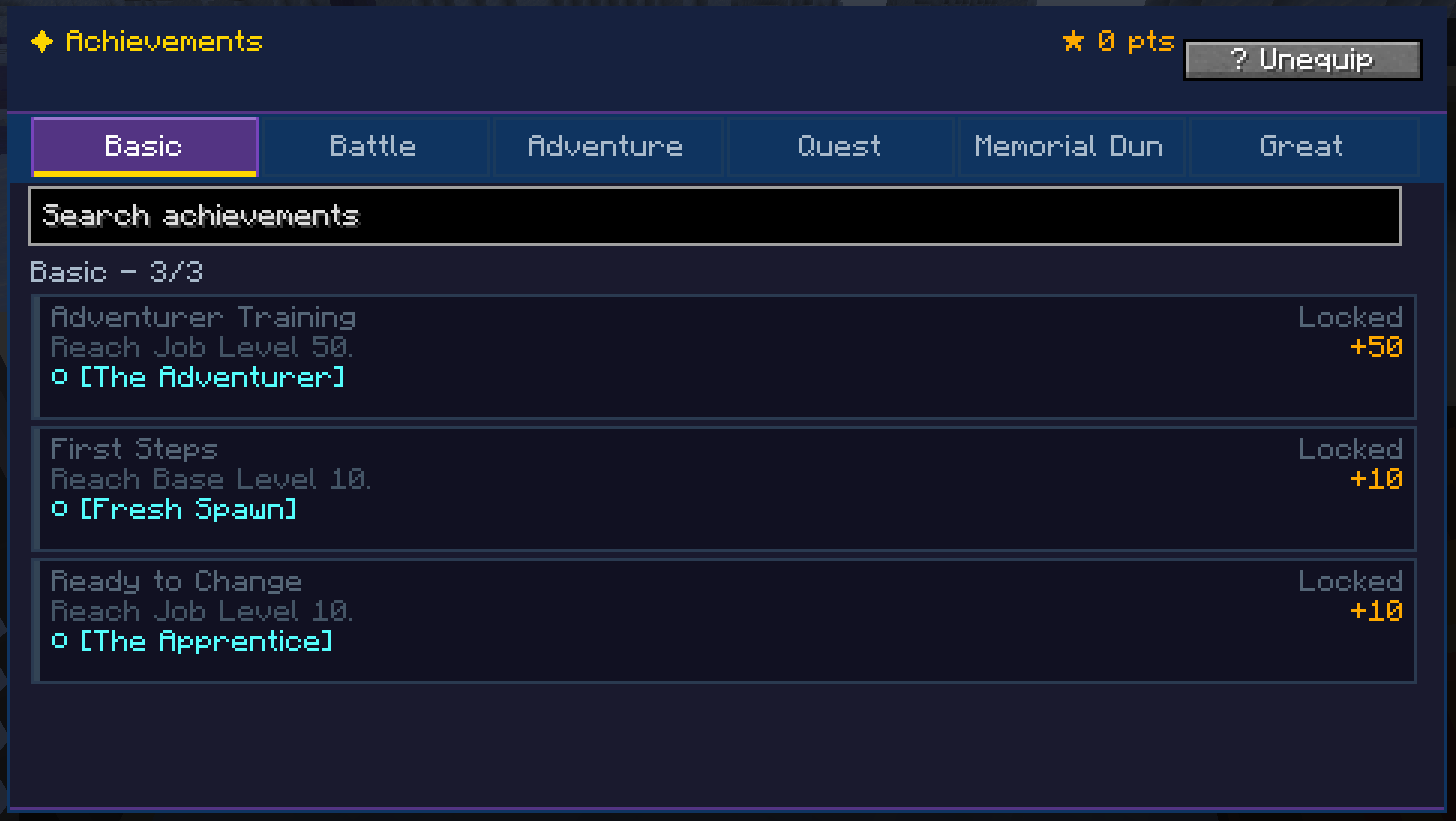
Open achievements and quest log |
B |
Open the Bestiary |
Left Alt |
Toggle combat mode and the skill hotbar |
1-6 |
Use assigned skills in combat mode |
/r stats |
Show character stats |
/r party create <name> |
Create a party |
/pc <message> |
Send party chat |
Commands
The main command root is /r. The longer /ragnar root still works as an alias.
| Command | Shortcut | Purpose |
|---|---|---|
/r stats |
/stats |
Show your current character stats and progression. |
/r skills |
/skills |
Show your learned skills and their levels. |
/r skills <skill> |
None | Show detailed information for one skill. |
/r cart |
/cart |
Open the Pushcart inventory when the skill is learned. |
/r memo |
/memo |
Show Warp Portal memo destinations.WIP |
/r memo list |
/memo list |
Show the memo list explicitly.WIP |
/r memo select save |
None | Select the current save point as the active Warp Portal destination.WIP |
/r memo <slot> |
None | Save a Warp Portal memo slot.WIP |
/r lv add <amount> |
/lv |
Add base EXP to the current character. Operator-only. |
/r lv set <level> |
/lv |
Set base level directly. Operator-only. |
/r job add <amount> |
/job |
Add job EXP to the current character. Operator-only. |
/r job set <level> |
/job |
Set job level directly. Operator-only. |
/r unlock skills all |
/unlock |
Max out all learned skills on the current character. Operator-only. |
/r unlock achievements all |
/unlock |
Unlock every achievement on the current character. Operator-only. |
/r unlock all |
/unlock |
Unlock all skills and achievements together. Operator-only. |
/r reset stats |
/reset |
Reset allocated stats on the current character. |
/r reset skills |
/reset |
Reset learned skills on the current character. |
/r reset all confirm |
/reset |
Fully wipe the current character after confirmation. |
/r debug status |
/debug |
Show current debug channel state. |
| `/r debug all on | off | reset` |
| `/r debug on | off | reset` |
/r admin player reset <player> stats |
/admin |
Reset allocated stats for a target player. Operator-only. |
/r admin player reset <player> skills |
/admin |
Reset learned skills for a target player. Operator-only. |
/r admin player reset <player> all confirm |
/admin |
Fully wipe a target player. Operator-only. |
/r hud |
/hud |
Open the client HUD settings screen. Client-only. |
/ragnar ... |
Same as /r ... |
Long-form alias kept for compatibility. |
/exp, /set, /party, /pc |
Legacy aliases | Older shortcuts still work where preserved. |
/roitems dump_held_item |
None | Print RO item data for the held item. Operator-only. |
/roitems refine <level> |
None | Set held item refine level. Operator-only.WIP |
/roitems refine_info |
None | Show refine cost and chance info. Operator-only.WIP |
/roitems try_refine |
None | Attempt to refine the held item. Operator-only.WIP |
/roitems template |
None | Print a JSON template for the held item. Operator-only.WIP |
/roitems dump_held_item |
None | Print RO item data for the held item. Operator-only.WIP |
/roitems refine <level> |
None | Set held item refine level. Operator-only.WIP |
/roitems refine_info |
None | Show refine cost and chance info. Operator-only.WIP |
/roitems try_refine |
None | Attempt to refine the held item. Operator-only.WIP |
/roitems template |
None | Print a JSON template for the held item. Operator-only.WIP |
Notes
- The mod is still in active development.
- Balance values can change between beta builds.
- Visual assets are being replaced and improved over time.
- Some translations and descriptions may still be incomplete or temporary.
Build
The project targets Forge 1.20.1 with GeckoLib support.
If you are building from source, use the standard Gradle wrapper tasks for this repository.
- Edition: Minecraft Java
- File type: .jar
- Minecraft version listed: 1.20.1
- How to install: Install the matching mod loader (Forge, Fabric or NeoForge) for your Minecraft version. → Download the .jar. → Put it in the .minecraft/mods folder and launch that loader profile.
- Where to get it: Opens on Modrinth — not every file is mirrored on our own servers.
Install steps are the general flow for this file type — How to install Minecraft Java mods & modpacks walks through it step by step.
- Ships as ragnarmmo-0.0.2-beta.jar — drop this file into the mods folder
- Download size: 2.9 MB
- Download link checked 22 Aug 2026 — working
These come from our own check of the pack file, not from the source page.