
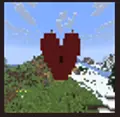
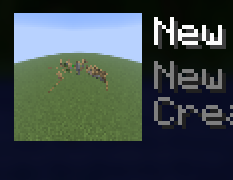
🖼️ BL World Icon Editor
BL World Icon Editor lets you replace your Minecraft world's icon using an in-game screenshot.
No external editors. No manually resizing images. Just load your world, line up the shot, and capture it instantly.
✨ Features
- Capture world icons directly in-game
- Automatically saves as the correct icon format
- Simple hotkey-based workflow
- Works with singleplayer worlds
- Lightweight and fast
📸 How To Use
- Open the world you want to change the icon for
- Position your camera where you want the thumbnail shot
- Press
F1to hide the HUD for a clean screenshot - Press the mod hotkey
- The world icon updates automatically
🎬 Recommended
For the best-looking thumbnails:
- Use
F1mode before capturing - Use shaders if desired
- Set weather/time with commands
- Try cinematic angles
⚠️ Notes
- The mod edits the world's
icon.png - Existing world icons will be replaced
- Singleplayer only
👤 Creator
Made by BattryLeaf
Quick facts
- Edition: Minecraft Java
- File type: .jar
- Minecraft versions listed: 1.21, 1.21.1, 1.21.2
- How to install: Install the matching mod loader (Forge, Fabric or NeoForge) for your Minecraft version. → Download the .jar. → Put it in the .minecraft/mods folder and launch that loader profile.
- Where to get it: Opens on Modrinth — not every file is mirrored on our own servers.
Install steps are the general flow for this file type — How to install Minecraft Java mods & modpacks walks through it step by step.
Verified by MCModsHub
- Ships as bl-world-icon-editor-1.0.0.jar — drop this file into the mods folder
- Download size: 19 KB
- Download link checked 21 Aug 2026 — working
These come from our own check of the pack file, not from the source page.