
Exposa Shaders
Java shader pack listed for Minecraft 1.20–1.21. File opened and checked on 28 Sep 2026; downloads from the MC Java Mods app on Android.
I don't know my version or loader
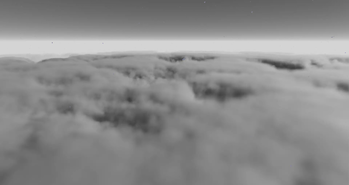
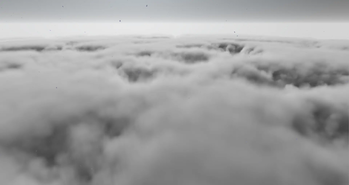
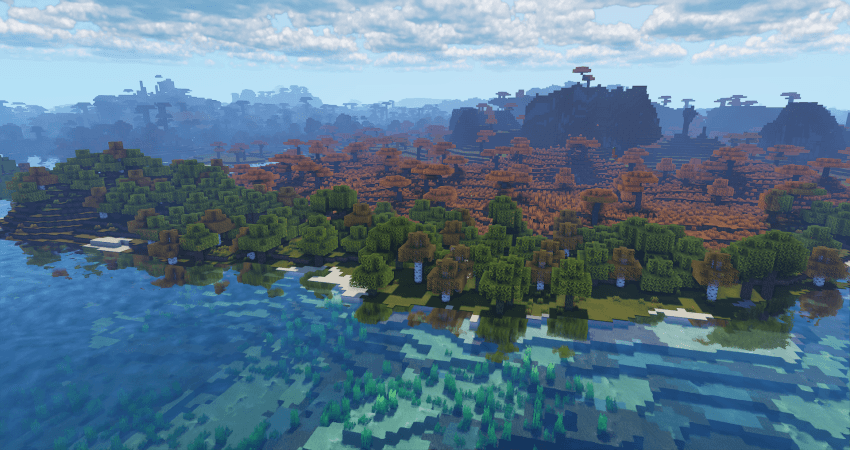
(PSST, you should use this shaderpack while listening to this upcoming song, presave it its awesome and its also mine! Yes I am promoting my song... Yes I am desperate.) Awesome Song To Listen 2 While using Exposa
Description
Hello! This is Exposa! Used to be known as Exposa Unique Shaders. This project is a shaderpack that aims for both a natural and a fantasy style.
Compatibility
It is compatible with Optifine and Iris, unknown about other mods and clients. It is also recommended to be used for versions 1.17x and above. It works well with AMD and NVIDIA and INTEL .
Nether and End support are full ATM. For custom dimensions support, please let me know what dimensions you would like to see supported.
License
For the most, I use the all rights reserved license, but I really wouldn't recommend using my code (I did not intend it for the use of being edited). If you'd like to edit anyway, you can ask me here!
Features
- rough reflections
- water reflections
- shadows
- motion blur
- depth of field
- puddles
- temporal anti aliasing
- HDR
- bloom
- tonemapping
- lightshafts
- volumetric clouds
- Seasonal Colors (Autumn, Winter, Spring, Summer)
- Shooting Stars
- Proper weather & translucent support
- Nether & End support
- Ambient SSS
- SSAO
- Directional Lightmaps
- VL Mist / Smokey Fog!
- Nether VL Swirly Fog
- Better TAA
- Better Puddles
Some Credits
RRe36 (https://www.curseforge.com/members/rre36) - Lots of help with clouds, volumetric fog, bloom and etc. Capt Tatsu (https://www.curseforge.com/members/capttatsu) - Gave me permission to use the reflections functions and even helped me apply them, let me use and modify bloom, motion blur, dof, volumetric fog and etc.
Unicorn Blood (https://www.curseforge.com/members/dakotah2468) - Letting me use and modify fog.
Xenith - Help with shadows method.
Jesse/L - In my older versions, he gave me a tonemap to use.
Belmu - Has helped me set up some things like rough reflections, you can support him here! (https://www.curseforge.com/minecraft/customization/noblert-shaders)
HardTop for the french translation: https://hardtopnet.ovh
Espen for many things (I only remember providing me with the minimum & maximum depth functions): https://modrinth.com/shader/bloop-shaders/versions
Xonk for many things (I only remember SSAO & SSS tricks and reflections LOD trick atm ;_;): https://github.com/X0nk/Bliss-Shader
Zombye for cool TAA tricks: https://github.com/zombye/spectrum/tree/master/shaders/program
Eldeston & Chocapic13 for previous coordinates transformation: https://modrinth.com/user/Eldeston, https://www.curseforge.com/minecraft/shaders/chocapic13-shaders
Random Noise website: https://www.pcg-random.org/
sRGB & Linear color space conversions: https://www.shadertoy.com/view/4tXcWr
- Edition: Minecraft Java
- File type: .zip (resource pack)
- Minecraft versions listed: 1.20, 1.20.1, 1.20.2
- How to install: Download the .zip resource pack — do not unzip it. → Put it in .minecraft/resourcepacks. → Enable it in Options → Resource Packs.
- Where to get it: Opens on Modrinth — not every file is mirrored on our own servers.
Install steps are the general flow for this file type — see the MC Java Mods guides for the full walkthrough.
- Downloads as exposa 5 release new.zip
- Download size: 3.7 MB
- Download link checked 25 Oct 2026 — working
These come from our own check of the pack file, not from the source page.