
Armor Shift
A client-side utility to instantly cycle and swap equipped armor with sets in your inventory via a single keybind.
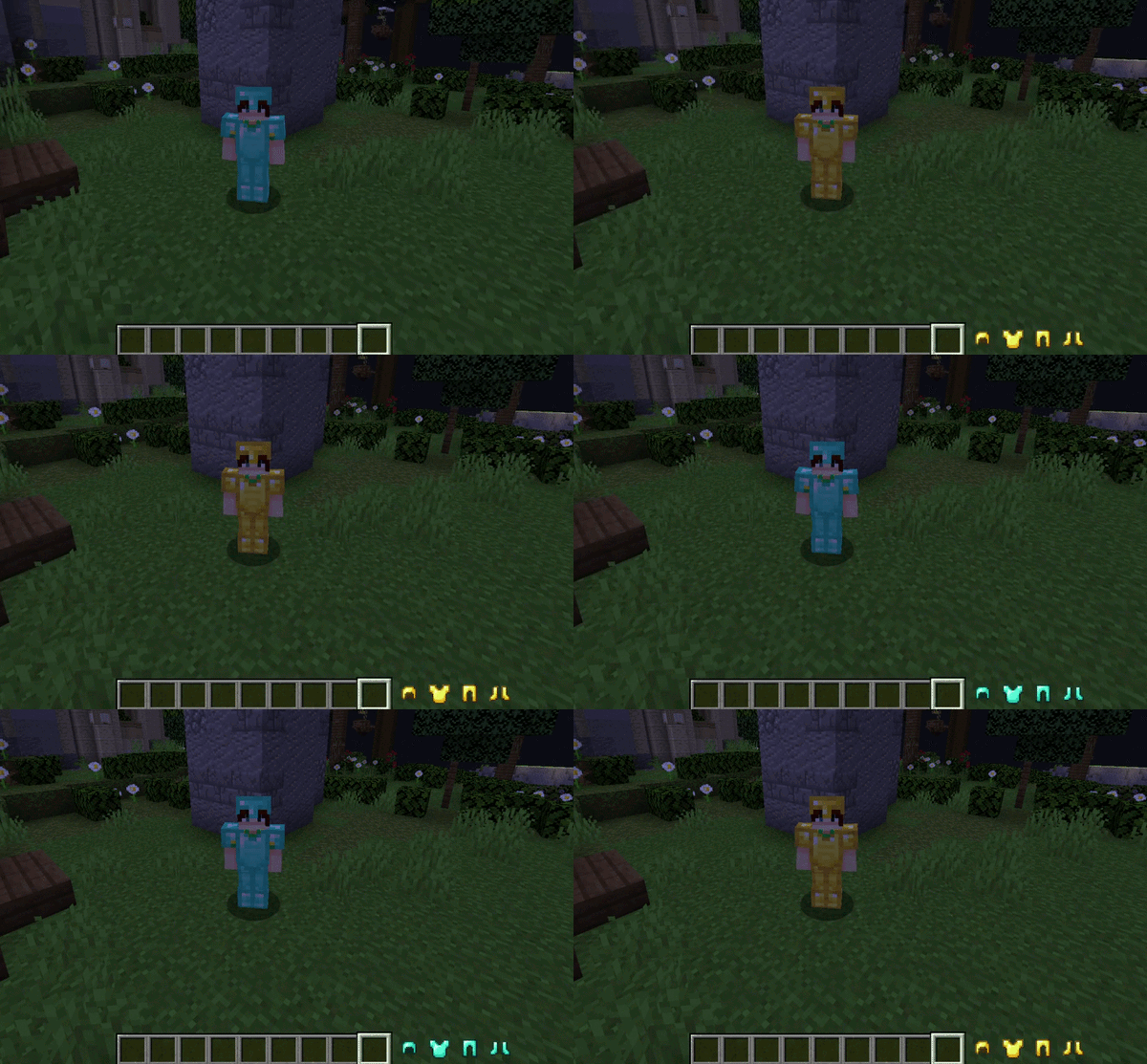
⬇ Download on ModrinthArmor Shift is a client-side utility for Minecraft Forge designed to streamline gear management. It provides a seamless mechanism to instantly exchange equipped armor pieces with alternative sets located within the player's inventory, eliminating the need for manual GUI interaction during critical gameplay moments.
Overview
Armor Shift eliminates the necessity of manual inventory management in the heat of action. Designed for players who demand technical efficiency and agility, the mod allows for gear transitions without ever closing the game screen or interrupting movement.
As a purely client-side modification, this mod focuses on versatility, allowing it to be used in any multiplayer environment or SMP without requiring plugins or server-side installations.
Features
- Instant Exchange: Perform a full armor swap instantly via a single keybind without opening the inventory screen.
- Zero Server Requests: As a purely client-side modification, Armor Shift works on any multiplayer server or SMP without requiring server-side installation.
- Priority-Based Selection: Automatically finds and equips the first matching armor pieces found in your inventory, following a standard top-to-bottom scanning order.
- Intelligent Conflict Context: The keybind is active only when in-game and not in other menus to prevent conflicts.
Configuration
The mod is configured directly through the standard Minecraft controls menu:
- Navigate to Options > Controls > Key Binds.
- Locate the Armor Shift category.
- Assign a preferred key to the Swap Armor function (unassigned by default to prevent conflicts).
Compatibility
- Minecraft Version: 1.20.1
- Mod Loader: Forge 47.4.10+
- Side: Client-side only
Credits
Author: SatDPhoe


- Edition: Minecraft Java
- File type: .jar
- Minecraft versions listed: 1.20.1, 1.20.2, 1.20.3
- How to install: Install the matching mod loader (Forge, Fabric or NeoForge) for your Minecraft version. → Download the .jar. → Put it in the .minecraft/mods folder and launch that loader profile.
- Where to get it: Opens on Modrinth — not every file is mirrored on our own servers.
Install steps are the general flow for this file type — How to install Minecraft Java mods & modpacks walks through it step by step.
- Ships as armorshift-1.0.0.jar — drop this file into the mods folder
- Download size: 14 KB
- Download link checked 21 Aug 2026 — working
These come from our own check of the pack file, not from the source page.