
Web's Node Library
Java mod listed for Minecraft 1.21. Downloads from the MC Java Mods app on Android.
⬇ Download on Modrinth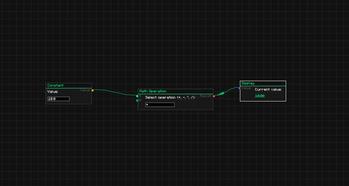
Web's Node Lib
Web's Node Lib is a lightweight node-based GUI library for Minecraft 1.21.1 (NeoForge).
It provides a visual framework for building logic systems, control panels, or data interfaces directly in-game.
How to Test
You can test the library immediately after installing the mod:
- Enter any world.
- Type the command:
/webu node_editor - Press Shift + A to open the node creation menu.
- Drag connections between pins to see the Topological Data Flow in action.
Features
Infinite Canvas
Smooth zooming (0.1x to 3.0x) and panning. Your node graphs scale and move without losing precision.
Visual Data Flow
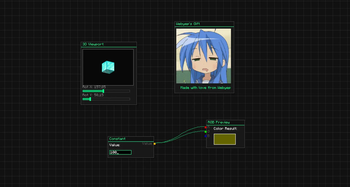
A built-in topological pulse system visualizes data moving through your graph. It automatically calculates the logic chain and sends pulses between nodes.
Components
Ready-to-use elements for your nodes:
- Sliders, Checkboxes, and Buttons.
- TextFields for data input.
- Image support (PNG/GIF) and 3D Viewports.
Controls
- Shift + A: Node Search Menu.
- Ctrl + C / V: Copy and paste nodes.
- Middle Click: Pan viewport.
- Delete / X: Remove nodes.
For Developers
Integrating the library is simple:
- Register node types via NodeRegistry.
- Define evaluation logic using setEvaluator.
- Save/Load graphs using WGraphSerializer (NBT supported).
Built by webyep. Licensed under MIT.
- Edition: Minecraft Java
- File type: .jar
- Minecraft version listed: 1.21.1
- How to install: Install the matching mod loader (Forge, Fabric or NeoForge) for your Minecraft version. → Download the .jar. → Put it in the .minecraft/mods folder and launch that loader profile.
- Where to get it: Opens on Modrinth — not every file is mirrored on our own servers.
Install steps are the general flow for this file type — How to install Minecraft Java mods & modpacks walks through it step by step.
- Ships as websnodelib1.0.0.jar — drop this file into the mods folder
- Download size: 462 KB
- Download link checked 24 Oct 2026 — working
These come from our own check of the pack file, not from the source page.