
Gardnercraft Mod
Java mod listed for Minecraft 1.21. Downloads from the MC Java Mods app on Android.
⬇ Download on Modrinth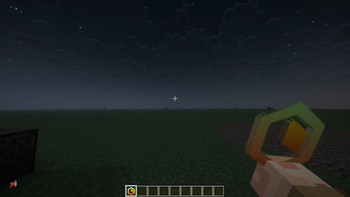
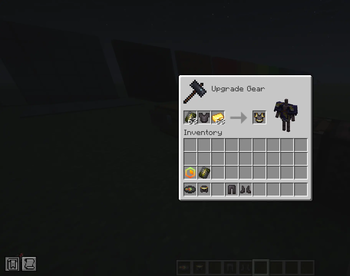
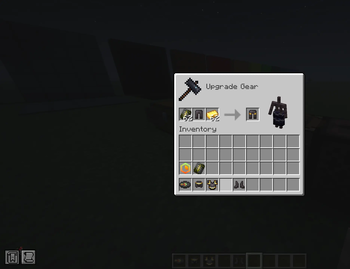
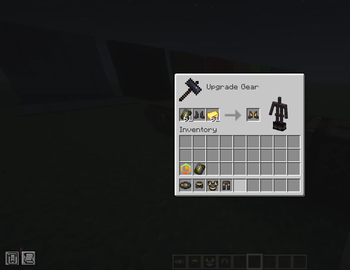
Gardnercraft
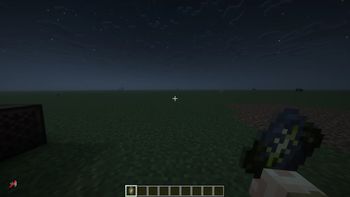
Gardnercraft is a Fabric server-side mod that adds Gardnercraft-themed items and an armor trim while using Polymer so vanilla clients can see the custom textures through a server resource pack.
Features
- Adds
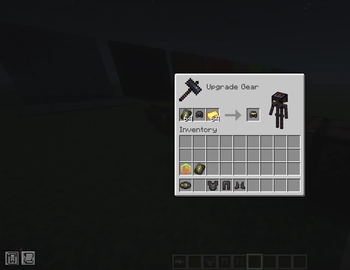
The Gardnercraftcustom item. - Adds the Gardnercraft armor trim smithing template.
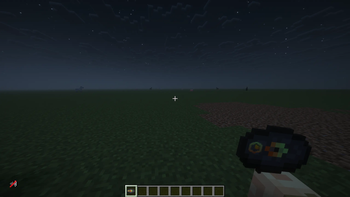
- Adds the Gardnercraft music disc with a custom song.
- Includes custom item and armor trim textures.
- Uses Polymer resource pack metadata so the server-generated pack includes this mod's assets.
Requirements
- Minecraft
1.21.x - Fabric Loader
0.18.6or newer - Java
21 - Fabric API
- Polymer bundled
0.15.2+1.21.11on the server, which provides Polymer Core, Polymer Resource Pack, and Packet Tweaker
Vanilla clients can join, but they must accept the server resource pack to see the custom textures.
Links
Roadmap
- Modrinth and Curseforge Page
- More Version Compatibility
Server Installation
Place the Gardnercraft mod jar in the server mods folder. Players do not need the Gardnercraft mod installed on their client.
Also place Polymer bundled in the server mods folder:
polymer-bundled-0.15.2+1.21.11.jar
Start the server once, then enable Polymer AutoHost in:
config/polymer/auto-host.json
Set:
{
  "enabled": true
}
If the server is behind a proxy, tunnel, panel, or domain setup, make sure AutoHost is configured with a public address that players can reach. If the resource pack prompt appears but the client fails to download it, the AutoHost URL is the first thing to check.
License
This project is licensed under the MIT License. See LICENSE for details.
- Edition: Minecraft Java
- File type: .jar
- Minecraft versions listed: 1.21, 1.21.1, 1.21.2
- How to install: Install the matching mod loader (Forge, Fabric or NeoForge) for your Minecraft version. → Download the .jar. → Put it in the .minecraft/mods folder and launch that loader profile.
- Where to get it: Opens on Modrinth — not every file is mirrored on our own servers.
Install steps are the general flow for this file type — How to install Minecraft Java mods & modpacks walks through it step by step.
- Ships as gardnercraft-2.0.0.jar — drop this file into the mods folder
- Download size: 1.3 MB
- Download link checked 4 Oct 2026 — working
These come from our own check of the pack file, not from the source page.