
Optix Client
Java mod listed for Minecraft 1.21. File opened and checked on 5 Oct 2026; downloads from the MC Java Mods app on Android.
Optix Client is a cutting-edge, Fabric-based utility client built for players who demand performance and precision. Designed with a focus on PvP and…
I don't know my version or loader
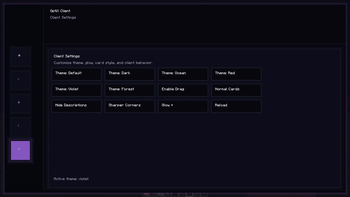
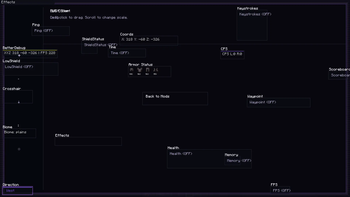
Optix Client — Precision & Performance Optix Client is a modern, lightweight utility client designed for the Fabric loader. Built with a focus on competitive PvP and high-performance gameplay, it provides the essential tools you need with a clean, distraction-free interface.
🚀 Key Features Custom ClickGUI: A fast and intuitive menu to toggle your modules instantly.
Draggable HUD: Fully customizable screen elements. Move your coordinates, FPS, and status effects exactly where you want them.
Built for PvP: Optimized code to ensure maximum FPS and low input latency during intense combat.
Modern Aesthetics: A sleek silver-themed UI that stays out of your way while providing all the info you need.
🛠 Technical Specs Platform: Fabric.
Minecraft Version: 1.21.x.
Java Requirement: Java 21 or higher.
- Edition: Minecraft Java
- File type: .jar
- Minecraft versions listed: 1.21.10, 1.21.11
- How to install: Install the matching mod loader (Forge, Fabric or NeoForge) for your Minecraft version. → Download the .jar. → Put it in the .minecraft/mods folder and launch that loader profile.
- Where to get it: Opens on Modrinth — not every file is mirrored on our own servers.
Install steps are the general flow for this file type — How to install Minecraft Java mods & modpacks walks through it step by step.
- Ships as optix-client-1.8.0.jar — drop this file into the mods folder
- Download size: 39.7 MB
- Download link checked 8 Oct 2026 — working
These come from our own check of the pack file, not from the source page.