
OBJ/FBX Loader
This mod adds the ability to use OBJ and FBX 3d model files to replace existing models. They can be animated too. Example resource packs are listed below…
⬇ Download on Modrinth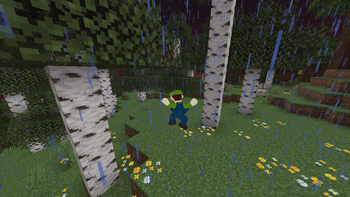
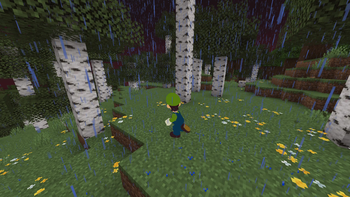
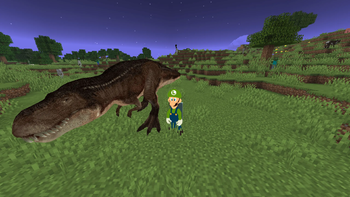
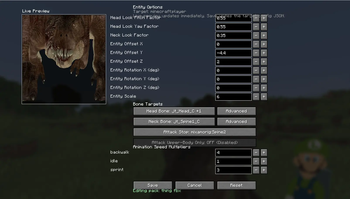
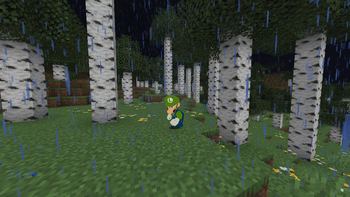
This mod allows you to turn any item, block, or mob into an OBJ or FBX, and animated. Example resource packs on how to do this are listed below
(OBJ) https://www.curseforge.com/minecraft/texture-packs/obj-example-for-obj-fbx-loader
(FBX) https://www.curseforge.com/minecraft/texture-packs/fbx-example-for-obj-fbx-loader
Server plugin: https://www.curseforge.com/minecraft/bukkit-plugins/obj-fbx-loader-server
Controls:
O - open item and entity configuration menu.
Full documentation here: https://docs.google.com/document/d/1uv9mgo5lIExZq2T5kmK2Llc2H1xdw5z4812D__kYL_A/edit?tab=t.0
Model Credits:
Wigi: https://sketchfab.com/3d-models/luigi-textured-3ds-e73a8cebd2fa4bbc9f986b6e0956899a
Dinosaur: https://sketchfab.com/3d-models/t-rex-15d380651e0b4cc394ffa308d30e625e
- Edition: Minecraft Java
- File type: .jar
- Minecraft version listed: 26.1.2
- How to install: Install the matching mod loader (Forge, Fabric or NeoForge) for your Minecraft version. → Download the .jar. → Put it in the .minecraft/mods folder and launch that loader profile.
- Where to get it: Opens on Modrinth — not every file is mirrored on our own servers.
Install steps are the general flow for this file type — How to install Minecraft Java mods & modpacks walks through it step by step.
- Ships as objfbxloader-26.1.2-neoforge.jar — drop this file into the mods folder
- Download size: 16.7 MB
- Download link checked 8 Sept 2026 — working
These come from our own check of the pack file, not from the source page.