
FEATURES
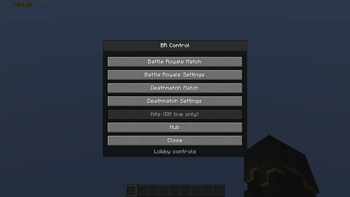
this mod gives you a menu and commands to configure and run a battle royale and deathmatch system
MATCHES QUEUE (non Admin)
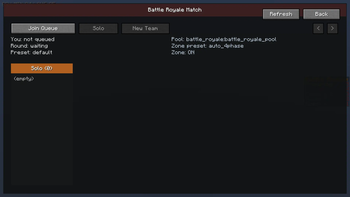
in battle royale:
- go solo
- create a team
- join a team
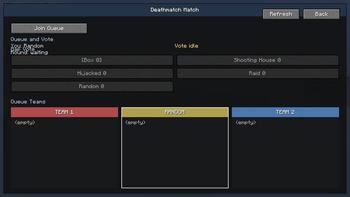
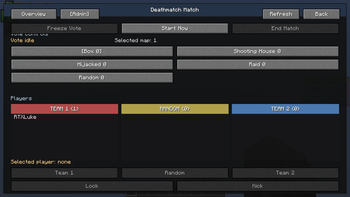
in deathmatch:
- change team or stay random
- vote for a map (1 vote, can be changed)
ADMIN MATCHES QUEUE:
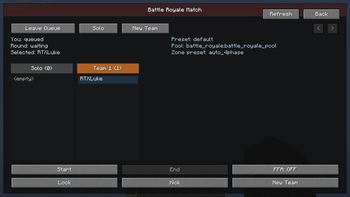
- start and end games
selecting a player you can:
- lock = player can't change team
- kick = kicks the player from the queue
- move them on different teams by clicking on the team.
- extra battle royale feature "new team" = moves the player to a new team (creates a new team)
in battle royale:
- toggle FFA = free for all, moves all players to solo, and locks them
in team deathmatch admin view:
- you can select a map and force start the match in that map
- freeze the vote countdown and unfreeze it, in case you need to wait extra time.
ADMIN MATCH SETTINGS:
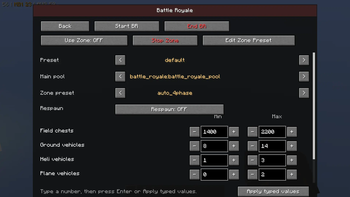
battle royale:
- change loot table preset for the game
- change zone presets (and edit or create presets), and toggle if the match will use the Zone
- toggle respawn (NOT WORKING!)
- change range of boxes to spawn
- change each vehicle spawn range(not radius but from 1 to 3, example)
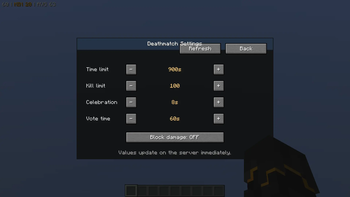
deathmatch:
- change total run time of the match (900 seconds default)
- change kill limit (100 kills to win default)
- change celebration duration after match (10 seconds default)
- change vote time (60 seconds default) - NOTE: if all players voted, countdown drops to 5 seconds. if someone joins the queue under 30 seconds it will take it to 30 seconds.
this mod is made for the modpack Call of Block, a project i'm working on.
the mod can be used by it self, but it will not have all the features, it needs the datapack from my server, and the datapack is not pulic currently.
Quick facts
- Edition: Minecraft Java
- File type: .jar
- Minecraft version listed: 1.20.1
- How to install: Install the matching mod loader (Forge, Fabric or NeoForge) for your Minecraft version. → Download the .jar. → Put it in the .minecraft/mods folder and launch that loader profile.
- Where to get it: Opens on Modrinth — not every file is mirrored on our own servers.
Install steps are the general flow for this file type — How to install Minecraft Java mods & modpacks walks through it step by step.
Verified by MCModsHub
- Ships as brcontrol-0.3.1.jar — drop this file into the mods folder
- Download size: 573 KB
- Download link checked 23 Aug 2026 — working
These come from our own check of the pack file, not from the source page.