
Create Aeronautics: Stabilized
I don't know my version or loader
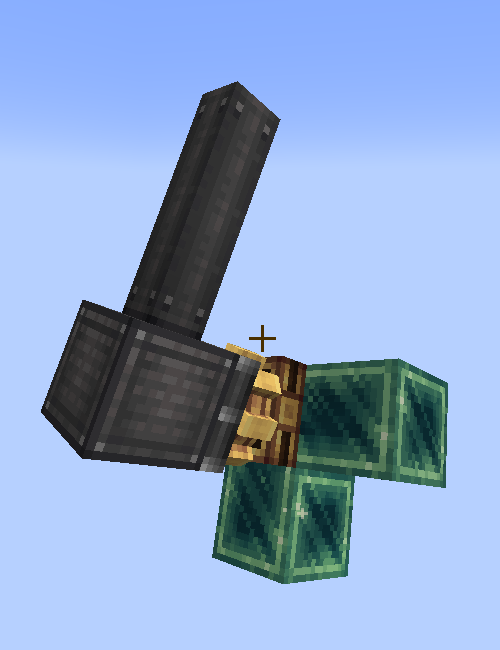
Create: Stabilized
There is no good way to stabilize a part of a simulated contraption in a simple and compact manner. Unless you are using this mod, as it adds 2 way to do that.
Stabilizer Bearing
Using this bearing, you will be able to stabilize a contraption. Of course if the Stabilizer bearing is placed in the world instead of a simulated contraption, it will just point the attached contraption upwards (or straight forward depending on the placement).
If you use it on a simulated contraption though, the attached contraption will be rotated to point up, no matter the rotation, but only around one axis.
When you rotate the cogwheel of the bearing, it will change the offset angle (if the offset angle is 180°, the attached contraption will point down instead of up)
Create: Stabilized also adds two more options to the regular Swivel Bearing, both of them work similarly to the Stabilizer Bearing, but it requires kinetic rotation to stabilizes, and depends on the rotation speed, so 256 rmp is the max stabilization speed, and 1 rmp is the lowest. Since it's on the Swivel bearing, it is more of an early game alternative
- Edition: Minecraft Java
- File type: .jar
- Minecraft versions listed: 1.21.1, 1.21.2, 1.21.3
- How to install: Install the matching mod loader (Forge, Fabric or NeoForge) for your Minecraft version. → Download the .jar. → Put it in the .minecraft/mods folder and launch that loader profile.
- Where to get it: Opens on Modrinth — not every file is mirrored on our own servers.
Install steps are the general flow for this file type — How to install Minecraft Java mods & modpacks walks through it step by step.
- Ships as stabilized-1.0.2.jar — drop this file into the mods folder
- Download size: 98 KB
- Download link checked 28 Aug 2026 — working
These come from our own check of the pack file, not from the source page.