
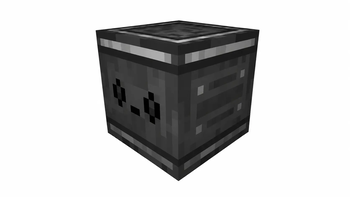
Redstone Timer
Redstone Timer is a simple Fabric mod that adds a timer-based redstone block to Minecraft.
The mod is made for players who want an easy way to control redstone signals with timing behavior, making it useful for redstone builds, automation, doors, farms, traps, and other contraptions.
Demonstration
Features
| Feature | Description |
|---|---|
| ⏱️ Redstone Timer Block | Adds a custom block focused on redstone timing. |
| 🟥 Redstone Utility | Helps control redstone behavior in builds and machines. |
| 🧵 Fabric Support | Built for the Fabric mod loader. |
| 🧱 Minecraft 1.21.1 | Made for Minecraft 1.21.1. |
What does it do?
Redstone Timer adds a configurable redstone timer block to Minecraft.
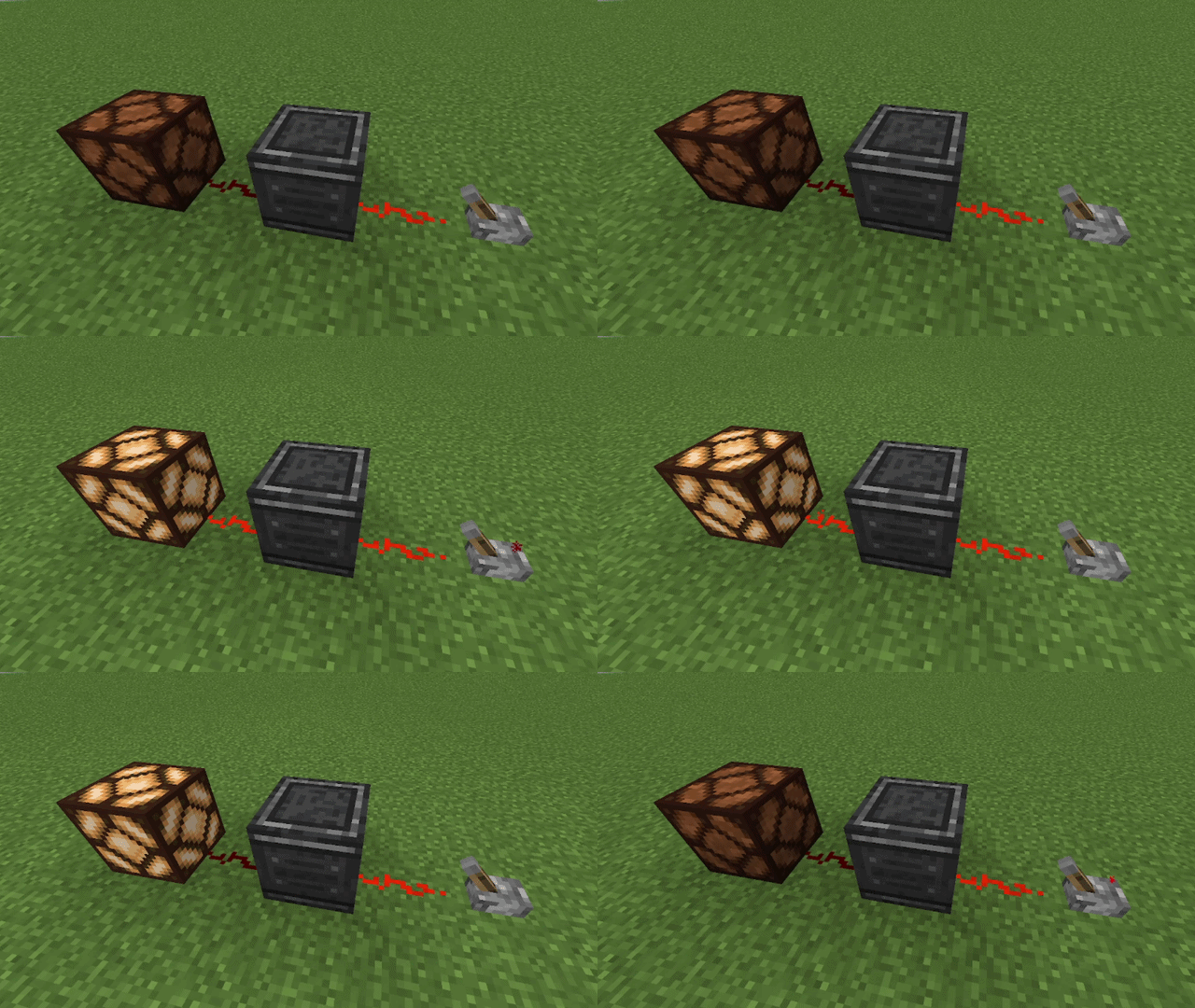
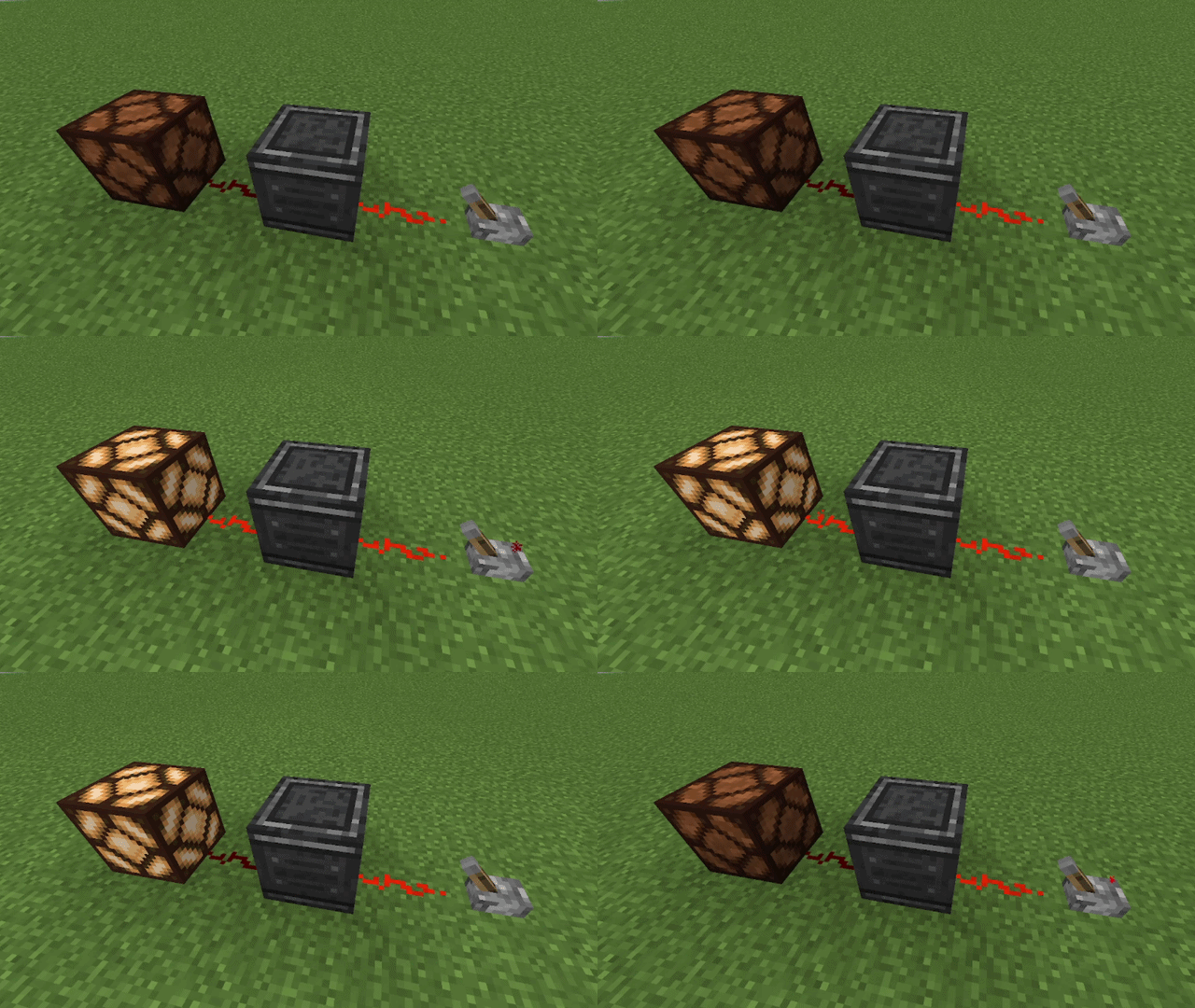
When the block receives a redstone signal from its input side, it waits for the configured Delay and then sends a redstone output signal from its output side. The output stays active for the configured On Time.
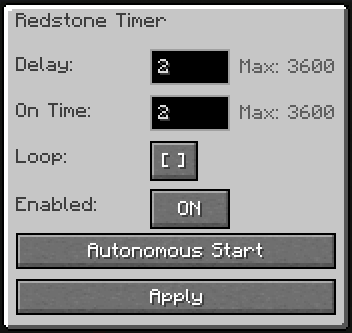
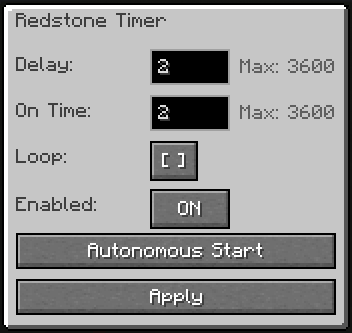
You can configure the block through its GUI:
| Option | What it does |
|---|---|
| Delay | Sets how long the block waits before activating the output. |
| On Time | Sets how long the output signal stays active. |
| Loop | Repeats the timer cycle while active. |
| Enabled | Turns the timer block ON or OFF. |
| Autonomous Start | Starts the timer automatically without needing a redstone input. |
| Apply | Saves the current timer settings. |
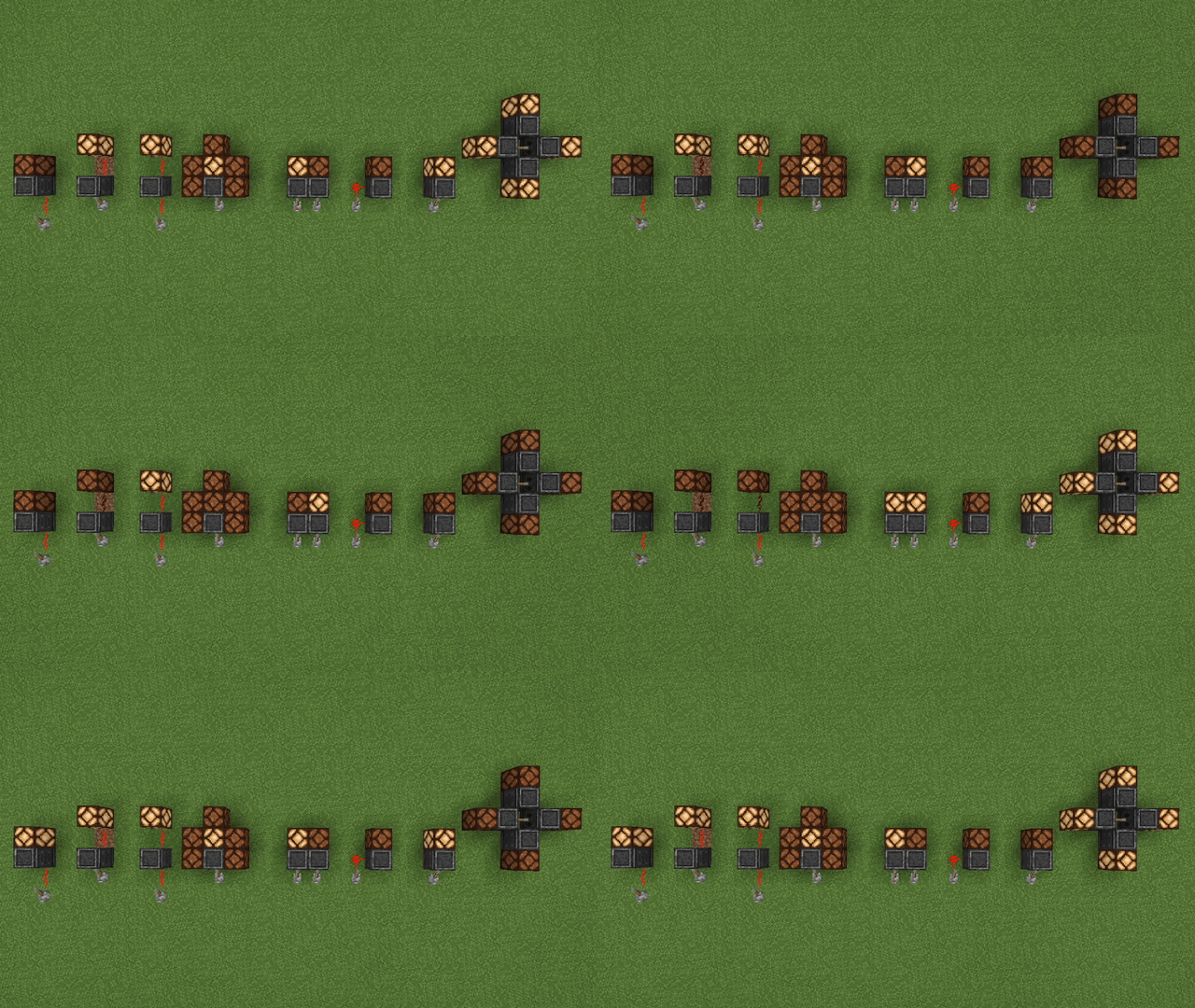
The block is useful for delayed redstone signals, timed pulses, lamps, doors, farms, traps, map mechanisms, and other redstone contraptions.
Usage Examples
What it does not do
Redstone Timer is focused on simple timed redstone control.
It does not add wireless redstone, logic gates, item transport, machines, energy systems, or complex automation features.
The block does not output power from every side. It has a directional input and a directional output.
It also does not emit strong redstone power, so it is not designed to directly power every adjacent block like a redstone block.
A Redstone Timer block does not directly trigger another Redstone Timer block placed as its input source.
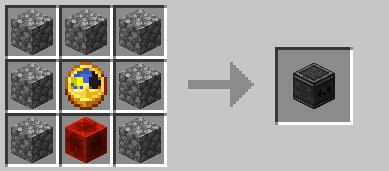
Crafting Recipe
GUI Preview
Recommended Mods
These mods are not required, but they are recommended when using Redstone Timer:
| Mod | Why use it with Redstone Timer? | Link |
|---|---|---|
| Mod Menu | Lets you enable or disable the Redstone Timer sound in-game. | https://modrinth.com/mod/modmenu |
| Just Enough Items (JEI) | Lets you view the Redstone Timer crafting recipe in-game. | https://modrinth.com/mod/jei |
Support
Need help, found a bug, or want to suggest something?
Join the Discord support forum:
License
This project is licensed under the MIT License.
- Edition: Minecraft Java
- File type: .jar
- Minecraft version listed: 1.21.1
- How to install: Install the matching mod loader (Forge, Fabric or NeoForge) for your Minecraft version. → Download the .jar. → Put it in the .minecraft/mods folder and launch that loader profile.
- Where to get it: Opens on Modrinth — not every file is mirrored on our own servers.
Install steps are the general flow for this file type — How to install Minecraft Java mods & modpacks walks through it step by step.
- Ships as redstone-timer-1.0.2.jar — drop this file into the mods folder
- Download size: 70 KB
- Download link checked 20 Aug 2026 — working
These come from our own check of the pack file, not from the source page.