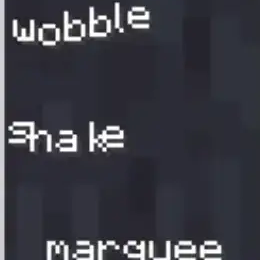


This library adds text effects which can be used by servers and mods to add unique effects to component-based text.
Integrated effects:
Wobble
Shake
Marquee
... and more
Usage
Add Dependency
build.gradle.kts:
repositories {
// ...
maven("https://maven.axolotlclient.com/releases")
}
dependencies {
// ...
// use modImplementation for versions <26.1 if on fabric
implementation("io.github.moehreag:text-effects:<VERSION>")
}
Apply Effects
// A few other pre-made effects are available in the `TextEffects` class.
// Usage may differ slightly depending on game version.
var text = Component.literal("This is a text with effect!").withStyle(Style.EMPTY.text_effects$withEffect(TextEffects.WOBBLE));
Create your own effects
A few factory methods for common operations are provided in the TextEffect class.
Some pre-made effects are provided in the TextEffects class, with a few additional helper methods as well as registration handling. If you'd like to build on top of another effect you can use TextEffect#combine.
public static TextEffect CUSTOM_EFFECT = TextEffects.register(Identifier.fromNamespaceAndPath("modid", "custom_effect"), TextEffect.constantYOffset(-2));
Effects are automatically able to be de/serialized in components using their id provided at registration.
{
text: "text with a nice effect",
text-effects: "text-effects:wobble"
}
This component works for 26.1, you will need to change it accordingly for minecraft versions using json components instead of snbt.
This format can also be used in commands, for example /tellraw.
- Edition: Minecraft Java
- File type: .jar
- Minecraft version listed: 26.2
- How to install: Install the matching mod loader (Forge, Fabric or NeoForge) for your Minecraft version. → Download the .jar. → Put it in the .minecraft/mods folder and launch that loader profile.
- Where to get it: Opens on Modrinth — not every file is mirrored on our own servers.
Install steps are the general flow for this file type — How to install Minecraft Java mods & modpacks walks through it step by step.
- Ships as text-effects-0.0.4+26.2-neoforge.jar — drop this file into the mods folder
- Download size: 43 KB
- Download link checked 30 Aug 2026 — working
These come from our own check of the pack file, not from the source page.