
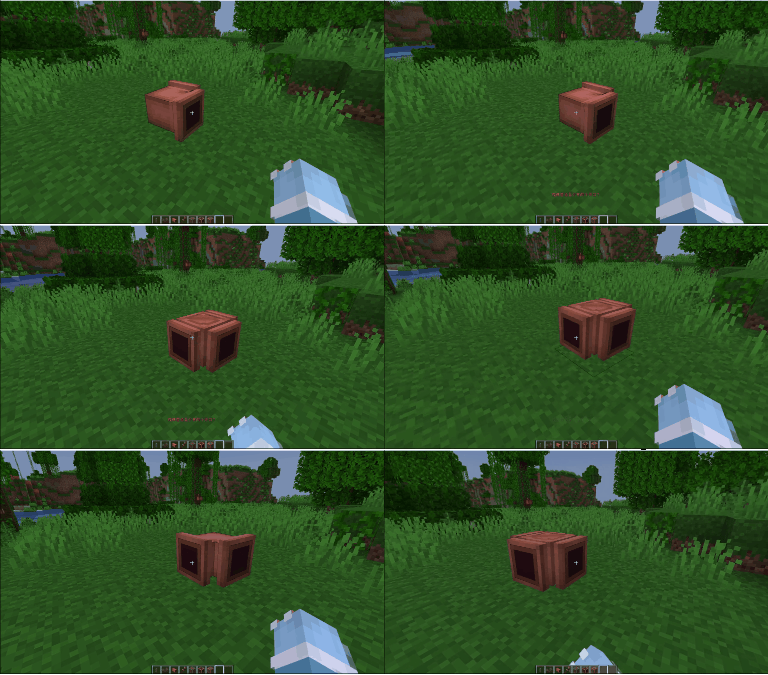
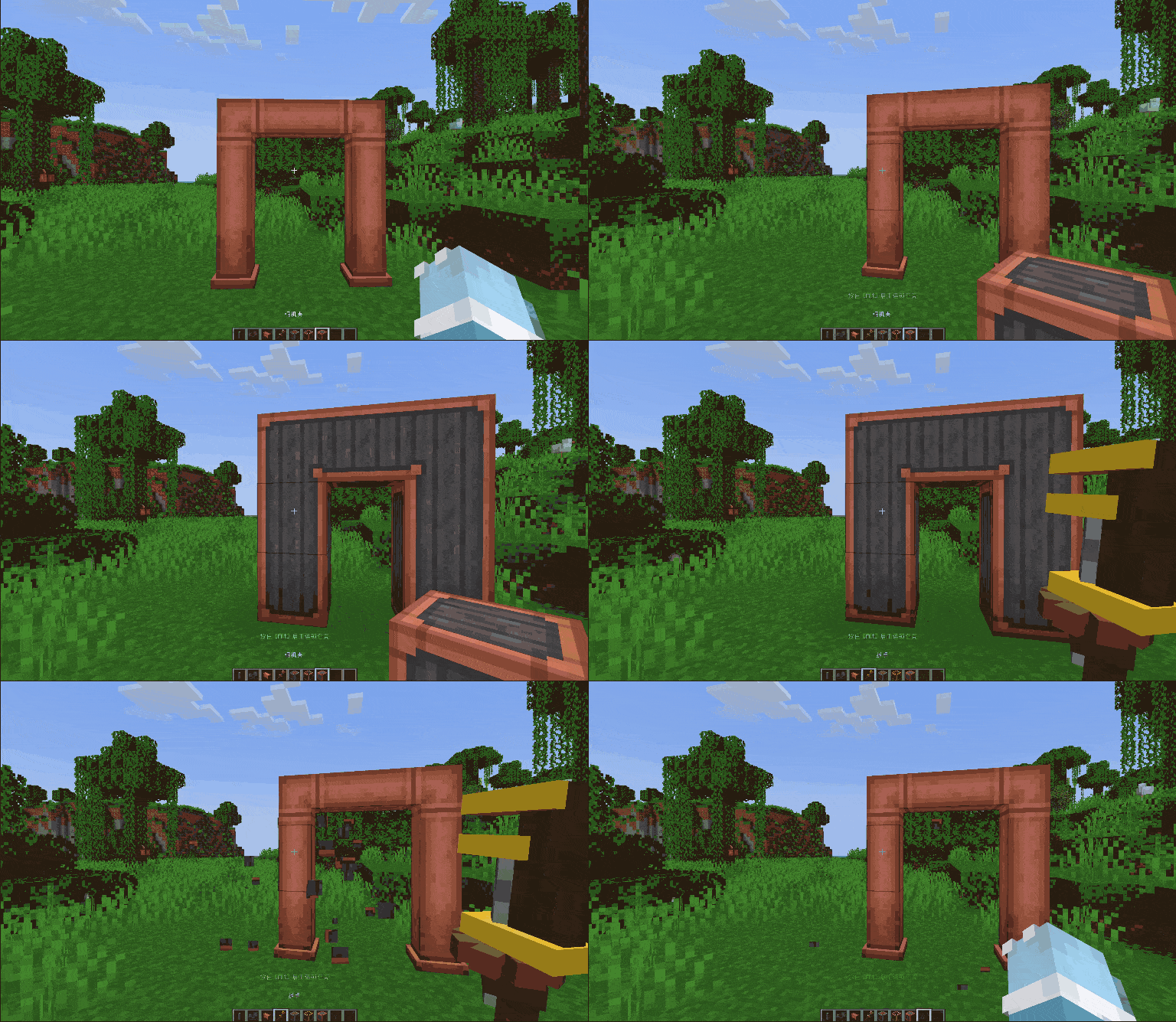
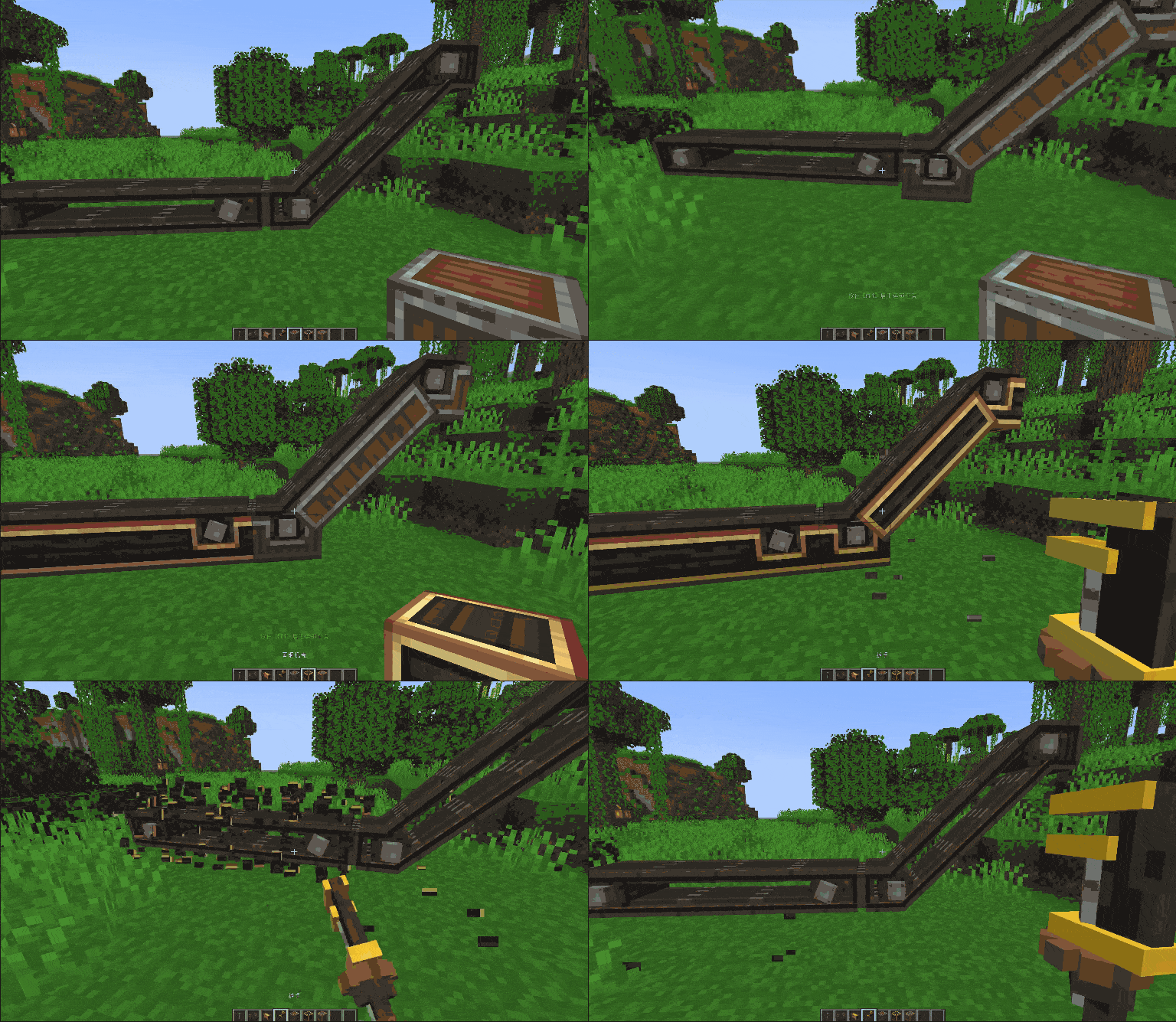
This mod add some iterations for create. Here are functions the mod adds in the tabel
| Function | Description |
|---|---|
| Chain Encase | Player can chain encase or decase for shaft, belt or fluid pipe.( Default key is Alt) |
| Change Pipe Openning | Player can right click (encased) fluid pipe to open or close the openning on the face( Press Shift can change the opposite face) |
| Off Hand Encase | Player can placed encased shaft, chute, cogwheel and so on when hold casing by off hand |
| Encase view | When player hold casing and press Alt want to chain encase for something, player can see what block will be encased |
Here are the compatible mods of Create: Right Hand.
| Mod | Need Version(CRH) | Description |
|---|---|---|
| FTB Ultimine | 1.4.0+ | Player can chain encase, decase or use wrench to remove the blocks of Create. |
| Create: Encase | 1.4.0+ | Create: Right Hand allow all casing from Create: Encase |
| Create: Copycats+ | 1.5.0+ | Player can chain change the block that copycat block copyed |
Here are the functions will be add in the future.
| Function | Description |
|---|---|
| District Encase | Player can select a area to encase |
Quick facts
- Edition: Minecraft Java
- File type: .jar
- Minecraft version listed: 1.20.1
- How to install: Install the matching mod loader (Forge, Fabric or NeoForge) for your Minecraft version. → Download the .jar. → Put it in the .minecraft/mods folder and launch that loader profile.
- Where to get it: Opens on Modrinth — not every file is mirrored on our own servers.
Install steps are the general flow for this file type — How to install Minecraft Java mods & modpacks walks through it step by step.
Verified by MCModsHub
- Ships as crh_forge-1.5.2.jar — drop this file into the mods folder
- Download size: 69 KB
- Download link checked 29 Aug 2026 — working
These come from our own check of the pack file, not from the source page.