
Time Weather Biome Control
Java mod listed for Minecraft 26.x. Downloads from the MC Java Mods app on Android.
I don't know my version or loader
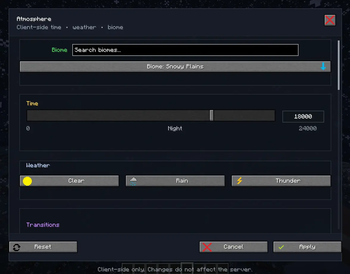
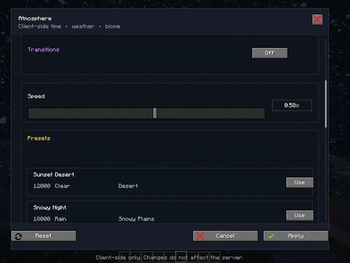
Time Weather Biome Control
A Minecraft Fabric client-side mod that lets the player locally fake time, weather, and biome ambience.
the main motive of creating this mod is to change the sky appearance and weather. Custom sky texture packs have different skies for different biomes to alter between them easily without affecting the actual game can be done with this mod.
Default keybind: 0
Features
- Client-only keybind menu.
- Time slider from
0to24000. - Weather mode: vanilla, clear, rain, thunder.
- Fake biome selector.
- Presets saved in
config/time_weather_biome_control.json. - Smooth visual transitions for time and weather.
- Passive compatibility with Iris/shader packs and custom sky resource packs by reporting fake values through normal client world methods instead of drawing a replacement sky.
Notes
The biome fake is intentionally visual/client-side. It does not change server logic, mob spawning, structures, or actual world data.
Shader packs and custom sky packs can still choose to ignore vanilla world time, weather, biome, or moon values. In that case the pack's own settings win.
- Edition: Minecraft Java
- File type: .jar
- Minecraft versions listed: 26.1, 26.1.1, 26.1.2
- How to install: Install the matching mod loader (Forge, Fabric or NeoForge) for your Minecraft version. → Download the .jar. → Put it in the .minecraft/mods folder and launch that loader profile.
- Where to get it: Opens on Modrinth — not every file is mirrored on our own servers.
Install steps are the general flow for this file type — How to install Minecraft Java mods & modpacks walks through it step by step.
- Ships as time-weather-biome-control-1.0.0.jar — drop this file into the mods folder
- Download size: 66 KB
- Download link checked 18 Oct 2026 — working
These come from our own check of the pack file, not from the source page.