
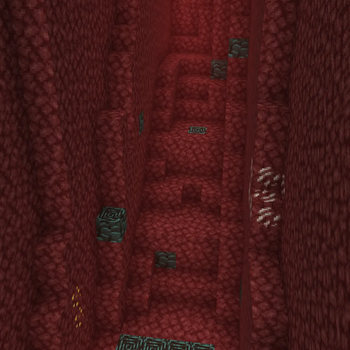
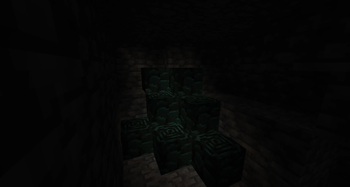
Show Netherite makes Ancient Debris easier to spot while you mine—without adding new blocks or bulky overlays. Toggle a cyan/teal highlight with a single key (default F9, rebind in controls under Show Netherite), and nearby debris will “pop” out of the Nether darkness.
Why use it Ancient Debris blends into Netherrack and caves. This mod gives you a clear visual cue so you spend less time rechecking the same tunnels.
Features
Toggle highlight on/off anytime Stronger visibility in deep dark areas via boosted lighting near highlighted debris (client-side) Resource-friendly model override with tinting—no fake ore blocks spawned in the world Works great for solo / servers (visuals are on your client only) Notes This is a client-side quality-of-life tool. Respect server rules and fair play expectations.
- Edition: Minecraft Java
- File type: .jar
- Minecraft version listed: 1.21.11
- How to install: Install the matching mod loader (Forge, Fabric or NeoForge) for your Minecraft version. → Download the .jar. → Put it in the .minecraft/mods folder and launch that loader profile.
- Where to get it: Opens on Modrinth — not every file is mirrored on our own servers.
Install steps are the general flow for this file type — How to install Minecraft Java mods & modpacks walks through it step by step.
- Ships as shownetherite-1.0.0.jar — drop this file into the mods folder
- Download size: 141 KB
- Download link checked 7 Sept 2026 — working
These come from our own check of the pack file, not from the source page.