
Crappy Voice Chat
Java mod listed for Minecraft 1.20. Downloads from the MC Java Mods app on Android.
⬇ Download on ModrinthCrappy Voice Chat
An addon to Simple Voice Chat that makes your microphone sound absolutely terrible!
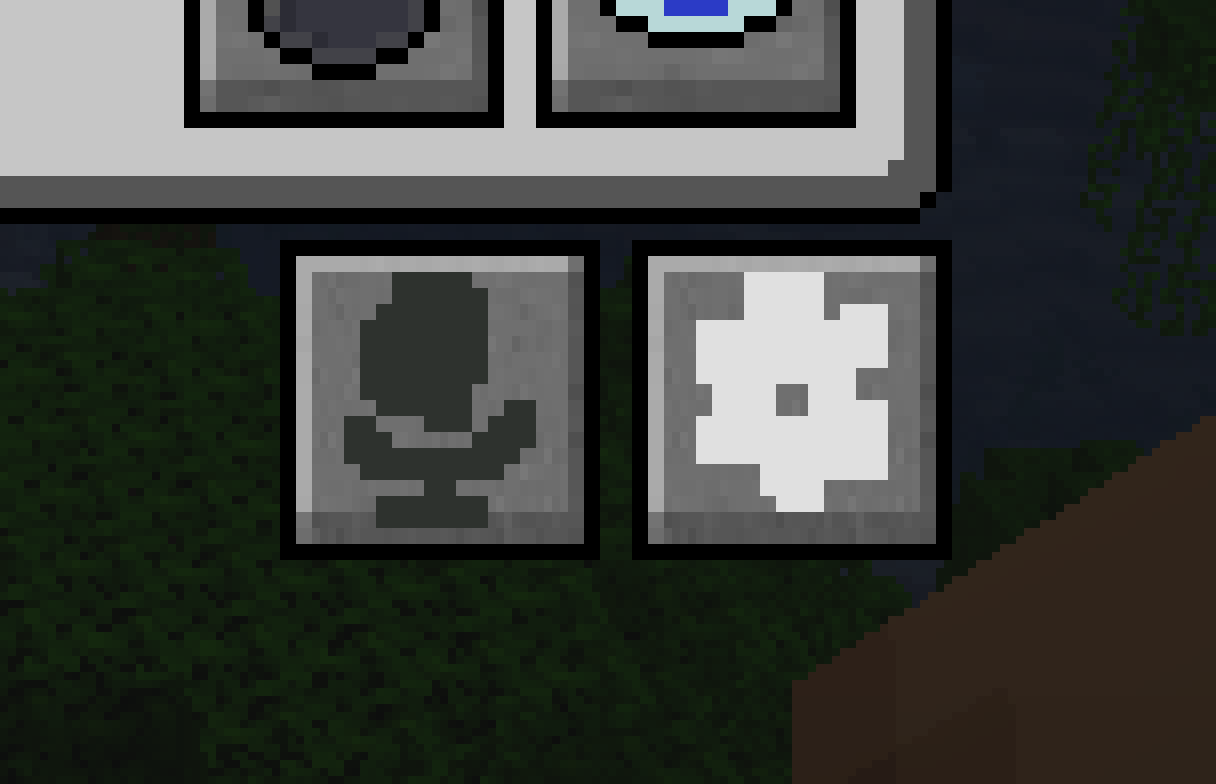
Upon opening the voice chat menu by pressing V you'll find two new buttons to the bottom right of the regular UI (see below)
The microphone icon will toggle the crappy mic's effects on your voice, this will be turned on by default when you download the mod
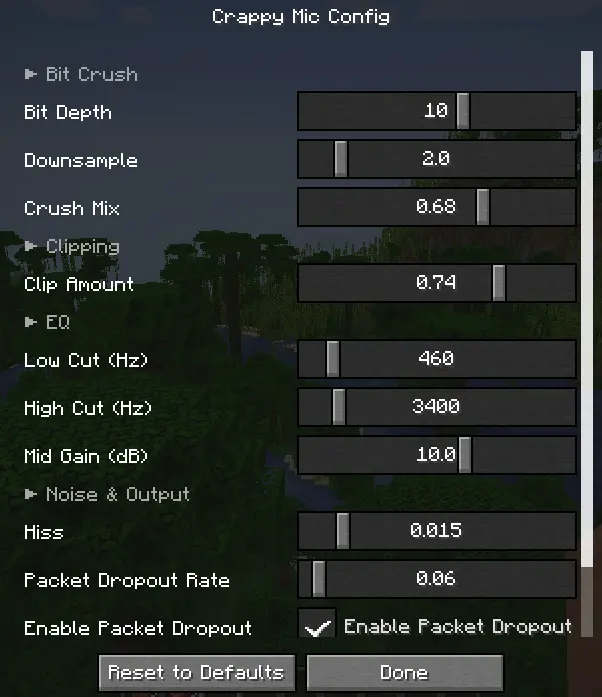
The gear icon will allow you to fine tune the crappy mic's effects to your heart's content! Things such as packet loss, bitcrushing, EQ, and hiss are all customizeable
New buttons
Config
- Edition: Minecraft Java
- File type: .jar
- Minecraft versions listed: 1.20.1, 1.20.2, 1.20.3
- How to install: Install the matching mod loader (Forge, Fabric or NeoForge) for your Minecraft version. → Download the .jar. → Put it in the .minecraft/mods folder and launch that loader profile.
- Where to get it: Opens on Modrinth — not every file is mirrored on our own servers.
Install steps are the general flow for this file type — How to install Minecraft Java mods & modpacks walks through it step by step.
- Ships as crapmic-0.1-1.20.x.jar — drop this file into the mods folder
- Download size: 26 KB
- Download link checked 13 Oct 2026 — working
These come from our own check of the pack file, not from the source page.