
Totem Hand Pop
Java mod listed for Minecraft 26.x. Downloads from the MC Java Mods app on Android.
I don't know my version or loader
Totem Hand Pop


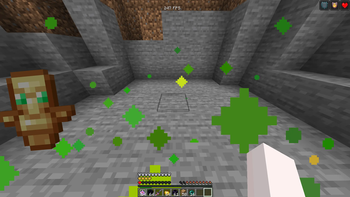
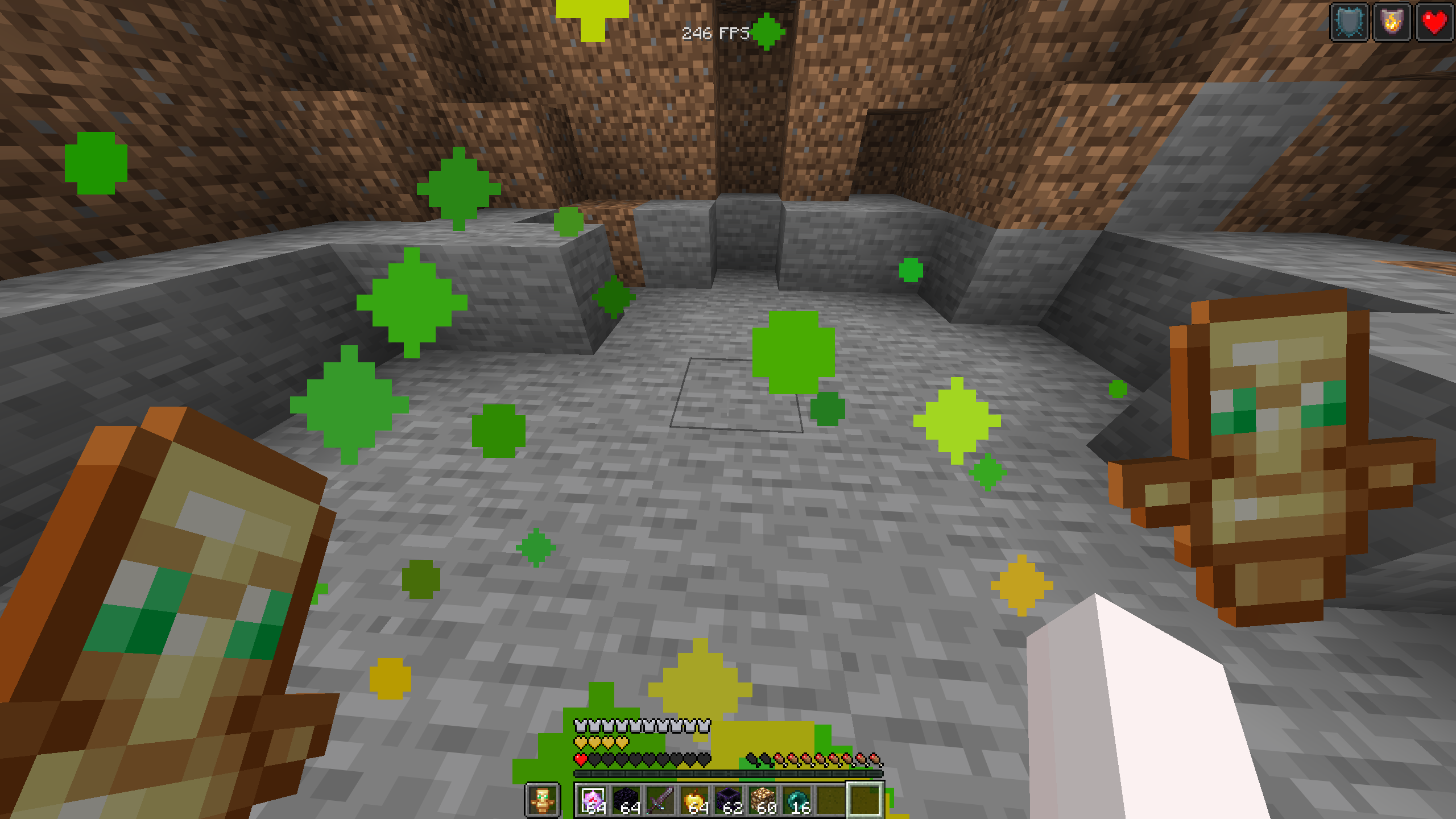
Totem Hand Pop is a mod that moves the vanilla totem pop animation to the side of the screen based on the hand that actually popped. If your mainhand totem pops, the animation shows on the mainhand side. If your offhand totem pops, it shows on the offhand side instead of always being stuck in the middle of your screen.
The biggest thing with this mod is that it keeps the normal Minecraft totem pop animation, but lets you control where it appears. It does not make a fake custom pop overlay, it moves and scales the vanilla floating item render so the animation still feels like Minecraft, just cleaner and less in the way.
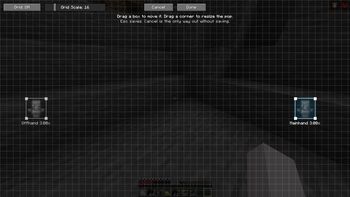
Totem Hand Pop also has a built in position editor so you can drag the mainhand and offhand pop locations anywhere you want. You can resize each pop, use a grid for cleaner placement, reset positions back to default, and swap the mainhand/offhand sides if you want the layout reversed.
The mod is made to be lightweight and simple. It only runs on the client, does not change gameplay, does not send packets, and does not require a server-side mod. It is also works with vulkan mod incase you're wondering.
- Commands: /thp, /totemhandpop
- Or use mod menu
Idea by: januaryneverends
Check out my other mods!:
Main Hand Pop (Supports left hand players as well)
Requires
- Mod menu
| Section | Settings | What it does |
|---|---|---|
| Totem Pop | Mainhand Pop, Offhand Pop | Moves the vanilla totem pop animation to the correct side of the screen depending on which hand popped. |
| Hand Detection | Mainhand / Offhand Tracking | Checks the player inventory around the pop so the animation can match the hand that actually used the totem. |
| General | Mod Toggle, Swap Mainhand With Offhand | Lets you turn the mod on or off and reverse the mainhand/offhand pop sides if you prefer the opposite layout. |
| Position Editor | Open Editor, Drag Boxes, Resize Corners, Reset Positions | Lets you move and resize both pop positions directly on screen instead of guessing with sliders. |
| Grid | Grid Toggle, Grid Scale | Adds a grid to the editor so the pop positions are easier to line up cleanly. |
| Commands | /thp, /totemhandpop | Lets you open the editor, open settings, toggle the mod, swap sides, or reset positions with client-side commands. |
| Screen Safety | Position Clamping | Keeps the pop boxes inside the screen so the animation does not get placed off screen. |
| Vulkan Support | Vanilla Overlay Based Rendering | works with Vulkan. |
- Edition: Minecraft Java
- File type: .jar
- Minecraft versions listed: 26.1, 26.1.1, 26.1.2
- How to install: Install the matching mod loader (Forge, Fabric or NeoForge) for your Minecraft version. → Download the .jar. → Put it in the .minecraft/mods folder and launch that loader profile.
- Where to get it: Opens on Modrinth — not every file is mirrored on our own servers.
Install steps are the general flow for this file type — How to install Minecraft Java mods & modpacks walks through it step by step.
- Ships as TotemHandPop-26.1.X.jar — drop this file into the mods folder
- Download size: 125 KB
- Download link checked 10 Oct 2026 — working
These come from our own check of the pack file, not from the source page.