ModsJava
Universal Dyeing
Java mod listed for Minecraft 1.21–26.x. Downloads from the MC Java Mods app on Android.
Easily re-dye beds, glass, shulker boxes, and more in the crafting grid—no more wasting resources on the wrong color!
I don't know my version or loader
Open the Minecraft launcher and look at the profile you play on — it names both, like fabric-loader-1.21.4. The version also shows in the bottom-right corner of the game's main menu.
No loader in the profile name? Then it's plain Minecraft, and these mods won't run — you need Fabric or NeoForge installed first.
🎨 Universal Dyeing (Vanilla+)
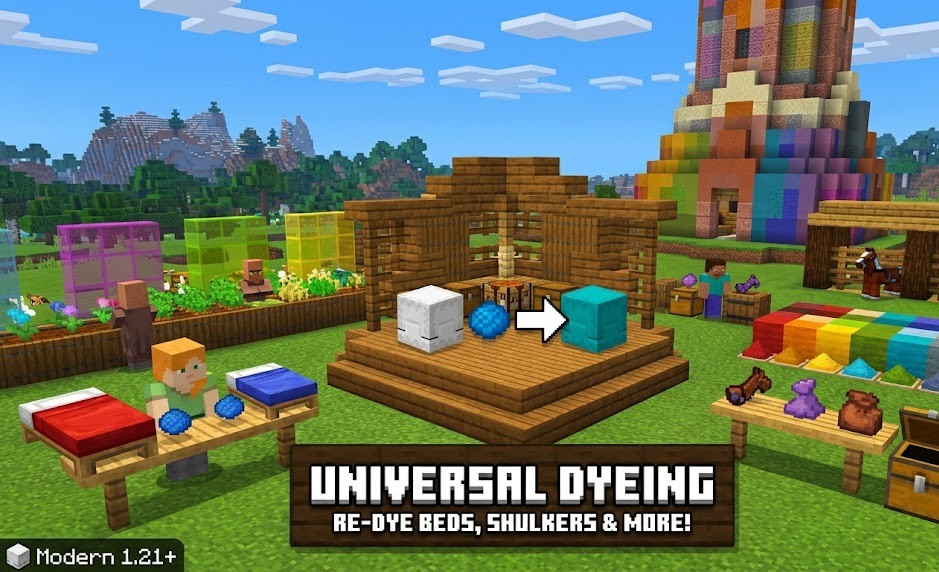
- Have you ever crafted a stack of Red Glass only to realize Blue would look better? Or found a Pink Bed in a village when your base is themed Green? Universal Dyeing fixes one of Minecraft’s most frustrating limitations by allowing you to re-color almost any dyed block or item directly in your crafting grid.
- This datapack is designed to feel like a feature Mojang forgot to add. It’s lightweight, survival-friendly, and perfect for builders who change their minds!
✨ Key Features
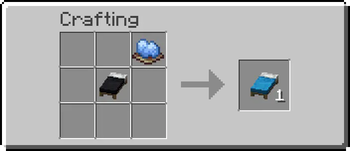
- Shapeless Re-dyeing: Simply place any colored item + a new dye in your crafting grid to change its color.
- 100% Performance Friendly: Uses the native 1.21.1 recipe system. Zero tick-loop lag.
- Total Coverage: Supports over 300+ item and block variants.
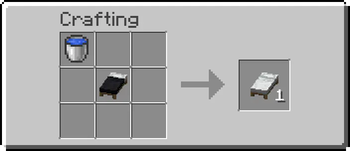
- Bleaching: Use a Water Bucket or Bone Meal in the crafting grid to return items to their "uncolored" or "white" base state.
📦 Supported Items
- Furniture: Beds, Carpets, Wool, Banners, and Candles.
- Building: Stained Glass (Blocks & Panes), Terracotta, Glazed Terracotta, Concrete, and Concrete Powder.
- Utility: Bundles (1.21!), Shulker Boxes, and Wolf Armor.
- Gear: Leather Armor and Leather Horse Armor.
🛠 Technical Details
- Version: Minecraft 1.21+
- Installation: Drop the .zip file into your world's datapacks folder.
- Multiplayer: Fully compatible with servers and other "Vanilla+" datapacks.
Quick facts
- Edition: Minecraft Java
- File type: .jar
- Minecraft versions listed: 1.21, 1.21.1, 1.21.2
- How to install: Install the matching mod loader (Forge, Fabric or NeoForge) for your Minecraft version. → Download the .jar. → Put it in the .minecraft/mods folder and launch that loader profile.
- Where to get it: Opens on Modrinth — not every file is mirrored on our own servers.
Install steps are the general flow for this file type — How to install Minecraft Java mods & modpacks walks through it step by step.
File checked by MCModsHub
- Ships as universal-dyeing-datapack-26.1.jar — drop this file into the mods folder
- Download size: 97 KB
- Download link checked 15 Oct 2026 — working
These come from our own check of the pack file, not from the source page.