drawmod
[EN] Draw 3D glowing lines and geometric shapes, and save your art directly in the Minecraft world! [RU] Рисуй светящиеся 3D-линии, геометрические фигуры…
⬇ Download on Modrinth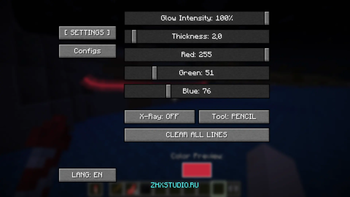
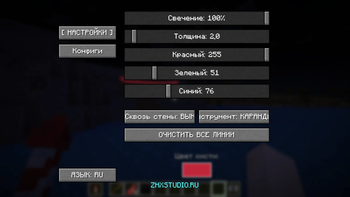
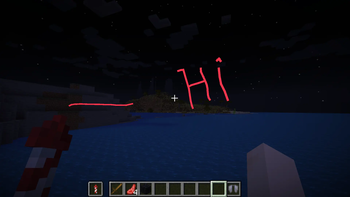
Welcome to ZHX 3D Brush! 🎨 Created by ZHX Studio, this mod transforms your Minecraft world into a giant 3D canvas. Unleash your creativity and decorate your surroundings like never before!
✨ Key Features:
Draw in the Air: Create stunning artwork using glowing 3D lines right in the world.
Geometric Shapes: Easily draw various 3D shapes to enhance your builds.
Save Your Art: Your creations are saved directly in your Minecraft world so you can admire them later or show them to friends.
Perfect for builders, artists, and anyone who wants to add a creative and magical touch to their gameplay!
- Edition: Minecraft Java
- File type: .jar
- Minecraft version listed: 1.21.4
- How to install: Install the matching mod loader (Forge, Fabric or NeoForge) for your Minecraft version. → Download the .jar. → Put it in the .minecraft/mods folder and launch that loader profile.
- Where to get it: Opens on Modrinth — not every file is mirrored on our own servers.
Install steps are the general flow for this file type — How to install Minecraft Java mods & modpacks walks through it step by step.
- Ships as drawmod-1.0-SNAPSHOT.jar — drop this file into the mods folder
- Download size: 21 KB
- Download link checked 23 Aug 2026 — working
These come from our own check of the pack file, not from the source page.