Sven's Wiki
Adds an entire in-game wiki to Minecraft. No more searching 10 different websites, just open the wiki menu and search! Also includes additional features.
⬇ Download on Modrinth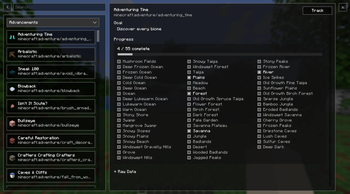
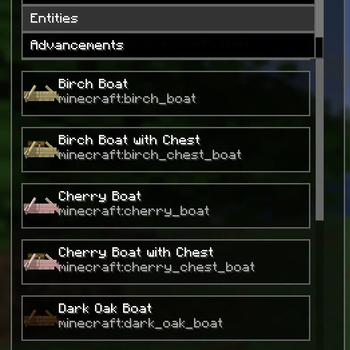
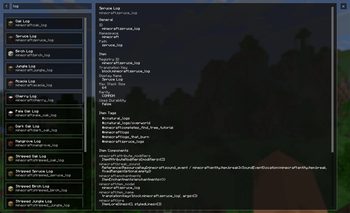
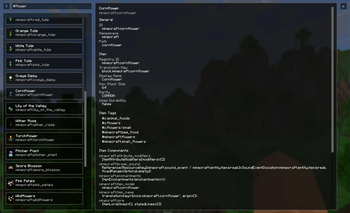
Sven's Wiki
Tired of constantly alt-tabbing to your browser or digging through countless websites just to find basic information?
Sven's Wiki brings a fully integrated wiki experience directly into Minecraft, so everything you need is available exactly where you need it.
No interruptions. No ads. Just information, in-game.
Project Status
Current Features
Data-Driven Wiki Interface
A flexible and scalable system that dynamically pulls and displays in-game data.In-Game Search System
Quickly find items, entities, and more without leaving your world.Integrated Detail View
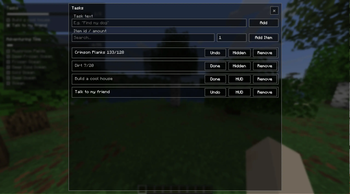
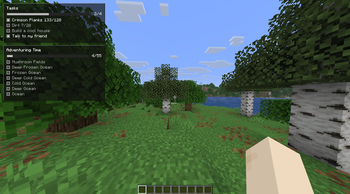
View detailed information about selected entries directly within the UI.Task & To-Do Overlay
Track goals and tasks without leaving the game.Item Collection Overlay
Build and manage gathering lists for crafting or progression.Advancement Overlay
See the progress of any advancement on screen.
Planned Features
Handcrafted Vanilla Wiki Pages
Custom-written, high-quality pages for all vanilla items and entities.Mod Integration API
Allow other mods to easily add their own custom wiki pages.
- Edition: Minecraft Java
- File type: .jar
- Minecraft version listed: 26.2
- How to install: Install the matching mod loader (Forge, Fabric or NeoForge) for your Minecraft version. → Download the .jar. → Put it in the .minecraft/mods folder and launch that loader profile.
- Where to get it: Opens on Modrinth — not every file is mirrored on our own servers.
Install steps are the general flow for this file type — How to install Minecraft Java mods & modpacks walks through it step by step.
- Ships as svenswiki-fabric-26.2-1.0.jar — drop this file into the mods folder
- Download size: 166 KB
- Download link checked 9 Sept 2026 — working
These come from our own check of the pack file, not from the source page.