HomeJavaShadersSildur's Enhanced Default Shaders
Sildur's Enhanced Default Shaders
ShadersJava

Sildur's Enhanced Default Shaders

by Sildur · on Modrinth

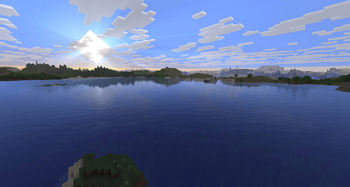
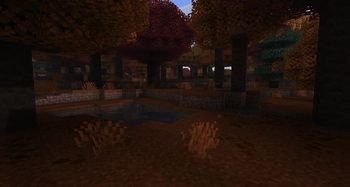
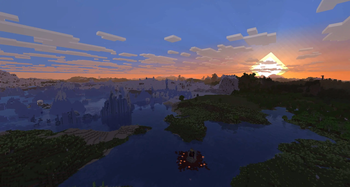
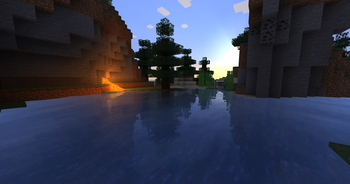
Improves the look of vanilla MC with shadows, reflections and more. Runs on any Potato!. Free Minecraft Java shader for 1.7.10, 1.8, 1.8.1.

⬇ Download on Modrinth
Sildur's Enhanced Default Shaders — screenshot 1Sildur's Enhanced Default Shaders — screenshot 2Sildur's Enhanced Default Shaders — screenshot 3Sildur's Enhanced Default Shaders — screenshot 4Sildur's Enhanced Default Shaders — screenshot 5Sildur's Enhanced Default Shaders — screenshot 6Sildur's Enhanced Default Shaders — screenshot 7

Sildur's Enhanced Default Shaders

Official Website & Changelogs | Patreon Support
Vibrant Shaders | Basic Shaders

About:

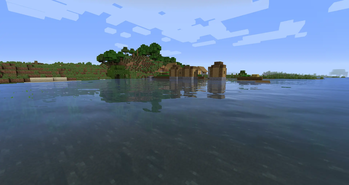
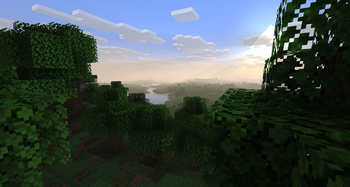
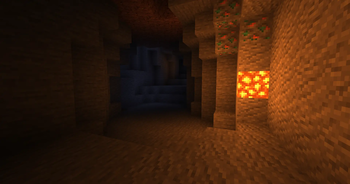
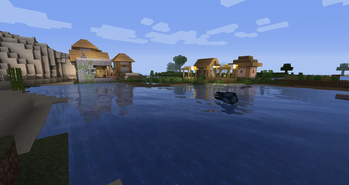
Enhanced Default does what the name indicates. Instead of completely revamping the style of the game, it maintains the vanilla look and adds shadows, reflections, TAA, and even godrays. It's very lightweight and highly customizable, so even the worst potato is able to run it. It has a Fast and Fancy profile setting in the in-game shader options as well as download presets. Fast is quite a lot faster than the Fancy preset, so if you need all the frames, go for Fast instead!

Compatibility:


How to Install via Iris:

  1. Download and run the Iris Installer.
  2. Select "Iris and Sodium", choose your Minecraft version, and install.
  3. Open the Minecraft Launcher and select the new Iris profile.
  4. Launch the game, go to Options -> Video Settings -> Shader Packs.
  5. Click "Open Shader Pack Folder" and drop the Sildur's Shaders .zip file inside.
  6. Select the pack from the in-game list.

How to Install via OptiFine:

  1. Download and run the official OptiFine jar file to create an OptiFine profile.
  2. Open the Minecraft Launcher and select the new OptiFine profile.
  3. Launch the game, go to Options -> Video Settings -> Shaders.
  4. Click "Shaders Folder" at the bottom of the screen.
  5. Drop the Sildur's Shaders .zip file inside and select it in-game.

Permissions:
You are not allowed to edit, copy code, or redistribute this shaderpack under a different name or claim it as yours.

Modpack Policy:
Permission is not required for modpacks hosted on CurseForge or Modrinth. You may freely add this shaderpack as long as you use the platform's built-in system. Do not bundle or re-host the raw .zip file inside your project download.


Socials & Support:

Verified by MCModsHub

These come from our own check of the pack file, not from the source page.

Explore more