
WorldEdit Selection Overlay (Fabric)
Make your WorldEdit selections visible, readable, and predictable.
What is this?
WorldEdit Selection Overlay is a client-side visual addon that shows your selection exactly as it is before you run any destructive commands.
No more guessing shapes.
No more wrong sizes.
No more accidental //set air.
You see everything in advance.
Why you actually need this
WorldEdit gives you power, but almost no visual feedback.
This mod fixes that:
- See the real shape of your selection
- Read dimensions directly in-game
- Inspect blocks before editing
- Isolate specific block types inside a selection
- Avoid mistakes that cost time
In-Game Preview
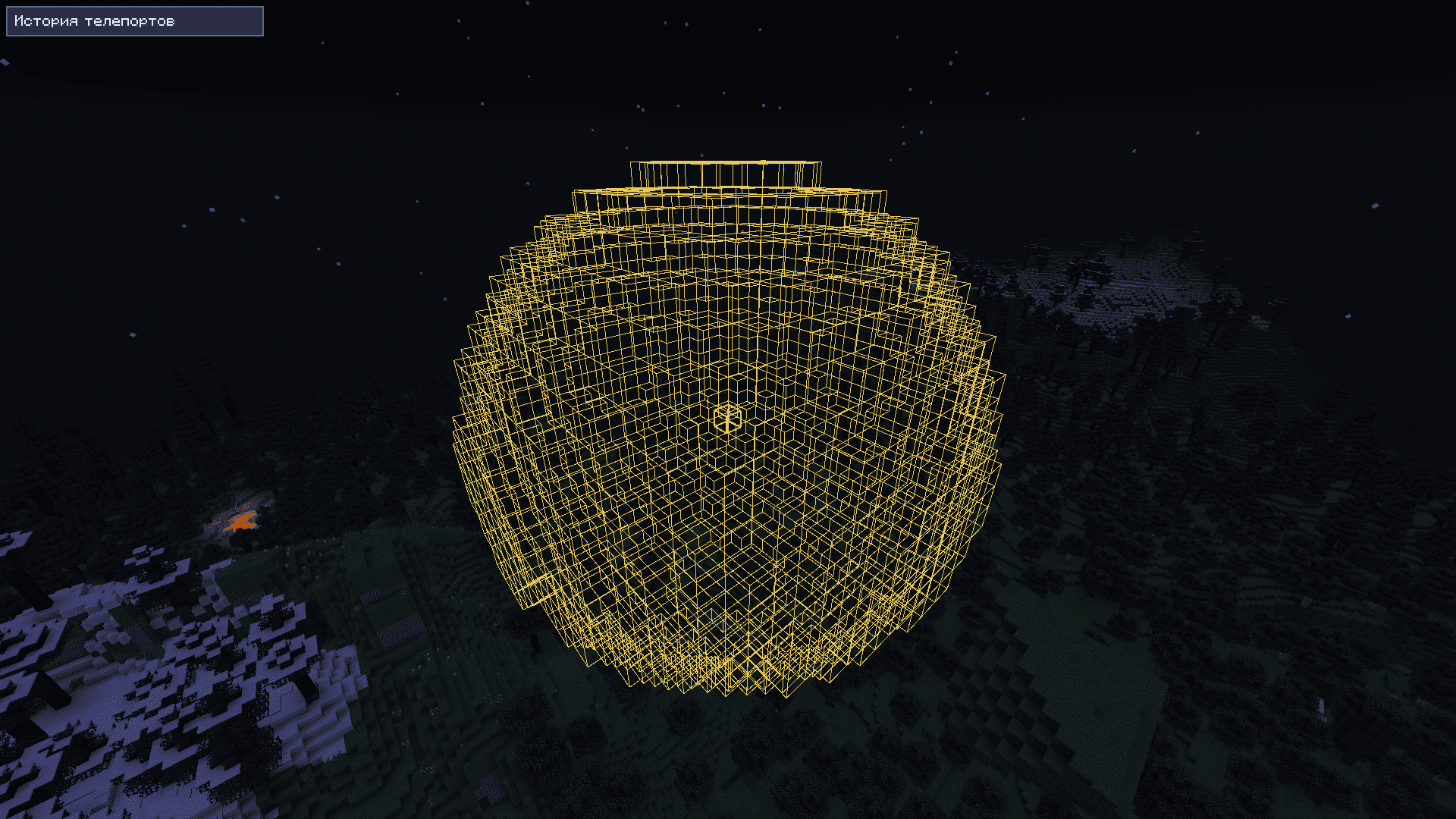
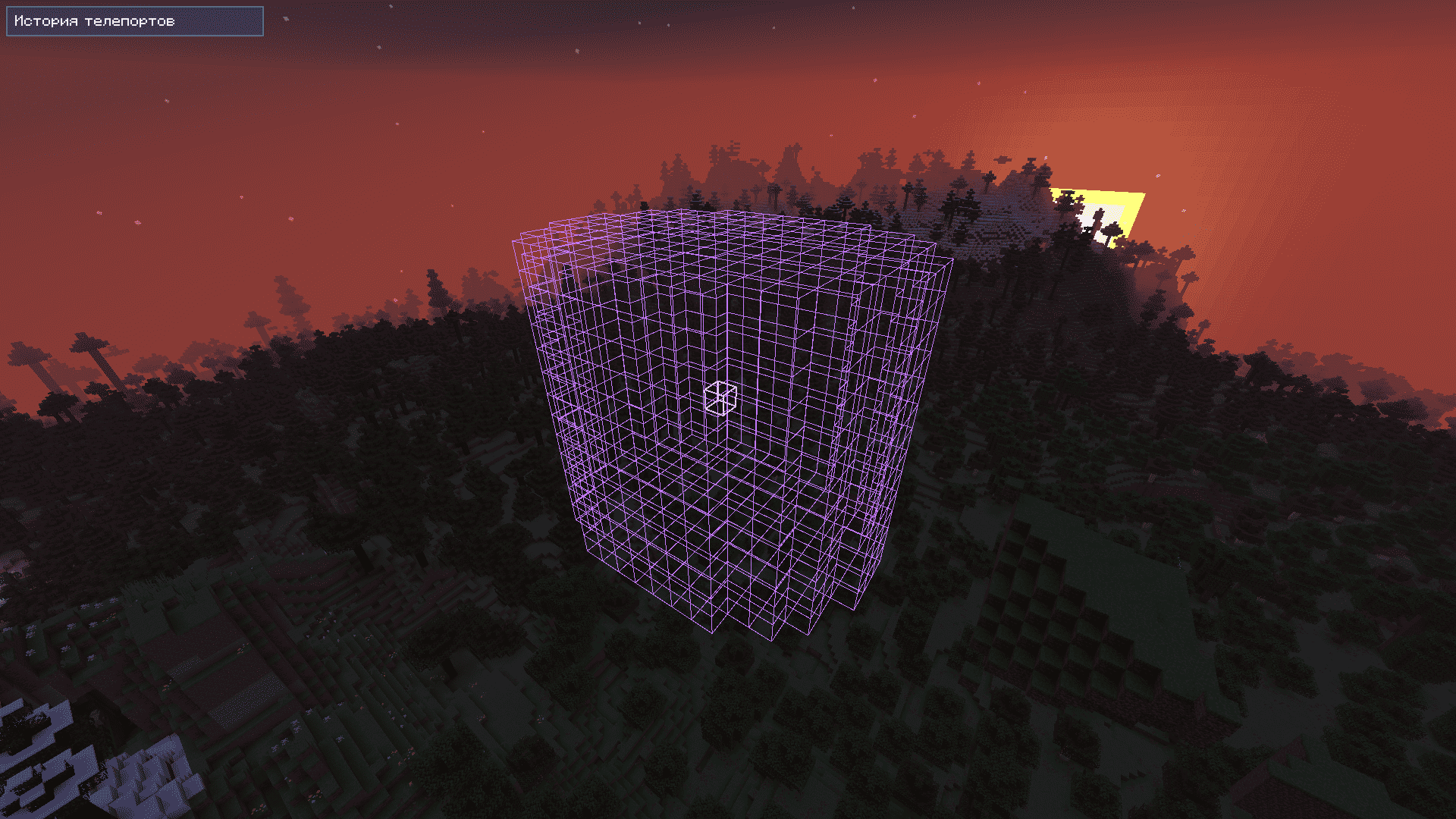
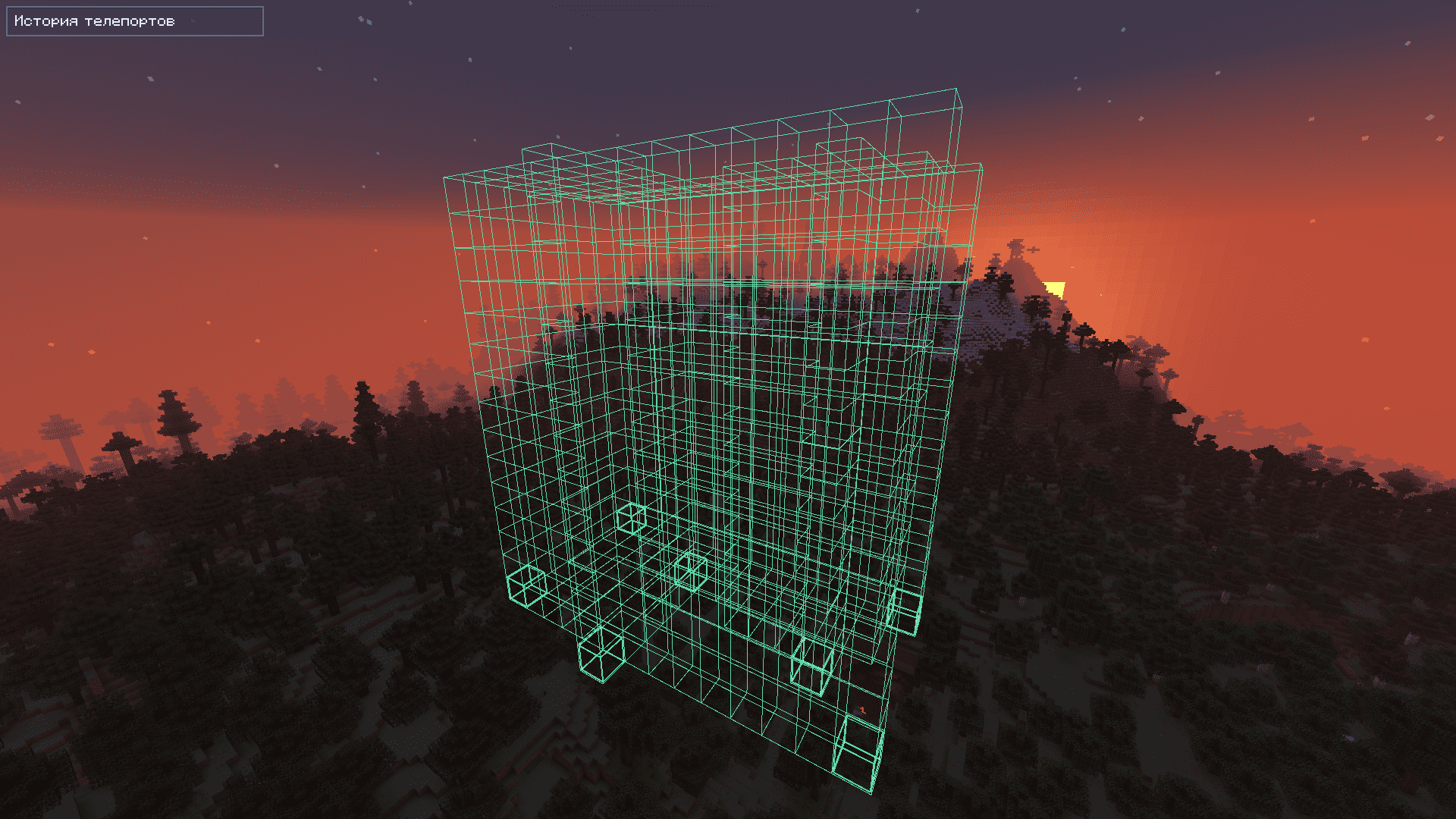
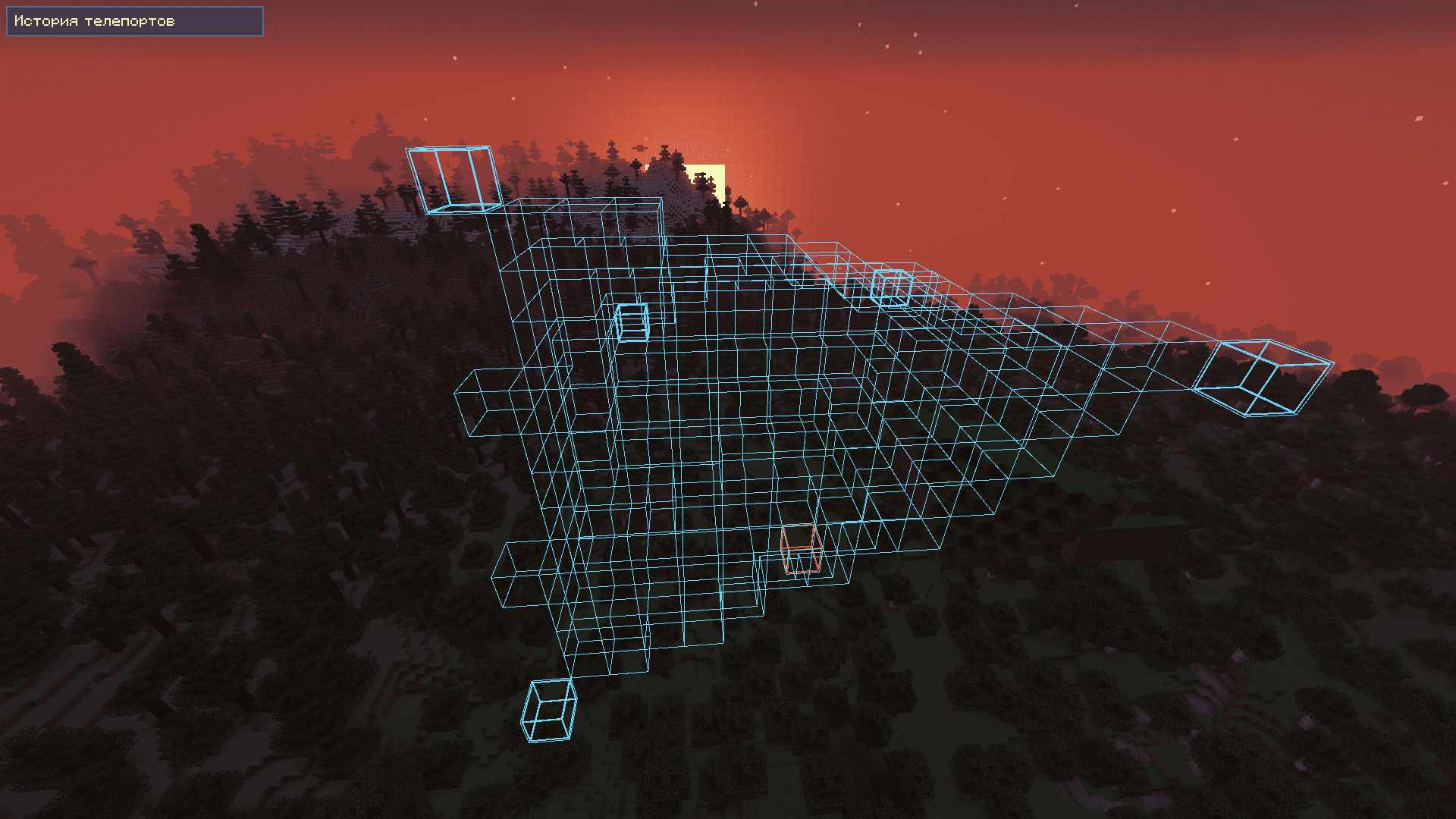
The overlay renders your selection directly in the world:
- Exact bounds
- Real geometry
- Clear corner points
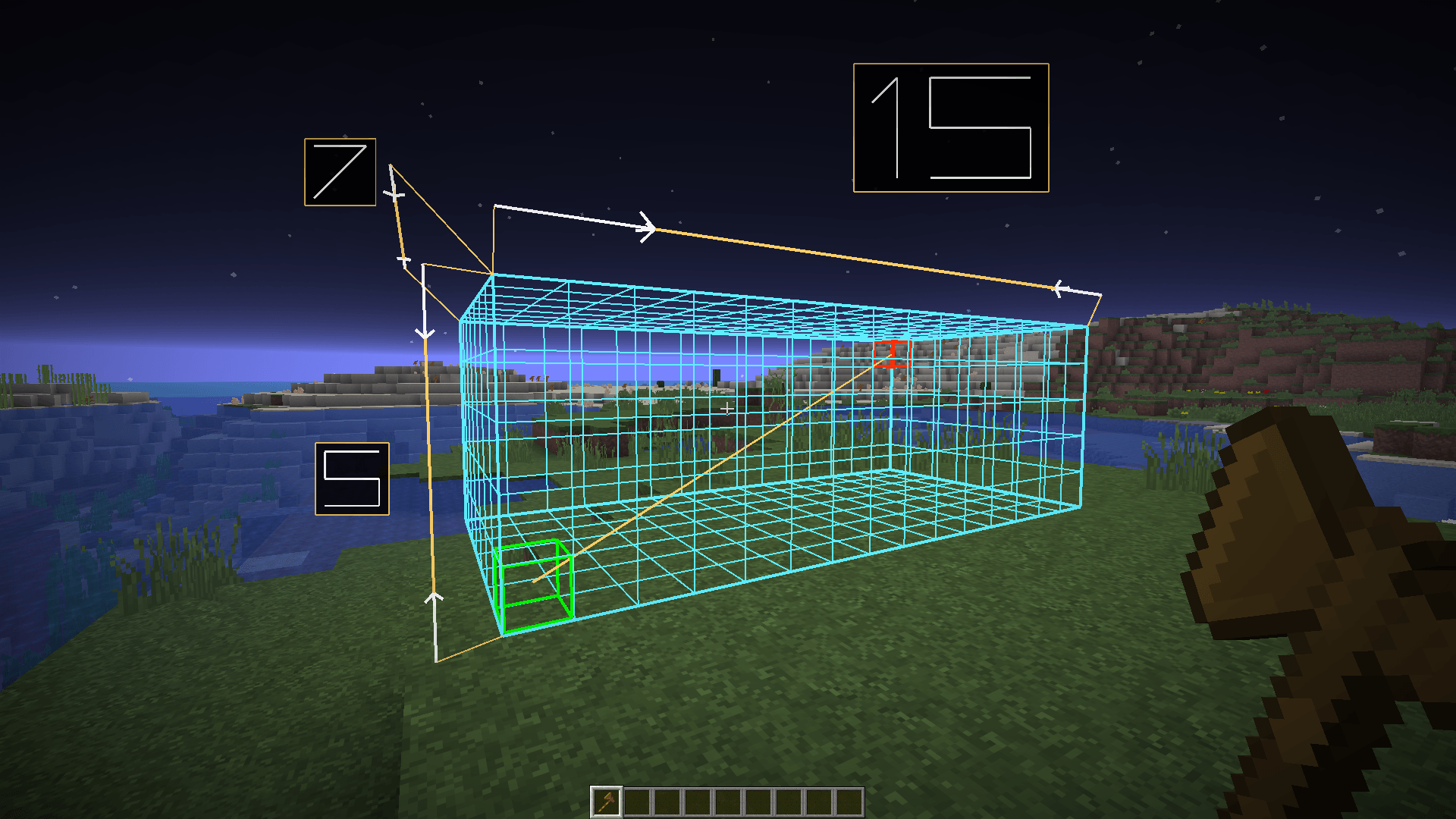
Built-in Dimension Ruler
Measure selections like in CAD tools:
- Clean readable size labels
- Always visible from your current angle
- Can follow your camera or stay fixed
Overlay Palette Editor
Customize how the overlay looks directly in-game:
- Full-screen color editor with live selection preview
- Per-element color, transparency, and line thickness
- Ready-made presets for different visibility needs
- Reset controls for one element, thickness, colors, or everything
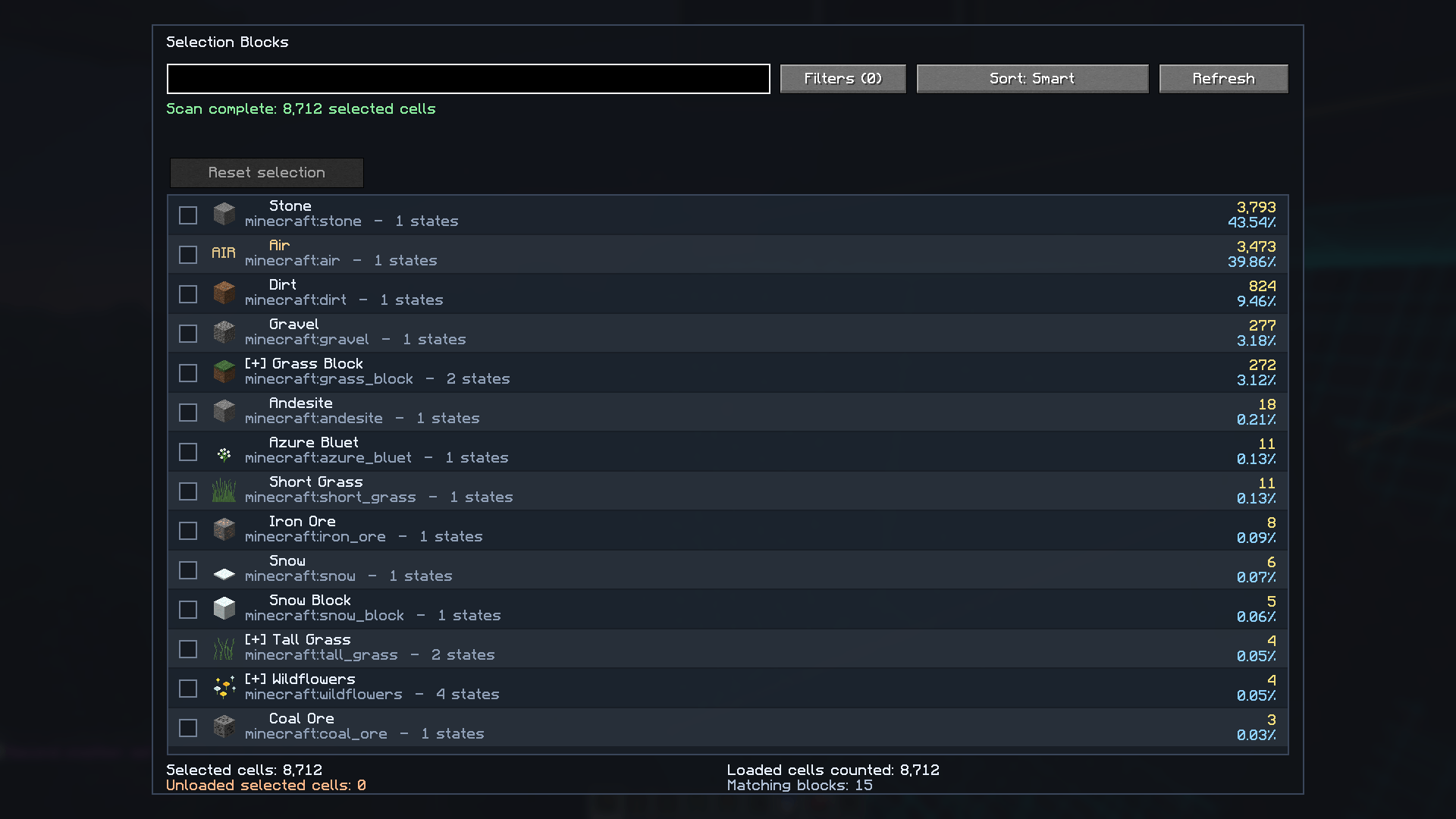
Inspect Before You Edit
Open the block viewer and see exactly what is inside:
- All blocks in the selection, including
air - Grouped and searchable
- Fast filtering with
#air,#fluid, and#solid - Chunk-aware loaded/unloaded counts
- Fluid entries use bucket icons for easier reading
Perfect before using:
//replace//set//stack
Block Isolation Mode
Need to find only one material inside a huge selection?
Select one or more block types in the block viewer. The mod hides every other block inside the selected WorldEdit region on the client only, leaving the real world untouched.
Useful for:
- Finding hidden ores, liquids, air pockets, containers, or mistakes
- Checking what a
//replacecommand will affect - Inspecting complex builds layer by layer
- Viewing selected blocks with their normal textures
Details:
- Multiple block types can be selected at the same time
- Selected block groups stay pinned above the rest of the list
- A reset button clears the isolation selection quickly
- Fluids and fluid-like rendered content are hidden when they are not selected
- Selected blocks and fluids are rendered full-bright so their textures stay readable
- The selection boundary and ruler can stay visible while the internal grid is hidden
- Works even when the normal selection overlay visibility is disabled
Everything is visual only. Hidden blocks still exist, still collide, and are never changed by the mod.
Features
- Real-time selection overlay
- Two render styles: Blocky / Smooth
- Optional internal selection grid toggle
- Full-screen palette editor with live preview
- Custom colors, transparency, thickness, and presets
- Adaptive performance for large selections
- Optional diagonals for cuboid shapes
- Built-in dimension ruler
- Block inspection screen
- Client-side block isolation mode
- Fluid-aware rendering and bucket icons
- Full-bright isolated blocks and fluids for readable textures
- Fully configurable UI
Supported Selection Types
- Cuboid
- Polygon 2D
- Ellipsoid / Sphere
- Cylinder
- Polyhedron / Convex
Works with everything WorldEdit sends via CUI.
Controls
| Key | Action |
|---|---|
O |
Open overlay settings |
B |
Open block inspection screen |
N |
Deselect |
All keybinds are configurable.
Compatibility
- Singleplayer
- Fabric + WorldEdit
- LabyMod/LabyFabric when Fabric mods are enabled
- Paper / Spigot / Purpur if WorldEdit CUI data is available
- Sodium support for block and fluid isolation rendering
If the server does not send CUI data or supported WorldEdit selection updates, the overlay cannot know what to render.
Important
- Client-side only, safe to install anywhere
- Does not modify the world
- Hidden blocks are only hidden visually
- Recommended Minecraft GUI Scale: 2x
- Requires WorldEdit selection data
Requirements
- Minecraft 1.21.11
- Fabric Loader
- Fabric API
- WorldEdit
Installation
- Install Fabric Loader
- Install Fabric API
- Drop the mod into
/mods - Launch the game
Quick Start
- Make a WorldEdit selection
- Press
Oto configure the overlay - Use the palette button to customize colors and thickness
- Press
Bto inspect blocks - Use the checkboxes in the block viewer to isolate specific blocks
Troubleshooting
- Make sure WorldEdit is installed
- Make sure CUI is enabled when playing on servers that require it
- Rejoin the world if the overlay does not appear
- If using Sodium, restart the game after replacing the mod jar
Download WorldEdit
Contact the developer: ngocchaub81@gmail.com
- Edition: Minecraft Java
- File type: .jar
- Minecraft version listed: 1.21.11
- How to install: Install the matching mod loader (Forge, Fabric or NeoForge) for your Minecraft version. → Download the .jar. → Put it in the .minecraft/mods folder and launch that loader profile.
- Where to get it: Opens on Modrinth — not every file is mirrored on our own servers.
Install steps are the general flow for this file type — How to install Minecraft Java mods & modpacks walks through it step by step.
- Ships as worldedit_selection_overlay-1.7.0-neoforge-1.21.11.jar — drop this file into the mods folder
- Download size: 250 KB
- Download link checked 6 Sept 2026 — working
These come from our own check of the pack file, not from the source page.