
ModsJava
Texture saver
🗸 Instantly extract and save block, item, and entity resources-including textures, models, and blockstate JSONs-directly to .minecraft/t_saver/. Quick…
⬇ Download on Modrinth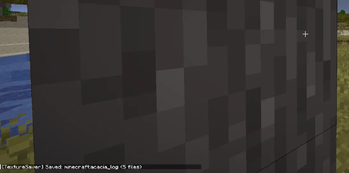

Saves block, item, and entity assets (textures, models, blockstates) by pressing Alt+C / Alt+X.
t_saver/
├── block/<namespace>/          → textures (.png)
├── block/blockstate/<namespace>/ → blockstate JSONs
├── block/model/<namespace>/    → block & item model JSONs
├── entity/<namespace>/         → entity textures
├── entity/model/<namespace>/   → entity model JSONs
├── item/<namespace>/           → item textures
└── item/model/<namespace>/     → item model JSONs
🌐Third-party hosting
You are not allowed to host the mod on third-party resources. You can post news about the mod, but you must link to this mod page for downloading (or link to the download address from modrinth).
Quick facts
- Edition: Minecraft Java
- File type: .jar
- Minecraft version listed: 1.20.1
- How to install: Install the matching mod loader (Forge, Fabric or NeoForge) for your Minecraft version. → Download the .jar. → Put it in the .minecraft/mods folder and launch that loader profile.
- Where to get it: Opens on Modrinth — not every file is mirrored on our own servers.
Install steps are the general flow for this file type — How to install Minecraft Java mods & modpacks walks through it step by step.
Verified by MCModsHub
- Ships as texture-saver-1.0.jar — drop this file into the mods folder
- Download size: 180 KB
- Download link checked 21 Aug 2026 — working
These come from our own check of the pack file, not from the source page.