
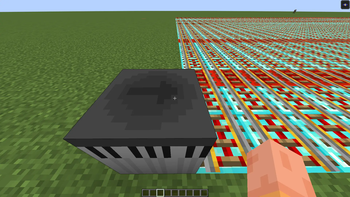
Adds a block that generate minecarts based on a real music score.
How to use:
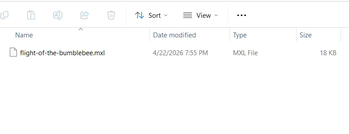
1. Download a score with MusicXML (.mxl) format
2. Drag the file to the file path given by "Add Score" button in Piano Block
3. Click "Load Score"
(Survival Mode only) (4. Insert 64 Minecart with Noteblock in the slot given in Piano Block)
5. Select Score, click "Play"
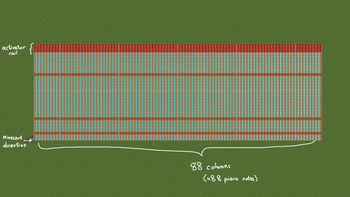
Note: Minecart with Noteblock will only play a note when it's on activator rail, a sample of rail system is given in the figures.
Quick facts
- Edition: Minecraft Java
- File type: .jar
- Minecraft version listed: 1.21.1
- How to install: Install the matching mod loader (Forge, Fabric or NeoForge) for your Minecraft version. → Download the .jar. → Put it in the .minecraft/mods folder and launch that loader profile.
- Where to get it: Opens on Modrinth — not every file is mirrored on our own servers.
Install steps are the general flow for this file type — How to install Minecraft Java mods & modpacks walks through it step by step.
Verified by MCModsHub
- Ships as notes2cart-1.0.1.jar — drop this file into the mods folder
- Download size: 286 KB
- Download link checked 23 Aug 2026 — working
These come from our own check of the pack file, not from the source page.