
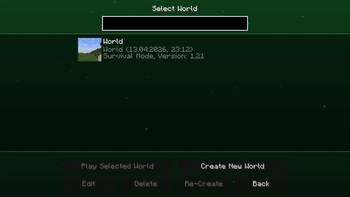
ShatterGUI — Client-Side UI Overhaul
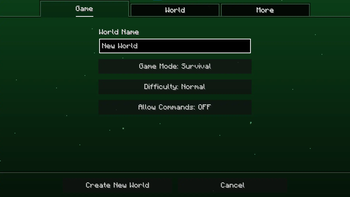
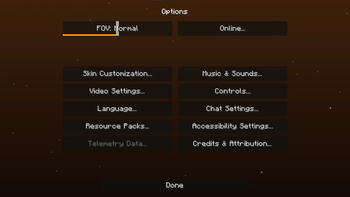
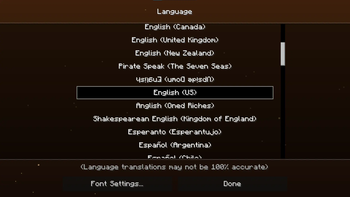
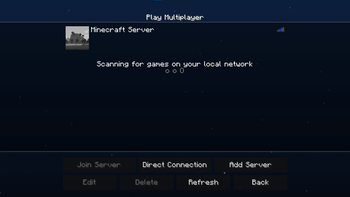
ShatterGUI is a visual modification that replaces Minecraft's static grey menus with a dynamic, color-coded interface. It is designed to make menu navigation feel modern and responsive.
Key Features:
- Animated Backgrounds: Replaces the standard dirt/panorama backgrounds with smooth, animated color gradients and an ambient particle system that persists across different menu screens.
- Contextual Color Coding: Each main menu section (Singleplayer, Multiplayer, Options) is assigned a unique color theme.
- Enhanced Visual Feedback:
- Buttons & Sliders: Updated with neon outlines and smooth scaling animations when hovered.
- Click Effects: Visual "sparks" appear when clicking elements, matching the current menu's color scheme.
Quick facts
- Edition: Minecraft Java
- File type: .jar
- Minecraft versions listed: 1.21, 1.21.1, 1.21.2
- How to install: Install the matching mod loader (Forge, Fabric or NeoForge) for your Minecraft version. → Download the .jar. → Put it in the .minecraft/mods folder and launch that loader profile.
- Where to get it: Opens on Modrinth — not every file is mirrored on our own servers.
Install steps are the general flow for this file type — How to install Minecraft Java mods & modpacks walks through it step by step.
Verified by MCModsHub
- Ships as shattergui-1.0.0.jar — drop this file into the mods folder
- Download size: 17 KB
- Download link checked 20 Aug 2026 — working
These come from our own check of the pack file, not from the source page.