
ShadersJava
TAA-Distant Horizons port
Fork of to add distant horizons support. Only tested 1.20.1. Has almost 1:1 vanilla AO parity. for the voxy port go to: approximately a 5% performance…
I don't know my version or loader
Open the Minecraft launcher and look at the profile you play on — it names both, like fabric-loader-1.21.4. The version also shows in the bottom-right corner of the game's main menu.
No loader in the profile name? Then it's plain Minecraft, and these mods won't run — you need Fabric or NeoForge installed first.
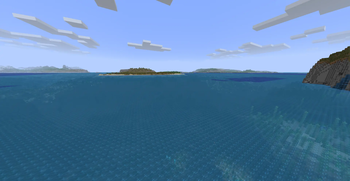
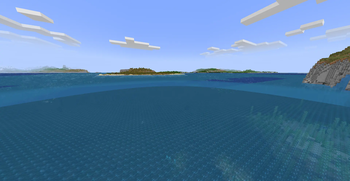
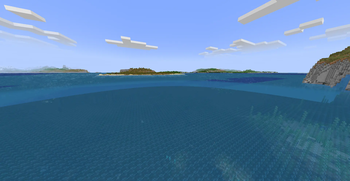


Fork of https://modrinth.com/shader/taa to add distant horizons support. Only tested 1.20.1. Has almost 1:1 vanilla AO parity.
for the voxy port go to: https://modrinth.com/shader/taa-voxy-port
approximately a 5% performance impact(at 4 samples—at highest configuration(12 samples) expect around 13% performance impact)
Features:
- Works with Iris and Colorwheel(enable fallbackmode in colorwheel)
- TAA: Core feature, smooths edges AND gets rid of flickering/noise on distant terrain
- Sharpening:
- Unsharp Mask: Leaves trails behind fast moving objects.
- CAS (Contrast Adaptive Sharpening): More stable, but still has some downsides to it.
FIXED THE WATER BORDER: gets rid of the ugly water borders between DH and vanilla, check gallery for examples.
- Fog Start Distance:
- Configurable fog start for distant horizons, as a ratio of the render distance.
- Vanilla-like Ambient Occlusion:
- Configurable Ambient Occlusion samples, higher looks better but runs slower. (diminishing returns after 6 imo)
- Configurable Radius and Intensity: Preference based, feel free to play around with these, default values should look the same as vanila(or at least close enough).
if patches of your DH terrain are darker set LOD shading to Disabled or reload the world
if particles look weird against water(ex. Particle rain) revert to ver 3.6.2
Quick facts
- Edition: Minecraft Java
- File type: .zip (resource pack)
- Minecraft versions listed: 1.20, 1.20.1, 1.20.2
- How to install: Download the .zip resource pack — do not unzip it. → Put it in .minecraft/resourcepacks. → Enable it in Options → Resource Packs.
- Where to get it: Opens on Modrinth — not every file is mirrored on our own servers.
Install steps are the general flow for this file type — see the MC Java Mods guides for the full walkthrough.
Verified by MCModsHub
- Downloads as TAA 3.7.6.zip
- Download size: 26 KB
- Download link checked 25 Aug 2026 — working
These come from our own check of the pack file, not from the source page.