
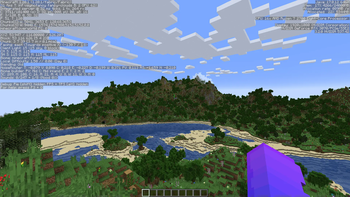
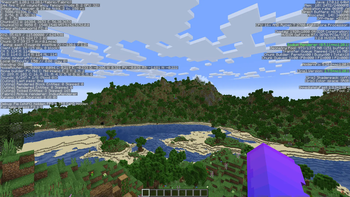
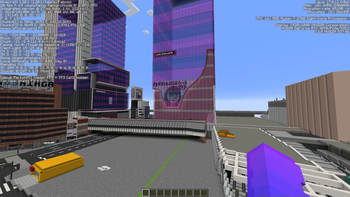
Welcome to the modpack I used in my YouTube video!
This modpack is designed to increase FPS and improve overall performance in Minecraft without sacrificing game quality. It includes carefully selected optimization mods that improve rendering, chunk loading and entity processing to provide a smoother in-game experience.
Included mods:
- Sodium - a rendering engine that significantly boosts frame rates, reduces stuttering, and fixes graphical issues in Minecraft.
- Sodium Extra - an add-on for Sodium that allows for more detailed graphics customization in Minecraft.
- Exordium - render the GUI and screens at a lower framerate.
- Lithium - optimizes the server-side of the game, leading to improved frame rates and responsiveness.
- ImmediatelyFast - improves game performance by optimizing the rendering process of blocks, entities, interfaces, particles, and more.
- Memory Leak Fix - eliminates certain memory leaks in Minecraft, allowing for reduced RAM usage.
- Concurrent Chunk Management Engine - improves the performance of world chunk generation, enhancing and speeding up chunk loading and unloading.
- ModernFix - increases performance, reduces RAM usage, and fixes numerous game bugs.
- Starlight - a mod that optimizes the performance of Minecraft's lighting calculation engine.
- Entity Culling - using async path-tracing to skip rendering Block/Entities that aren't visible.
- FastQuit - this mod lets you return to the title screen early while your world is still saving in the background.
- Language Reload - allows instant language switching in the game.
- Remove Reloading Screen - removes the reload screen when changing the resource pack.
Quick facts
- Edition: Minecraft Java
- File type: .jar
- Minecraft version listed: 1.20.1
- How to install: Install the matching mod loader (Forge, Fabric or NeoForge) for your Minecraft version. → Download the .jar. → Put it in the .minecraft/mods folder and launch that loader profile.
- Where to get it: Opens on Modrinth — not every file is mirrored on our own servers.
Install steps are the general flow for this file type — How to install Minecraft Java mods & modpacks walks through it step by step.
Verified by MCModsHub
- Downloads as Danya 31’s Optimization Pack 1.0.0.mrpack
- Download size: 16 KB
- Download link checked 28 Aug 2026 — working
These come from our own check of the pack file, not from the source page.