
spzi's Classic Pack Base
Java modpack listed for Minecraft 1.20. Downloads from the MC Java Mods app on Android.
Simplifying Minecraft by stripping away hundreds of blocks, items, and mobs to capture the essence of Beta while ensuring compatibility with the modern…
⬇ Download on Modrinth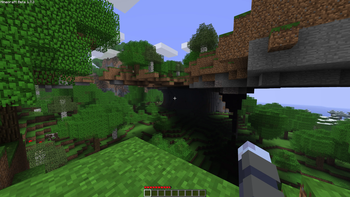
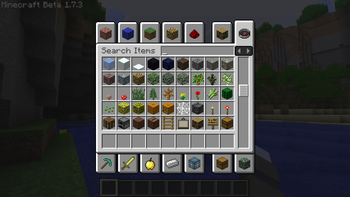
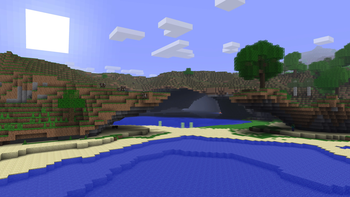
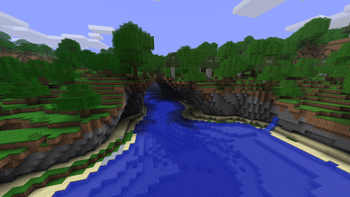
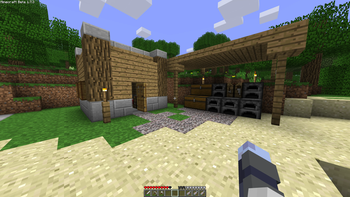
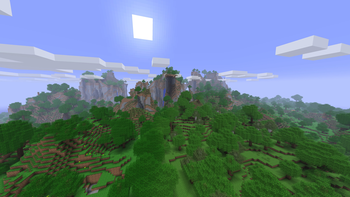
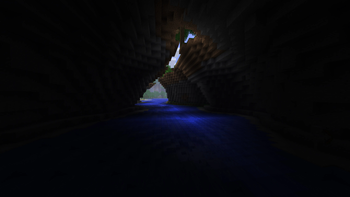
Are you tired of the countless distractions and overwhelming features included with modern Minecraft versions?
Experience the essence of classic gameplay with the simplicity and charm of Minecraft's beta 1.7.3 era, near-seamlessly bringing it into the modern 1.20.1 engine for performance, modding and quality of life features!
This is not a 100% recreation of Beta 1.7.3 as certain quality of life features are included.
Classic Pack Base Specific Features
Config to enable shader support included [Shaders will not work if you don't swap the Nostlgic Tweaks Config!!!]
- Enhanced Hybrid Beta Terrain Generation [Huge Caves]
- Mixture of classic and modern crafting recipes [As many beta recipes as I could find]
- Previously non-craftible blocks in beta now craftible [Sponges, all-log blocks]
- Added Smooth Stone Bricks set [The only addition aside from world-gen that's non-vanilla]
- Modern Textures Supported! [Hybrid style]
- You can still dye leather armor!
- Config for servers included
- Support for advanced custom blockbench avatars via Figura
Beta Features
- No structures other than Dungeons [Only beta loot!]
- No hunger/sprinting [Use "Realistic Stamina" mod if you want sprinting]
- No modern mobs
- No modern biomes [Except aquatic related]
- No modern blocks [Except variants like stairs and slabs, no walls]
- No offhand
- Classic UI and Menu styling
Faithful Beta World Generation
- To enable true Beta world generation, simply remove the Cascades datapack from Paxi in the config!
- The other datapacks control crafting, mobs and general removal of features.
Smaller features not listed, play it to find out!
- Edition: Minecraft Java
- File type: .jar
- Minecraft version listed: 1.20.1
- How to install: Install the matching mod loader (Forge, Fabric or NeoForge) for your Minecraft version. → Download the .jar. → Put it in the .minecraft/mods folder and launch that loader profile.
- Where to get it: Opens on Modrinth — not every file is mirrored on our own servers.
Install steps are the general flow for this file type — How to install Minecraft Java mods & modpacks walks through it step by step.
- Downloads as spzi’s Classic Pack Base 1.0.13.mrpack
- Download size: 10.5 MB
- Download link checked 29 Oct 2026 — working
These come from our own check of the pack file, not from the source page.