
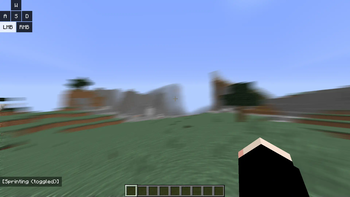
What does this modpack do?
Bedwars Optimized is a lightweight, high-performance Forge 1.8.9 client modpack built for maximum FPS, smooth combat, and a clean PvP experience. Designed specifically for Bedwars, duels, and competitive gameplay on servers like Hypixel without adding any bloat.
📝 Notes:
This modpack requires OptiFine to function properly and to achieve maximum FPS.
Due to legal reasons, OptiFine cannot be bundled directly with the modpack. You will need to download and install it manually.Made for Forge 1.8.9
Multiplayer-safe (Hypixel friendly)
No gameplay-changing mods or cheats
Light on RAM and perfect for low-end systems
PolySprint – by Polyfrost
Toggle sprint and sneak mod for Minecraft 1.8.9 and 1.12.2No Hurt Cam – by ilofizisinsane
Removes that pesky hurt cameraAutoGG Reimagined – by QWERTZexe Automatically says “gg” at the end of games in hypixel.
PolyCrosshair – by Polyfrost
An extremely customizable crosshair modOverflow Particles – by Polyfrost
Advanced particles mod for 1.8.9Canelex Keystrokes Revamp – by Polyfrost
Displays WASD/mouse input on screenEvergreenHUD – by Polyfrost
Improves your heads up display.Velox Caelo – by nea89o OptiFine CIT performance optimizer for 1.8.9
PolyBlur – by Polyfrost
Apply motion blur in-game in way.Wavey Capes – by tr7zw
Makes capes wave and animate realistically.Raw Input – by Chromatic Fixes mouse jittering and increases smoothness
Overflow Animations – by PolyFrost
1.7 and modern animations in 1.8PolyPatcher – by Polyfrost
A Forge mod full of Vanilla bug fixes, Quality of Life improvements, and performance enhancements.Behind You v3 - by Polyfrost
Allows looking behind you without pressing F5 twice.
📜 License:
This modpack is licensed under CC BY-NC 4.0.
✅ You are free to play, edit, and share the pack with credit.
❌ Do not reupload or sell this modpack.
- Edition: Minecraft Java
- File type: .jar
- Minecraft version listed: 1.8.9
- How to install: Install the matching mod loader (Forge, Fabric or NeoForge) for your Minecraft version. → Download the .jar. → Put it in the .minecraft/mods folder and launch that loader profile.
- Where to get it: Opens on Modrinth — not every file is mirrored on our own servers.
Install steps are the general flow for this file type — How to install Minecraft Java mods & modpacks walks through it step by step.
- Downloads as Bedwars Optimized 1.0.0.mrpack
- Download size: 8 KB
- Download link checked 28 Aug 2026 — working
These come from our own check of the pack file, not from the source page.