
](https://i.imgur.com/TCZsGS9.png)
Relive the old days of Minecraft beta with the latest Minecraft version!

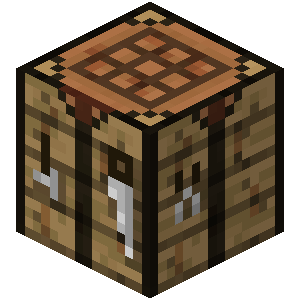
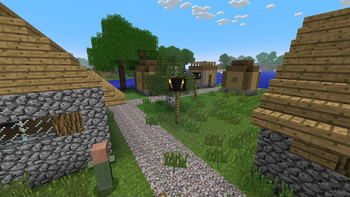
Beta Era brings the old visuals of Minecraft Beta back to life. Experience the programmer art updated textures, old structures and the iconic feel of the past, all while playing in Minecraft 1.20.1 and kepping some modern features.

Revisit the days of simpler gameplay mechanics. Beta Era adjusts the gameplay to match the Beta versions, with limited features, basic mechanics, and a wide open sandbox world.

Beta Era retains the combat system of Alpha (pre 1.9), making the combat easier, bringing back fights without cooldown and sword blocking (requies shield in offhand).

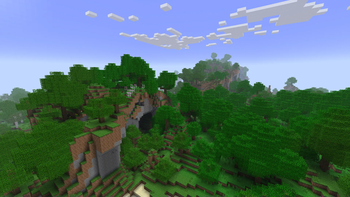
Explore the beta 1.7.3 crazy terrain generation what all we love.

Invite your friends to join you on this nostalgic adventure and create your own Alpha-like world. Here is how to make a world with this generation.
Credits: Beta continuum texture pack (edit by me) Site: https://www.planetminecraft.com/texture-pack/beta-continuum/ Vanilla Tweaks: Site: https://vanillatweaks.net/
If you find any bugs let me know on my discord server!
(Before creating a world change world preset to "Modern Beta" in order to beta 1.7.3 terrain generator work)
- Edition: Minecraft Java
- File type: .jar
- Minecraft version listed: 1.20.1
- How to install: Install the matching mod loader (Forge, Fabric or NeoForge) for your Minecraft version. → Download the .jar. → Put it in the .minecraft/mods folder and launch that loader profile.
- Where to get it: Opens on Modrinth — not every file is mirrored on our own servers.
Install steps are the general flow for this file type — How to install Minecraft Java mods & modpacks walks through it step by step.
- Downloads as Beta Era 2.0.mrpack
- Download size: 5.0 MB
- Download link checked 29 Aug 2026 — working
These come from our own check of the pack file, not from the source page.